Make the first step easier
Pre-register expected guests with their meeting time and destination. Give reception context before the visitor arrives.

Welcome people, not paperwork. Connect hosts, approvals, guest invitations and front-desk verification in one cloud-based visitor experience, from pre-registration to check-out.
QR invitations. NFC visitor cards. Microsoft-connected workflows.
Paper logbooks leave more than a queue: exposed visitor details, manual host notifications and fragmented attendance records. WayPASS connects the guest journey with the people responsible for it.
Pre-register expected guests with their meeting time and destination. Give reception context before the visitor arrives.
Route invitations for manager approval when required, share the guest’s QR invitation and notify the host at arrival.
Follow who is on-site and review historical visitor activity through cloud-based logs and reporting.
One welcome, across industries. WayPASS serves organizations with a front desk, visiting guests and an access policy to coordinate. Shape the experience around your facilities, visitor volumes and approval responsibilities.
A connected sequence keeps each participant informed. The approval step is conditional: your organization decides which invitations need a manager’s review.
Select the meeting date and time, the facility and the guests. Prepare the visitor record before the appointment.
When approval is required, the invitation request reaches a manager to confirm or reject with the meeting context in view.
Share the invitation and personalized QR code so the guest can present the visit details on arrival.
Security checks the QR invitation and issues a visitor card. Host alerts and on-site records connect arrival to the wider visit.
The role-specific interfaces keep the host, purpose, schedule, facility and guest list together. Approval and reception teams work from the visit context, rather than a separate paper entry.
WayPASS covers pre-registration through check-out. Real-time occupancy and historical records support ongoing visitor oversight, not just the initial welcome.
Bring the expected visitor, the responsible host and the front desk into the same cloud-based operation. Configure the tools around the experience your organization needs.
Schedule expected visitors, identify the meeting facility and send a personalized QR code with the invitation.
Let managers review invitation requests that require approval, using a tailored mobile workspace with the visit details in view.
Use a QR invitation for arrival and reusable NFC smart visitor cards for tap-and-go identification during the guest’s time on-site.
Notify employees when their guests arrive through the configured Microsoft Teams, Outlook or SMS channel.
A cloud-based dashboard and logs support current on-site occupancy monitoring and historical attendance reporting.
Combine central web administration with tailored mobile experiences for employees, managers and security personnel.
The WayPASS ecosystem combines a central administration web application, role-specific mobile apps and reusable visitor cards. Each participant sees the tasks relevant to their part of the welcome.
Configure the system and maintain user permissions from the centralized cloud-based administration portal.
Pre-register guests, arrange the meeting details and follow pending and confirmed visit requests.
Approve the requests that need review, with the requester, schedule, location and guest list available.
Review today’s visits, verify visitors and coordinate the check-in record and visitor-card handoff.
Administration brings system settings and user permissions into one place. The mobile experiences then put invitation, approval and arrival tasks in the hands of the responsible teams.
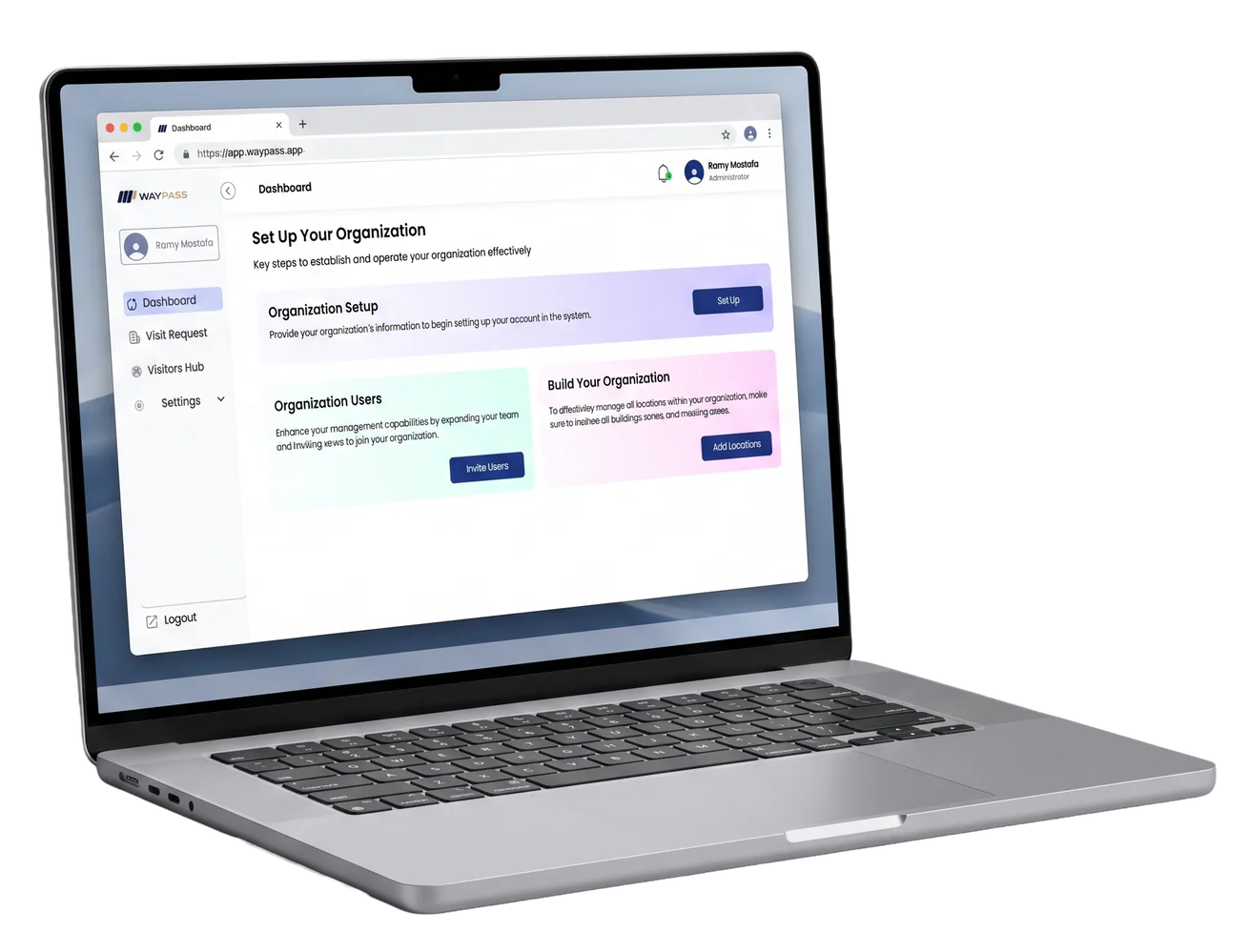
The QR invitation and NFC visitor card serve different moments: one connects the guest to the planned visit, the other supports verification during their time in the facility.
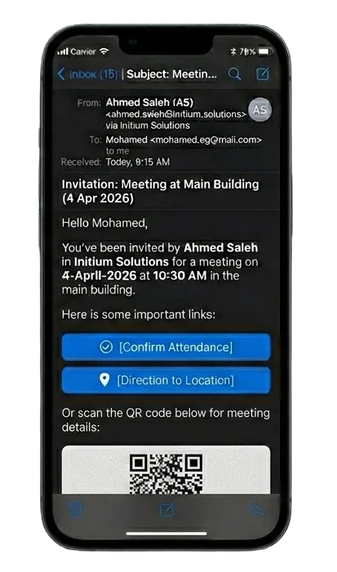
Send the visit details and personalized QR code ahead of arrival. The guest presents the code to security when reaching the facility.
Invitation mockup; names, dates, organization and message content are illustrative. Notification and confirmation options are scoped to the chosen workflow.
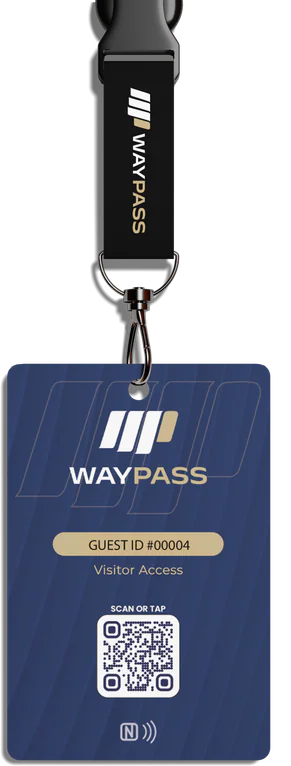
NFC smart visitor cards provide a tap-and-go alternative to single-use paper badges, giving staff and security a way to read and verify visitor and meeting information on-site.
Visitor-card sample, not an active credential. Card encoding, readers, devices and issue/return procedures are confirmed during implementation.
Explore 4 interface screens across the employee, manager and reception experiences. Open any screen to view its complete layout and task context.
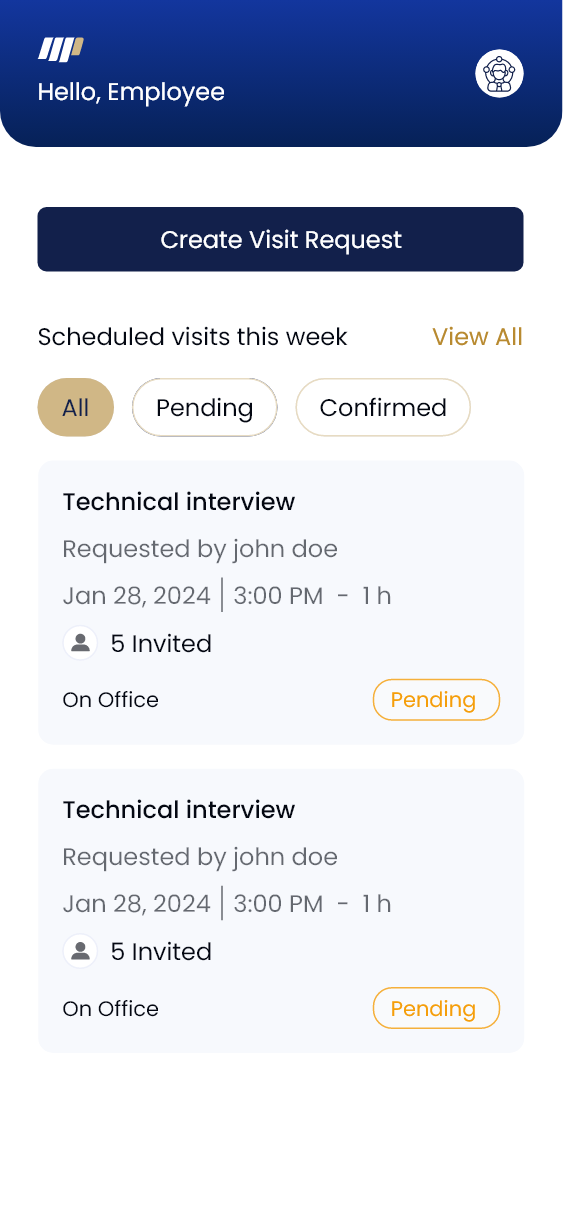
Create an invitation and follow the visits you host. The employee workspace keeps scheduled requests and their status in view before the guest reaches reception.
Select an image to inspect the complete screen.
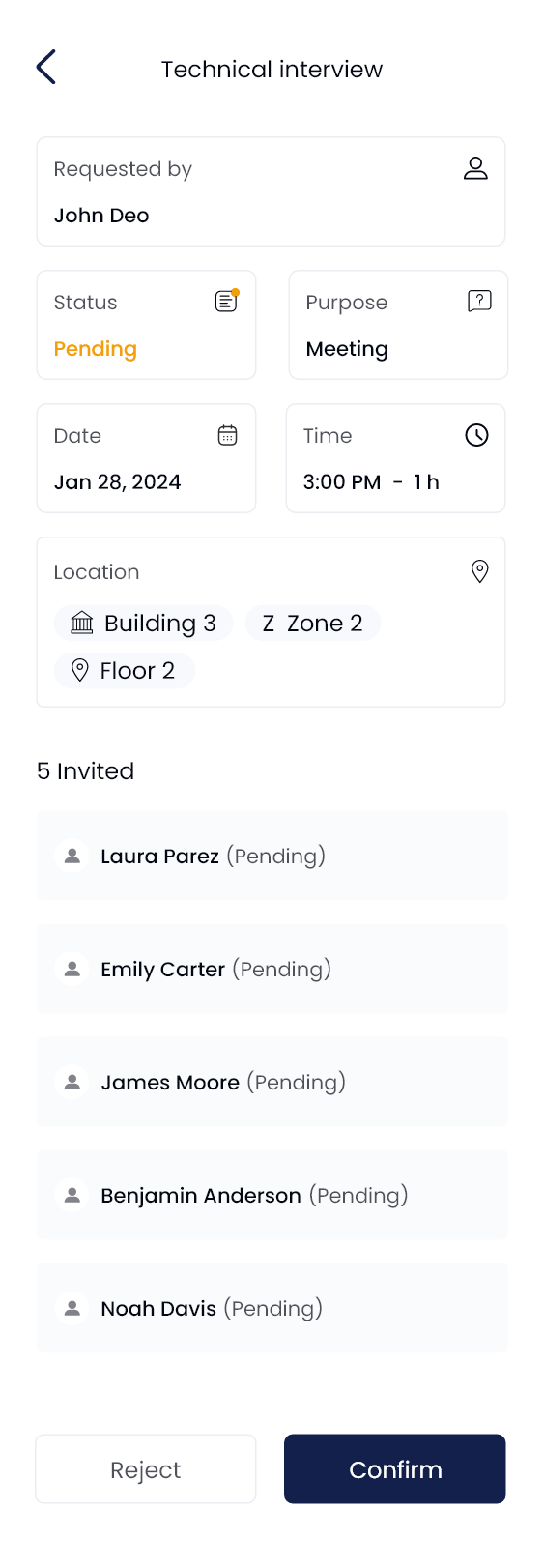
See who requested the visit, its purpose, date, time and facility, and the invited guests. Confirm or reject the requests that need manager approval.
Select an image to inspect the complete screen.
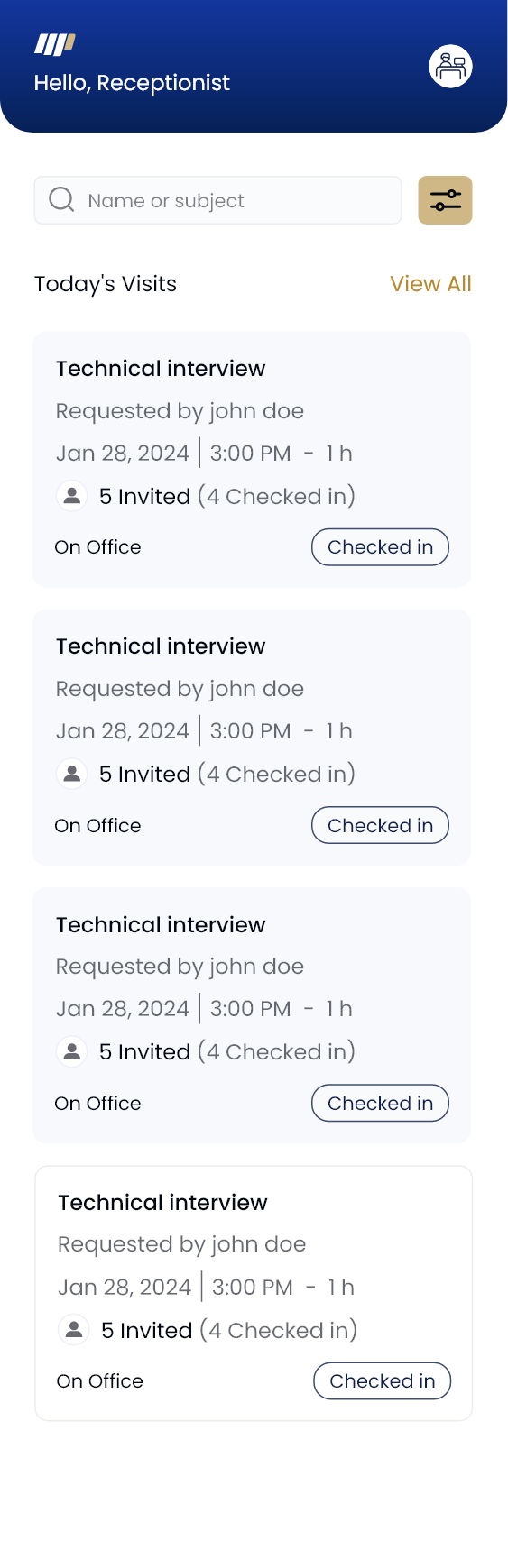
Review today's visits and checked-in counts, then inspect a visit and record the verification details relevant to the front-desk process.
Select an image to inspect the complete screen.
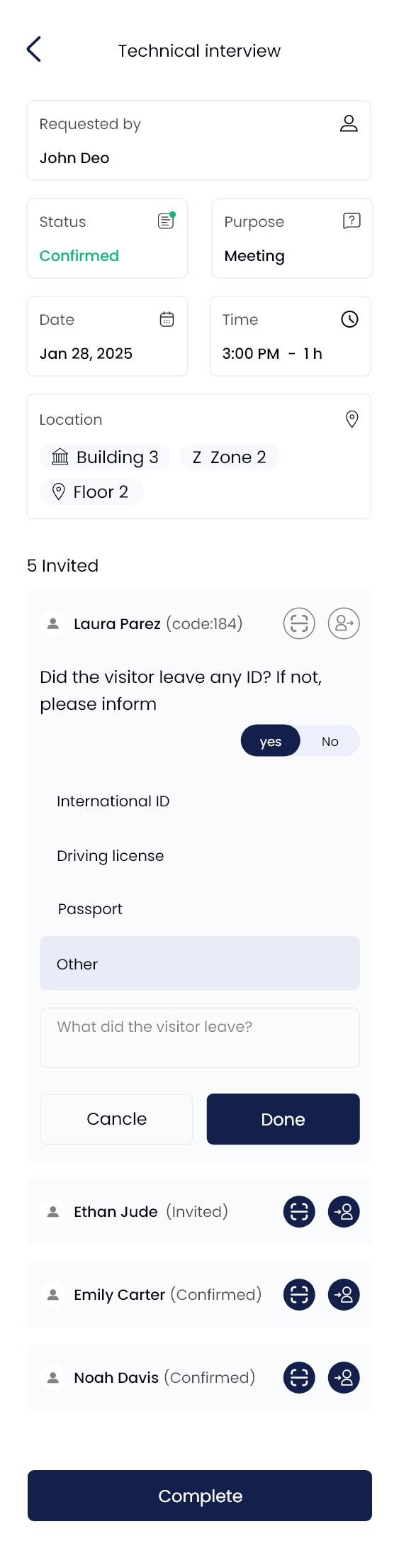
Mobile-interface screens, not live applications. Names, dates, visitor details and figures are sample data. Fields, permissions and workflows depend on the approved WayPASS configuration.
WayPASS is an Azure-based cloud visitor-management platform with Microsoft 365 connections, Entra ID sign-in and Power Platform extensibility. Align identity, notifications and workflows with the environment your teams already use.
Licensing, tenant configuration, identity permissions, integration endpoints and third-party messaging access are confirmed for the approved scope.
Replace publicly exposed paper entries with a digital operation shaped by role permissions, visitor policy and a traceable record. Discuss the security controls and data requirements relevant to your organization.
Platform infrastructure does not by itself establish regulatory compliance, certification or guaranteed availability for an individual deployment. Confirm applicable controls and evidence during scoping.
Start with daily guest volumes, facility arrangements, approval responsibilities and communication preferences. These decisions shape the visitor experience and its integrations.
No. The approval step is used when required by the organization’s visitor policy. Hosts create the invitation, and requests that need review are routed to a manager.
The guest receives a personalized QR code with the invitation and presents it to security on arrival. A reusable NFC visitor card supports tap-and-go verification while the guest is on-site. Devices, readers and operating procedures are defined in the implementation.
Yes. WayPASS connects to Outlook and Teams, supports Microsoft Entra ID single sign-on and extends through Power Apps and Power Automate. The exact Outlook-meeting workflow, tenant permissions and licensing are confirmed during scoping.
These are configured to your visitor policy. Decide whether unplanned visits or guest self-registration are permitted and whether email, SMS or WhatsApp notifications are needed. A Hawiti identity integration for a visitor portal is scoped separately where relevant.
Yes. WayPASS provides English and Arabic interfaces. Confirm the preferred language and message templates for your visitor workflow.
No. The gallery contains mobile-interface screens with sample names and dates. The laptop, invitation and badge are illustrative product artwork. Request a walkthrough to review your intended configuration.
Tell us how many guests you receive, who approves their visits and how you want hosts and visitors to stay informed. We’ll map the right WayPASS experience.
Request a WayPASS walkthrough Explore the portfolio