A complete property profile
Organize properties, projects, units and spaces in an expandable structure that keeps the information behind each asset together.

 PROPERTY OPERATIONS, CONNECTED
Connect property and unit information with sales, leasing, facilities and customer engagement. Give your teams, brokers and tenants the context they need, through one property-management solution integrated with Dynamics 365 CRM.
From first interest to occupancy and ongoing operations.
Turn qualified interest into offers, agreements and invoice visibility.
Property owners, developers and operators need more than isolated transactions. PropertyPro brings project, unit, customer and service context into the work of selling, leasing and managing a portfolio.
Organize properties, projects, units and spaces in an expandable structure that keeps the information behind each asset together.
Give sales, leasing and facility teams depth in their own processes while keeping property, customer and operational information connected.
Connect marketing and notifications with controlled broker inventory access and tenant self-service for leases, billing and service requests.

Move between property-level performance and the attributes teams need at unit and space level, with dashboards and map-based views that bring the picture together.
Maintain property details in a dynamic, manageable hierarchy and drill into the inventory behind a project.
Bring development expenses, property revenue and facility costs into the project view. Explore locations on an interactive map with access to KPI snapshots and operational dashboards.
These are performance measures to review, not promises of an investment return.
Sales and leasing are distinct commercial paths. Both connect to the property information and ongoing relationships that facilities and customer-facing teams depend on.
An illustrative connection map, not a mandatory approval sequence. Select the modules, rules and integration scope that fit your operation.
Explore the commercial and operational workstreams. Marketing and role-based portals extend these processes rather than replacing them.
Give sales consultants a guided opportunity process with property inventory, buyer preferences, offers and agreement information connected throughout the sales journey.
Connect inquiries, vacancy matching, rental evaluation, rent schedules, contracts and monthly billing in a guided leasing process.
The Facility Workbench gathers related information and functionality for the teams running your properties. Coordinate equipment, inventory, maintenance, field resources, vendors, utilities and operational expenses.
Coordinate communications with leads, tenants, customers, reseller agents and contractors, while managing outreach and social activity around your properties and brand.
Use configurable event-triggered notifications with a content library that supports event-appropriate language and consistent messaging. Landing pages capture visitor information and help analyze where inquiries originate.
Bring social content and response work into a central operating view, with tools for listening, publishing, coordination and performance reporting.
Messaging services, WhatsApp integration and social-network connections depend on the agreed setup and channel availability. They are not assumed to be enabled in every deployment.
Give external participants a focused experience around the information and actions relevant to them, while the operational teams retain the property and workflow context.
Invite brokers to view the properties or units assigned to their accounts. Keep shared inventory controlled while bringing broker-generated leads into the same sales pipeline.
Connect the tenant to lease documents, invoices and property services through a self-service portal and a business-brandable native mobile experience.
Start with the responsibility you want to improve, then map the modules and participant experiences that support it.
Review the property profile, project expenses, revenue and inventory. Connect the sales pipeline with units, customer preferences, offers and agreements.
Coordinate inquiries, vacancy matching, rental offers and contracts. Keep renewals and billing in view while tenants access their information and request services.
Bring tenant cases into maintenance and field work. Coordinate equipment, stock, vendors, meters and service contracts with the property context attached.
A shared record keeps the next person from starting again. Connect the property, participant and transaction context where commercial and operational responsibilities meet.
A broker or campaign creates interest. Sales teams qualify the buyer, match preferences to the inventory, select a payment plan and progress the agreement. The unit and customer context stays with the opportunity and invoices.
A tenant raises a service request through self-service. The case reaches the facility team responsible for that property, which can coordinate maintenance while the tenant and team continue the conversation through the portal.
Maintain multiple meters and applicable billing plans against customer profiles. Collect readings through the selected channels, define flat or consumption-based tariffs and review utility-related activity alongside facility costs.
Illustrative connections based on the product capabilities. The practical handoffs, approval rules and integrations are scoped to your organization.
PropertyPro is natively integrated with Dynamics 365 CRM. Define the modules, data access and supporting connections around your operating model rather than assuming a one-size-fits-all package.
Property and unit details support sales and leasing. Customer and tenant profiles connect agreements, invoices and requests. Broker segmentation and vendor records add context for commercial and service teams.
Access rules, integrations, reporting configuration and module inclusion are defined during scoping. No particular licensing, deployment or security certification is implied.
Built-in dashboards, Excel pivots and configured Power BI support operational analysis.
Combine manual, self-service and bulk collection with smart-meter integration where required.
Configure notification channels and social connections around participant preferences and service availability.
Connect a payment gateway for tenant settlement; integrate property marketing information with the company website.
Named options are not automatically included or connected in every implementation. Confirm compatibility, provider requirements and the approved project scope.
Explore PropertyPro product views, enhanced geographic images and high-resolution illustrative redraws. Open any image for a larger view and a description of the work it represents.
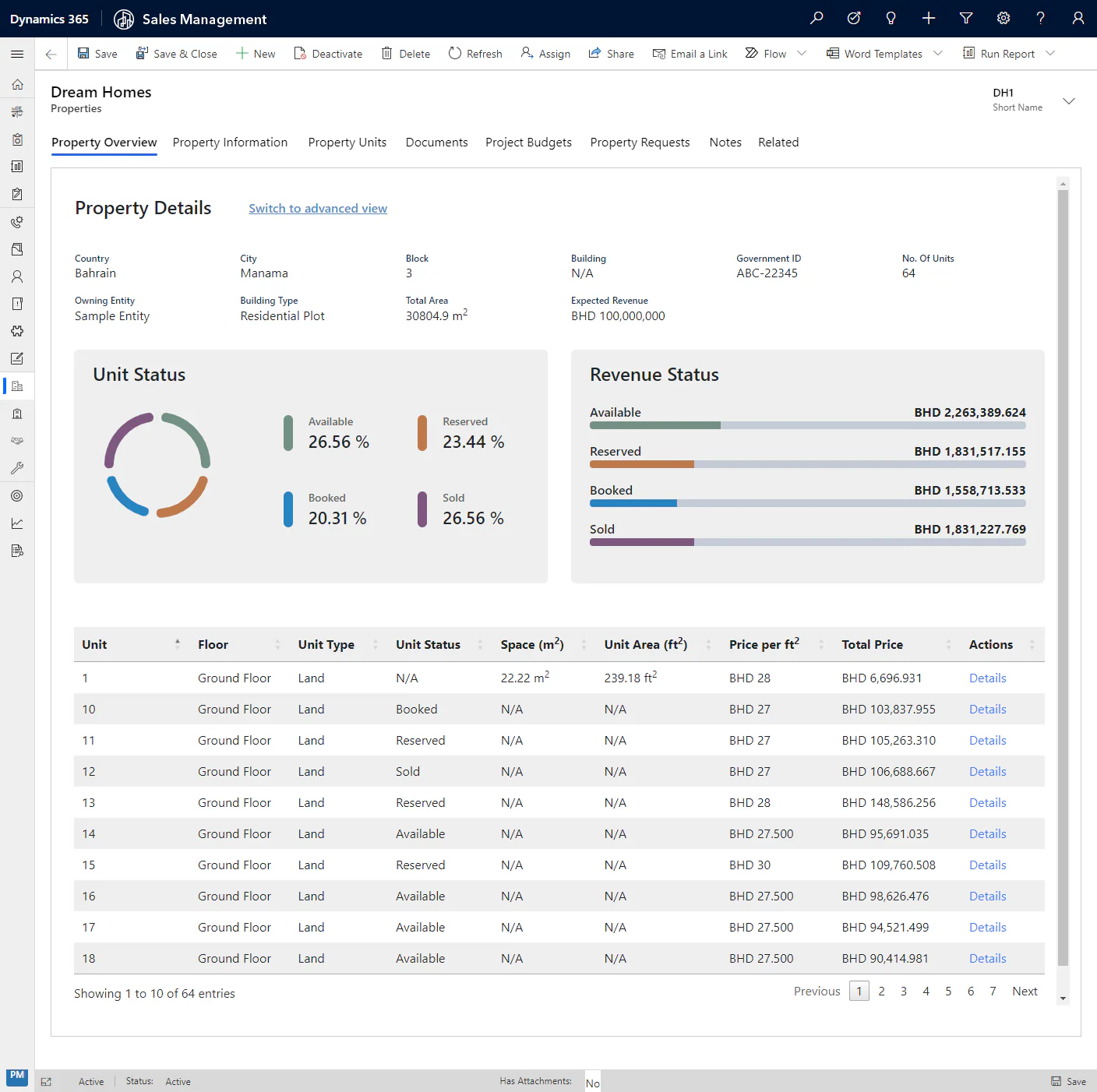
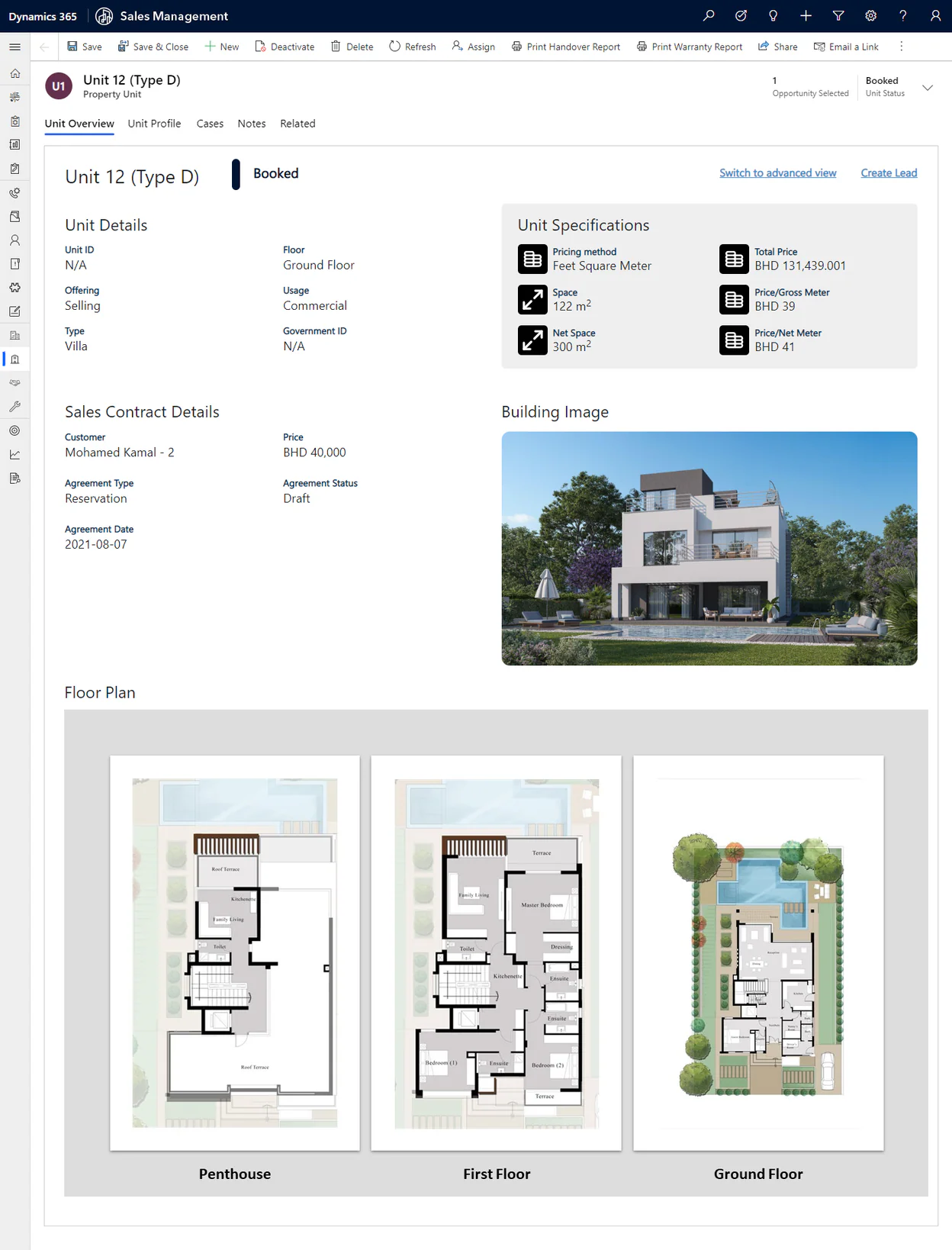
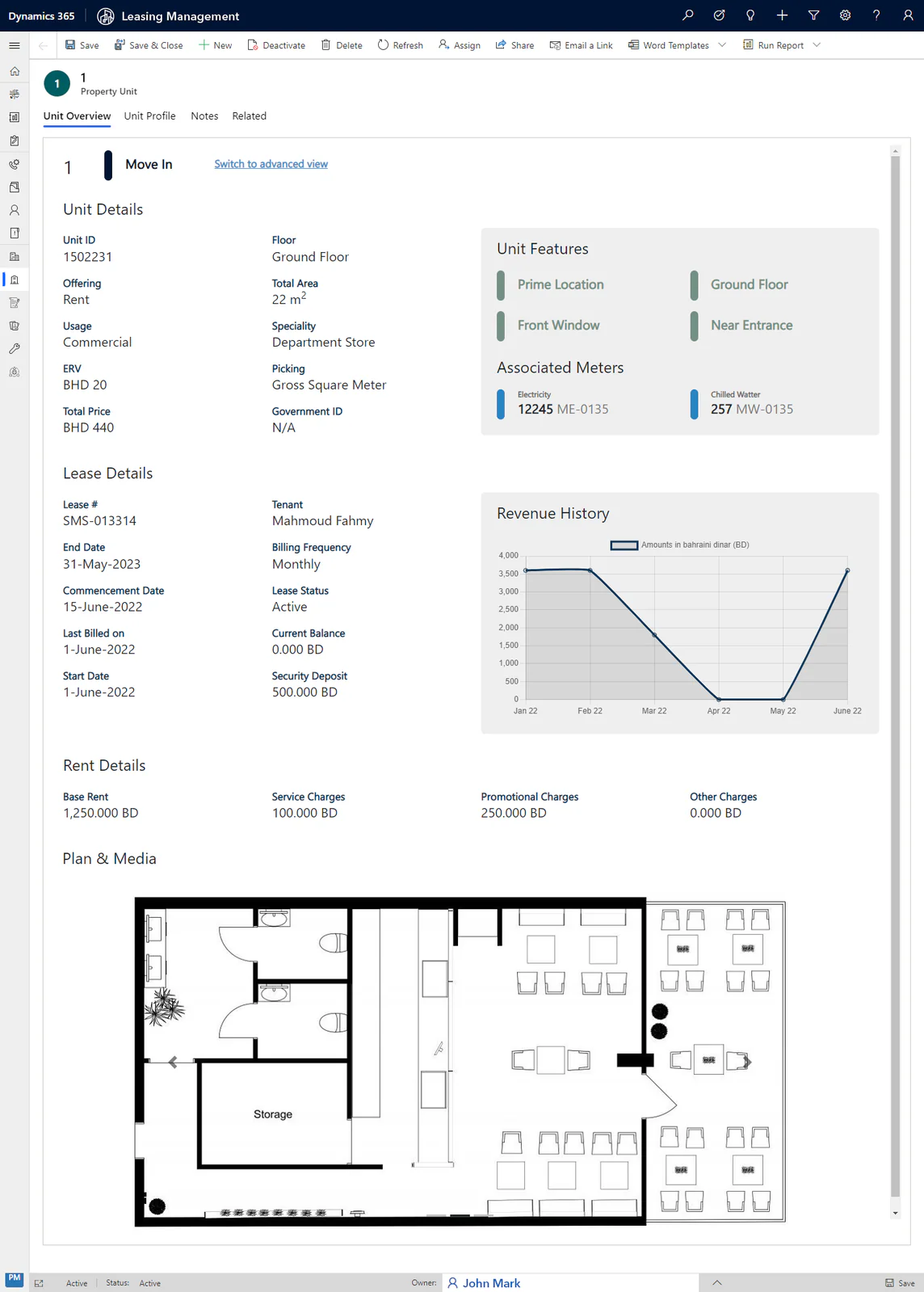
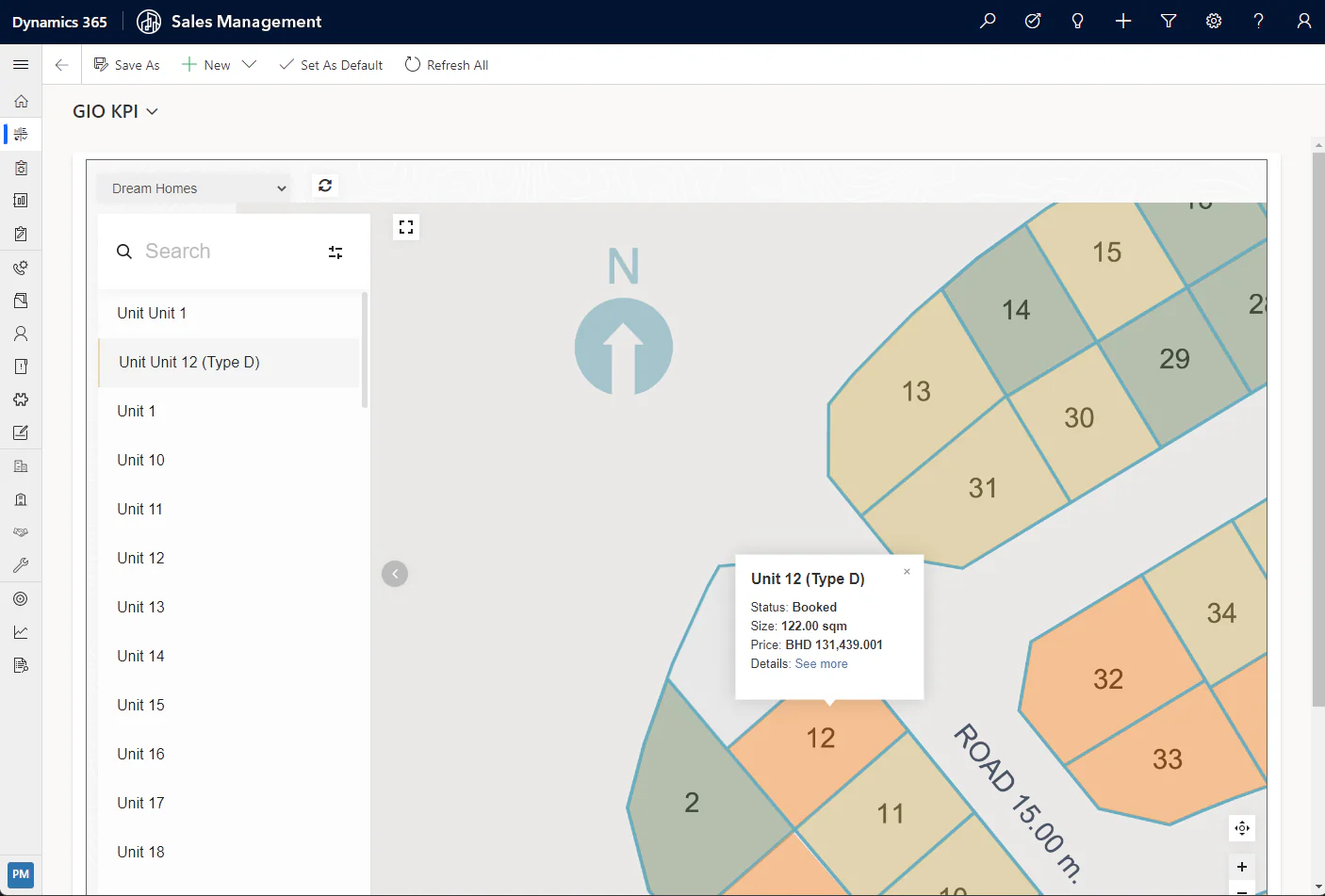
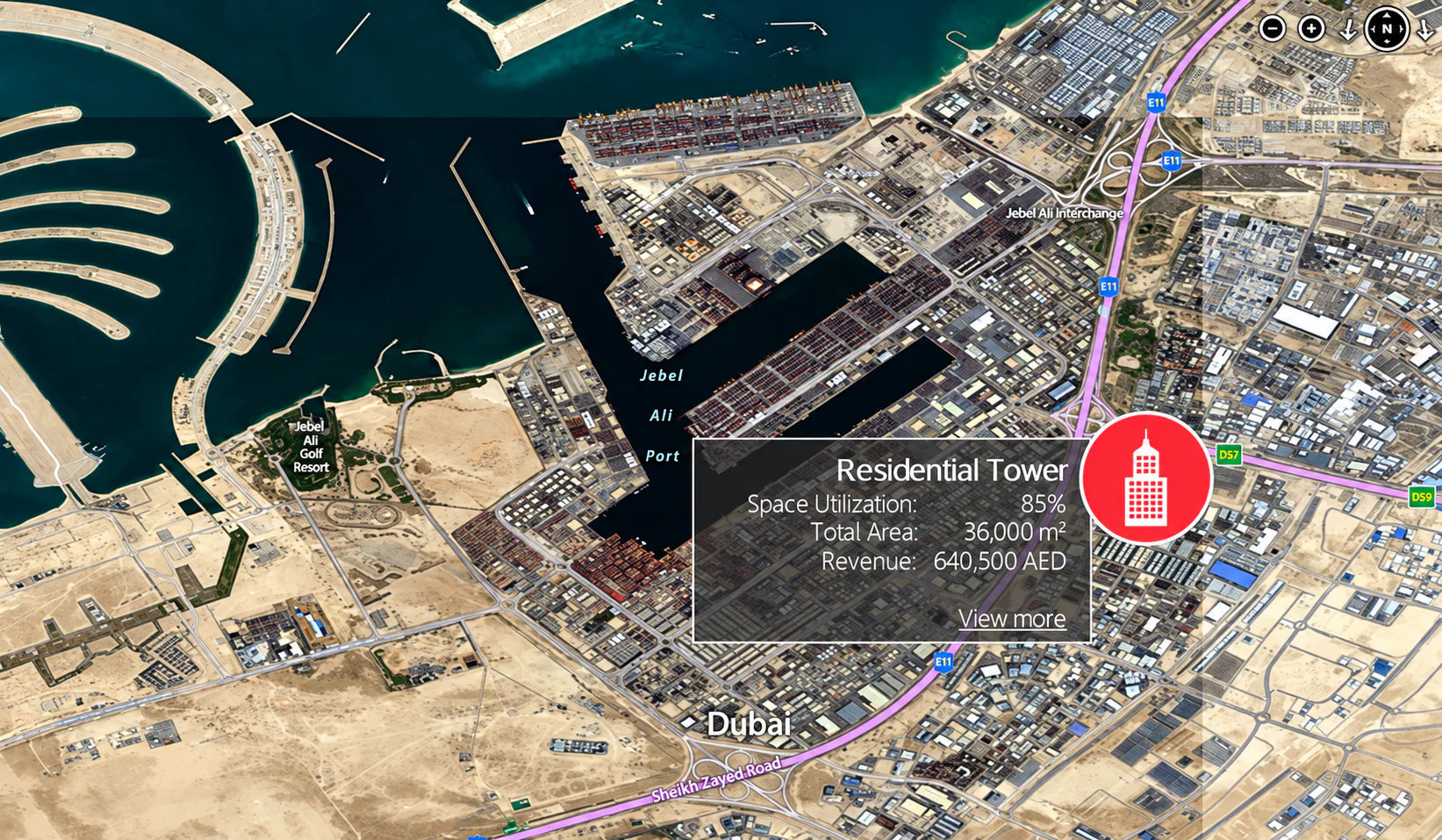
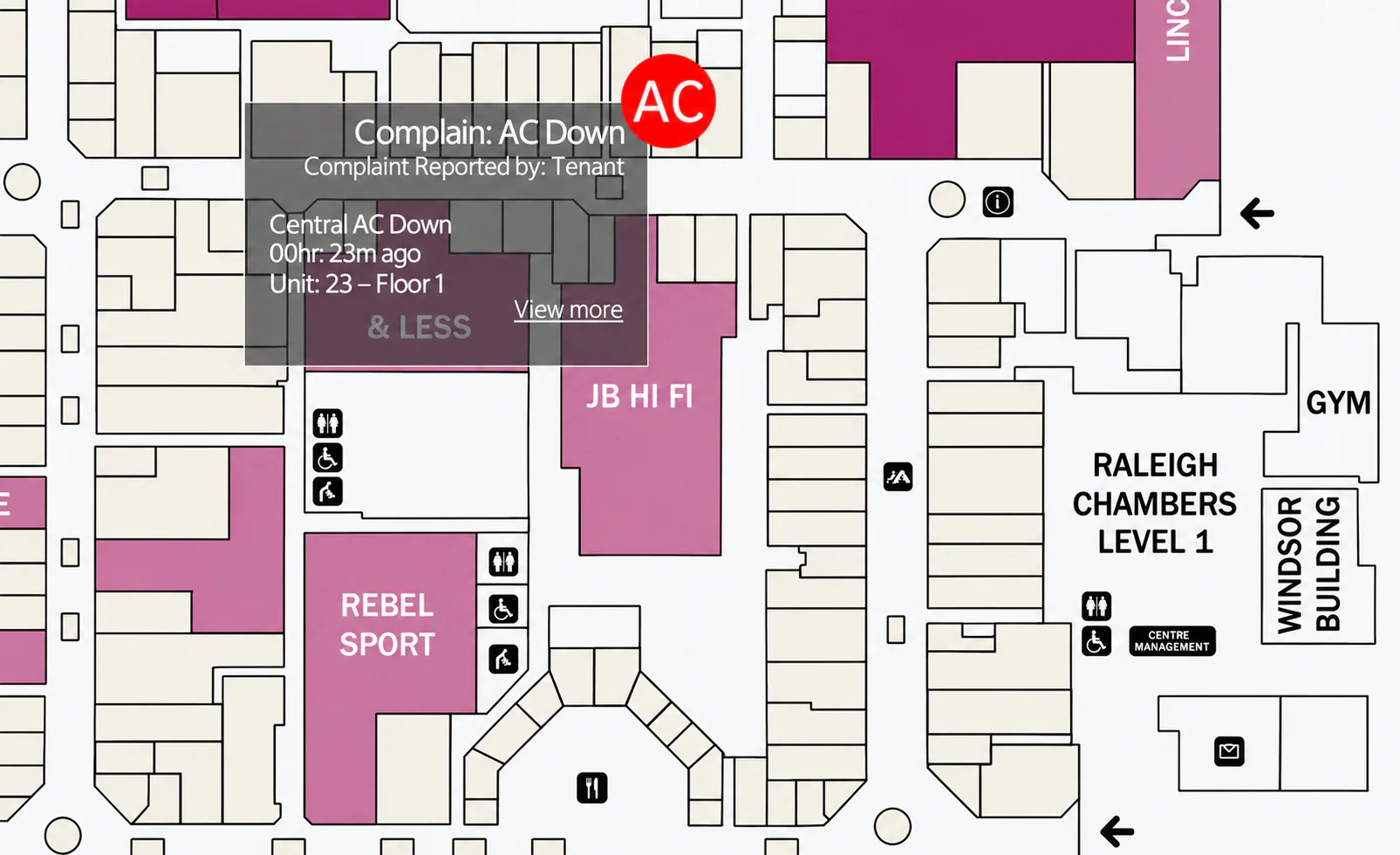
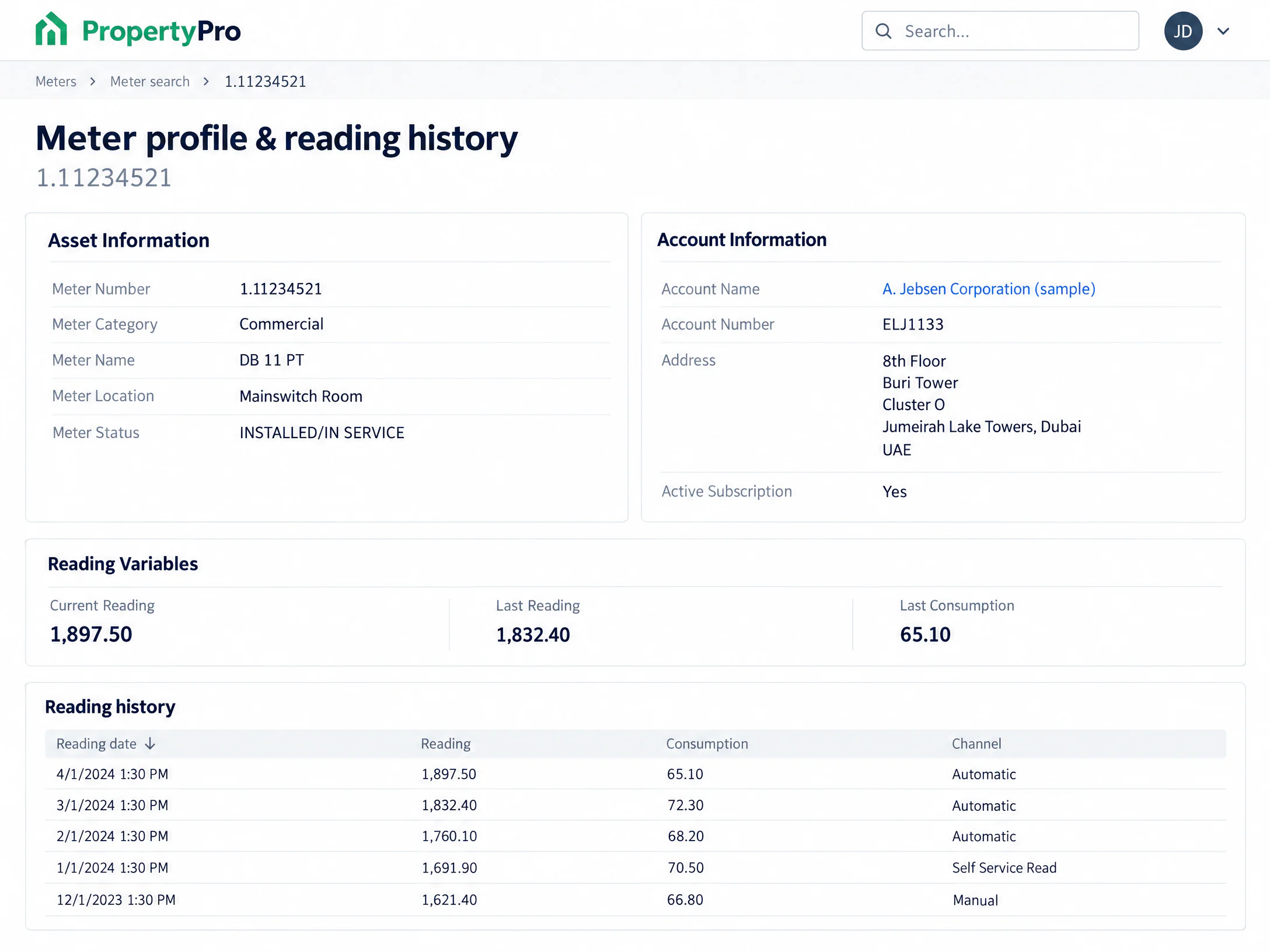
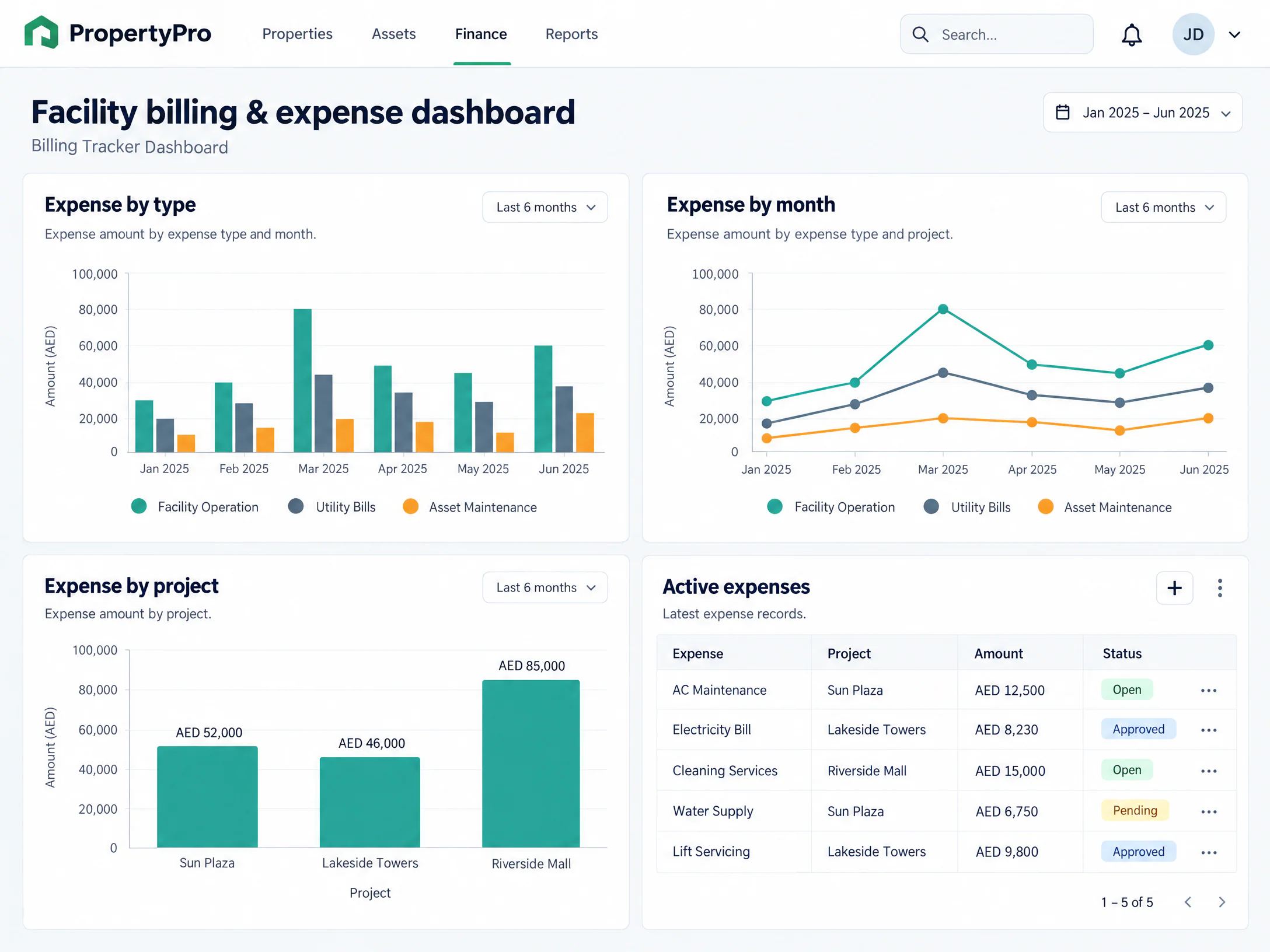
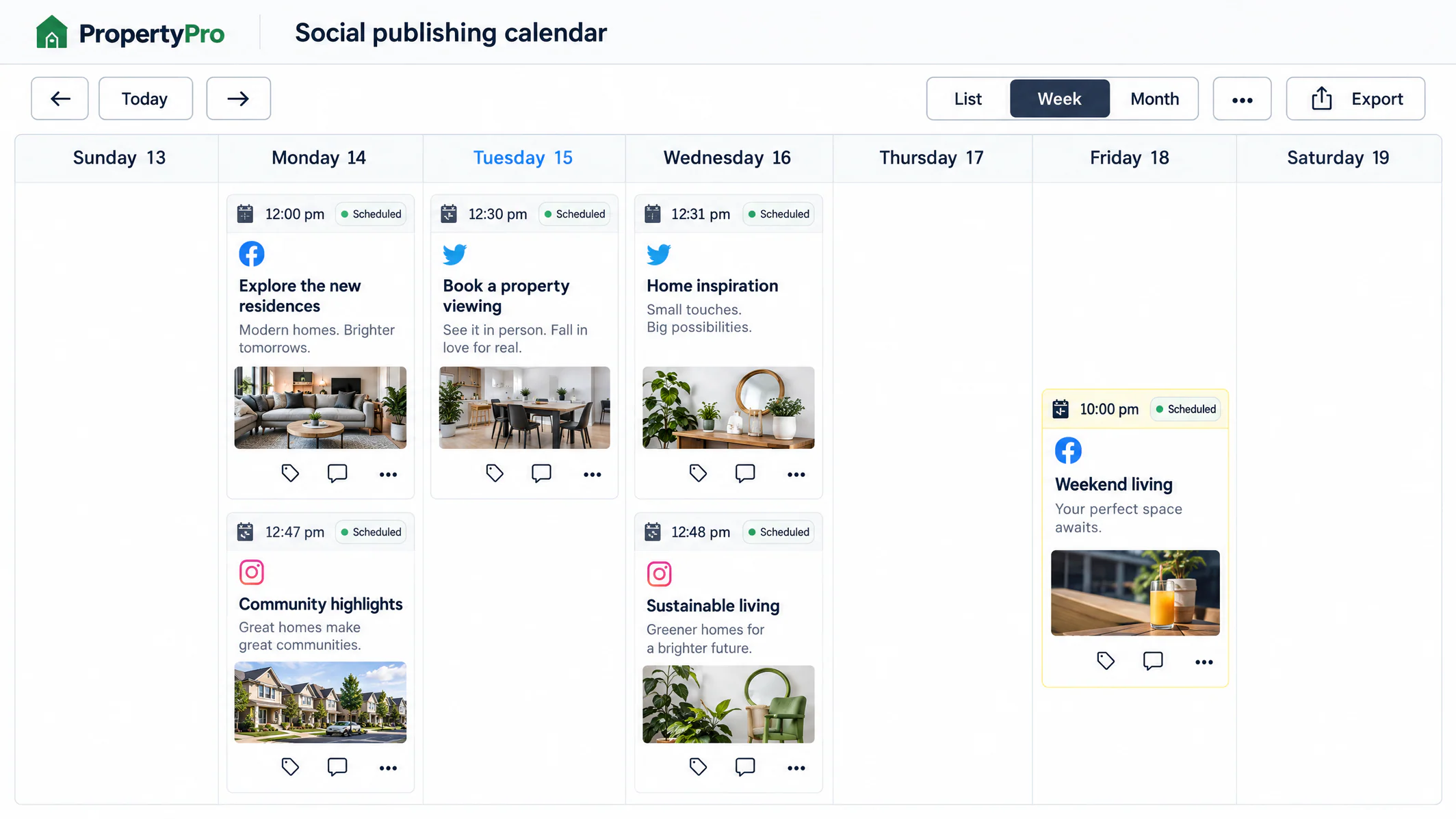
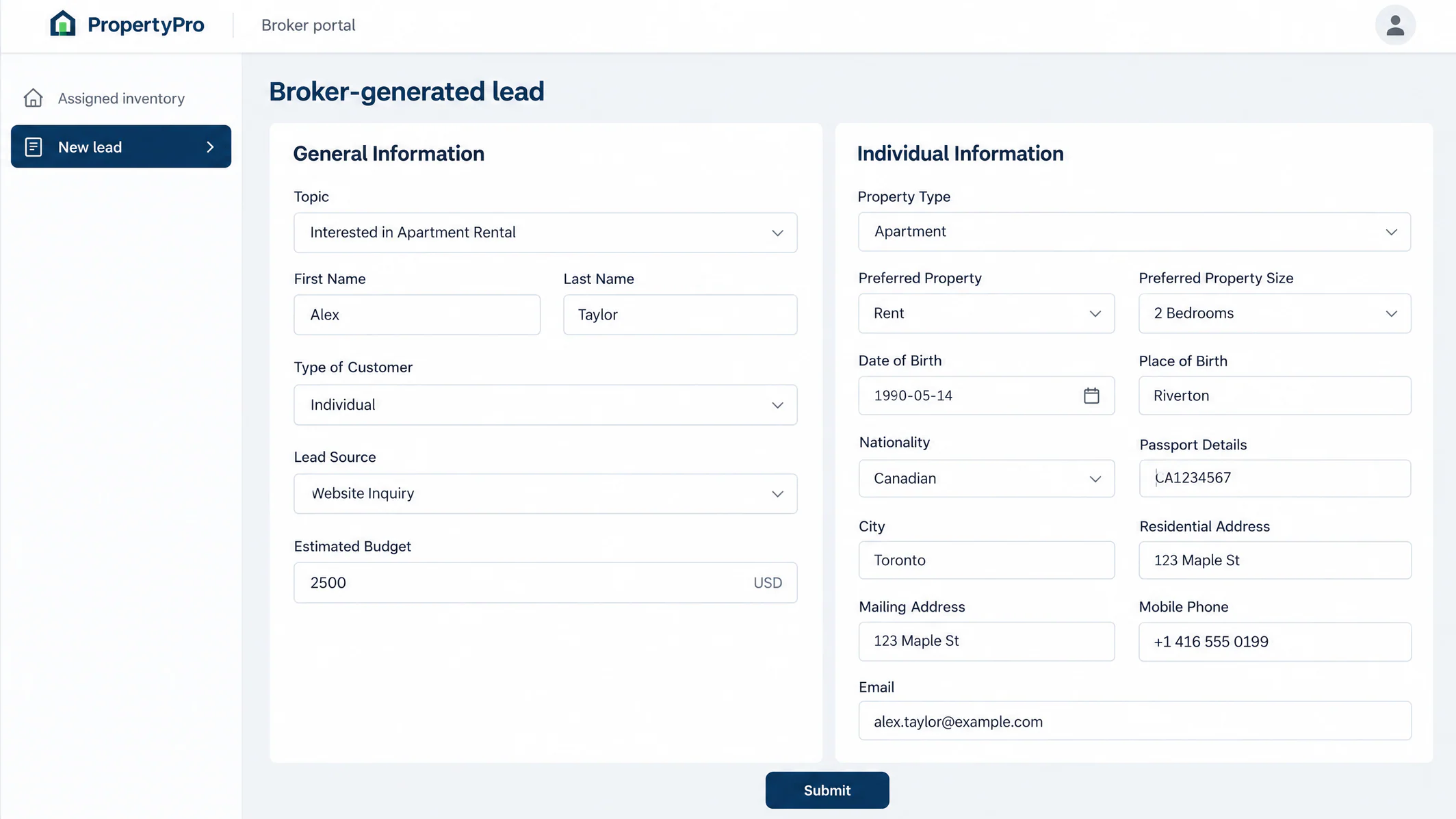
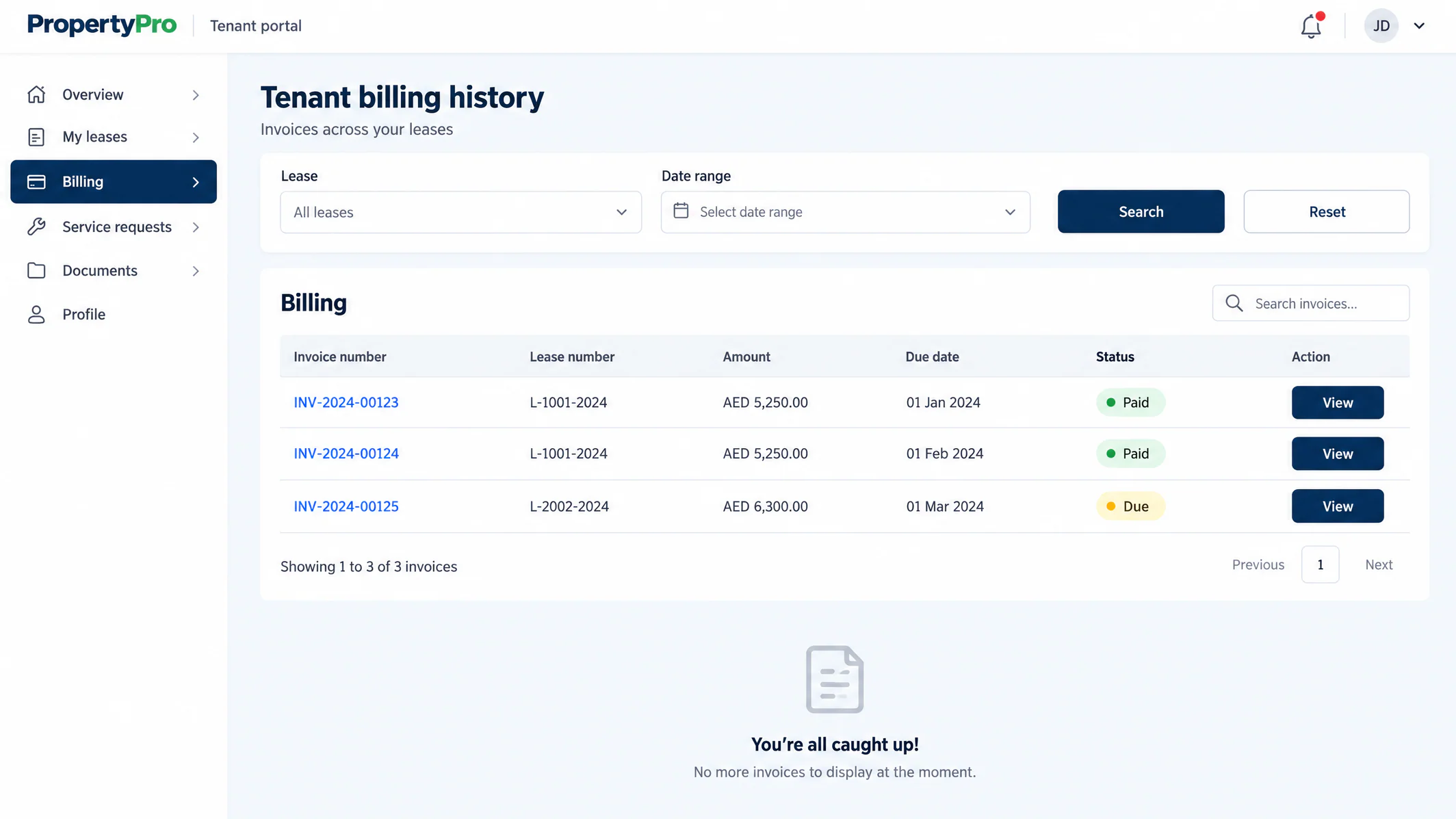
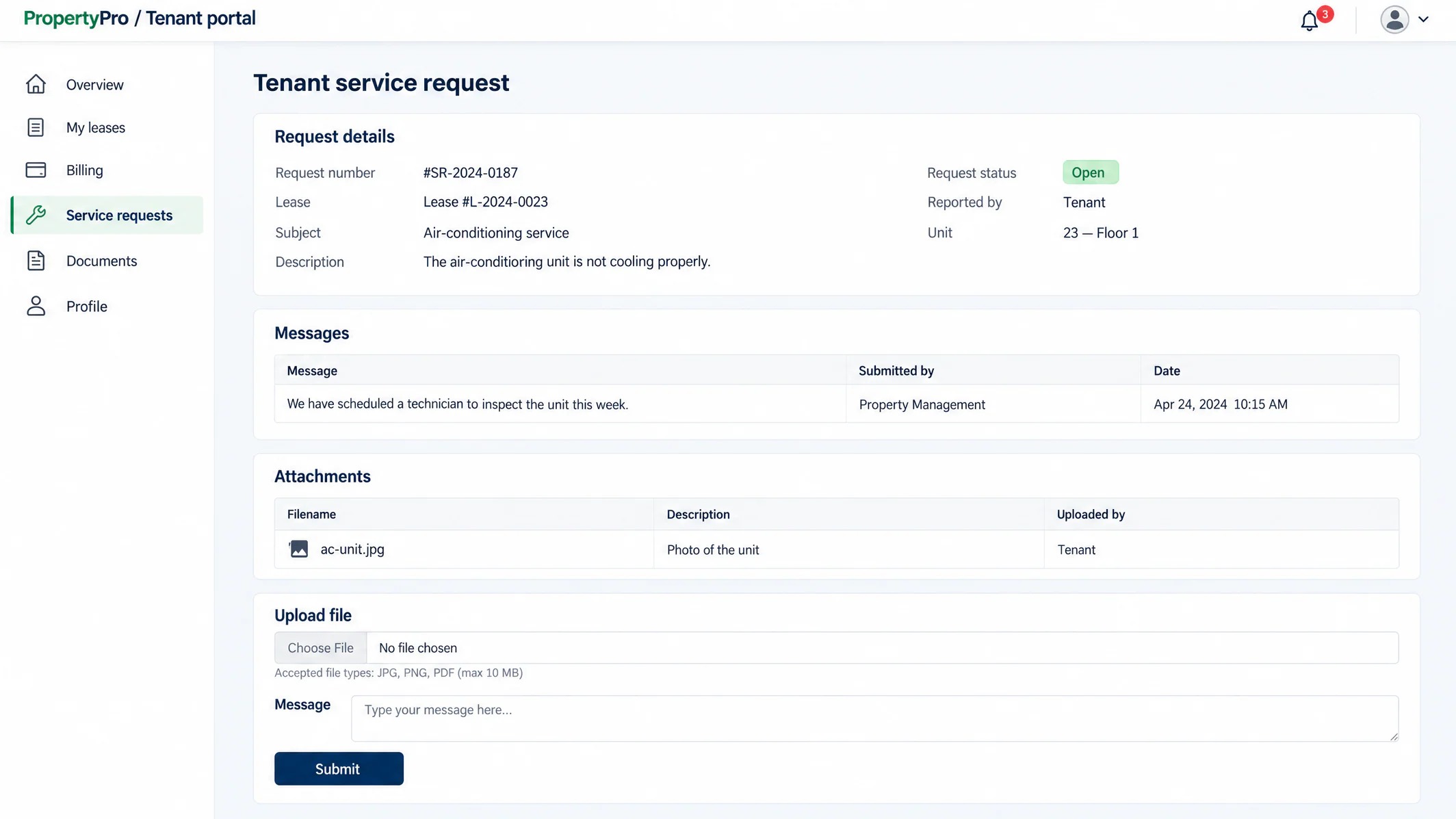
Original product captures are shown alongside enhanced geographic images and clearly labeled illustrative redraws. Redraws reconstruct low-resolution interfaces with sample data; they are not exact product screenshots. None of these images is a live application or a guarantee of the current interface. Fields, figures and workflows vary by configuration.
Map the operational need first, then confirm the right modules, access and integrations.
Property Sales, Property Leasing and Facility Management are the three core operational modules. Property profiling provides a shared foundation, while Marketing & Engagement, Broker Portal and Tenant Portal/mobile access connect additional teams and participants. Confirm the selected package and implementation scope with BlueLink.
The Broker Portal is designed around assigned inventory. Property managers assign properties or units to broker accounts, which limits the inventory those brokers can access.
Review leases and documents, inspect invoices, update contact information, submit service requests and communicate with the facility team. Work permits and configured fit-out procedures are also supported. Tenant payment settlement requires a connected payment gateway.
They are optional integration and reporting components. Their availability, licensing, technical setup and inclusion must be confirmed in the approved solution scope.
Estimated Rent Value supports rent offers and comparison of current rents with market price. It is a decision aid, not an autonomous pricing engine; confirm the methodology, data sources and intended evaluation approach during scoping.
No. The gallery combines product screens, geographic views and high-resolution illustrations with sample data. Arrange a guided walkthrough to explore your chosen modules, configurations and participant journeys.
Tell us about your portfolio, commercial processes, service teams and existing systems. Let’s map the PropertyPro experience that fits.
Talk to a PropertyPro specialist Explore the portfolio