 NEED → LEARNING EVIDENCE
 EduMAX
Start with the skill gap
Capture departmental needs and employee requests. Connect the justification for training to the course or annual plan that addresses it.

 CONNECTED TRAINING & WORKFORCE DEVELOPMENT
Connect training needs, annual plans, course delivery, vendor evaluation and verified attendance in one training-management solution, built for ministries, public institutions and enterprise learning teams.
One connected record, from identified need to certification.
Replace disconnected requests, registers and email approvals with a shared operating picture. EduMAX connects learning and development to the people, budgets, providers and evidence behind every programme.
Capture departmental needs and employee requests. Connect the justification for training to the course or annual plan that addresses it.
Bring schedules, instructors, vendors, venues, resources and full delivery costs into the course workspace.
Follow attendance, assessments, certification and reporting through the same training record, with approvals and decisions available for review.
Compare vendor quality and price while keeping itemized costs visible.
Direct learning investment toward documented departmental priorities.
Connect verification, role permissions and approval evidence to training records.
Coordinate people and physical resources with course and session context.
Each stage carries its context forward. Approval chains, execution choices and certification rules are configured around your organization, not imposed as a single universal process.
This illustrative journey shows how records can connect, not a mandatory sequence. An approved need may map to an available catalog course or be carried into a future annual plan, depending on timing, authority and the selected EduMAX edition.
What changes as the request moves? Ownership, approval status and financial context become more specific, while the original department, impact and justification remain visible for downstream review.
A department or employee records the topic, impact area, urgency and business justification. Managers review requests within their configured authority.
If a suitable course is available, map the need to the catalog. If timing or capability requires it, place the request into a future training plan for review.
Once a plan or course is in scope, confirm the approval chain, participant capacity, instructor, venue and delivery model. Outsourced courses can hold competing offers and a reviewed award rationale.
Connect enrolment to day-by-day marks and assessment results. Use the applicable certificate rules and reports to support follow-up and the next planning cycle.
Keep the boundaries clear: Training Needs Analysis is included in the Government edition. The 75% attendance threshold is a configurable example rule, not a universal policy; assessment, CPD and accreditation conditions can be configured separately.
Explore the operational capabilities that link strategy and planning to administration, delivery and measurable learning progress.
A ministry- and fiscal-year-oriented control room for course activity, enrolments, completion, approval queues and upcoming sessions.
Seven tabs hold the complete course file: details, related programme, attendees, instructor, sessions, operations and financials.
Group the year’s departmental courses with planned attendees, session counts, duration and budget, then move the plan through a recorded approval chain.
Build multi-course programmes around defined tracks, grade bands and departments, with a shared curriculum and learning resources.
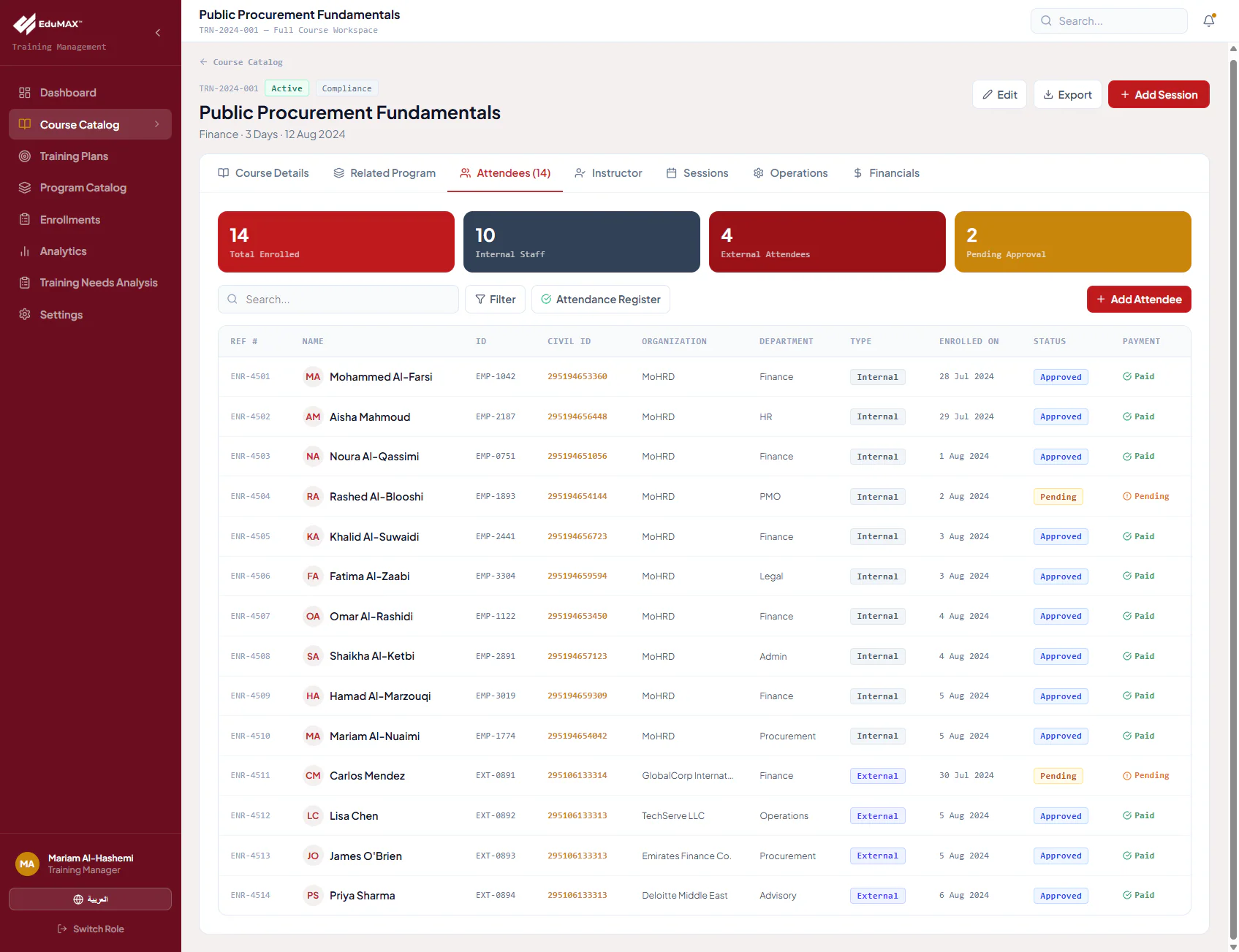
Bring internal employees and external participants into one roster while preserving audience type, approval status and payment context.
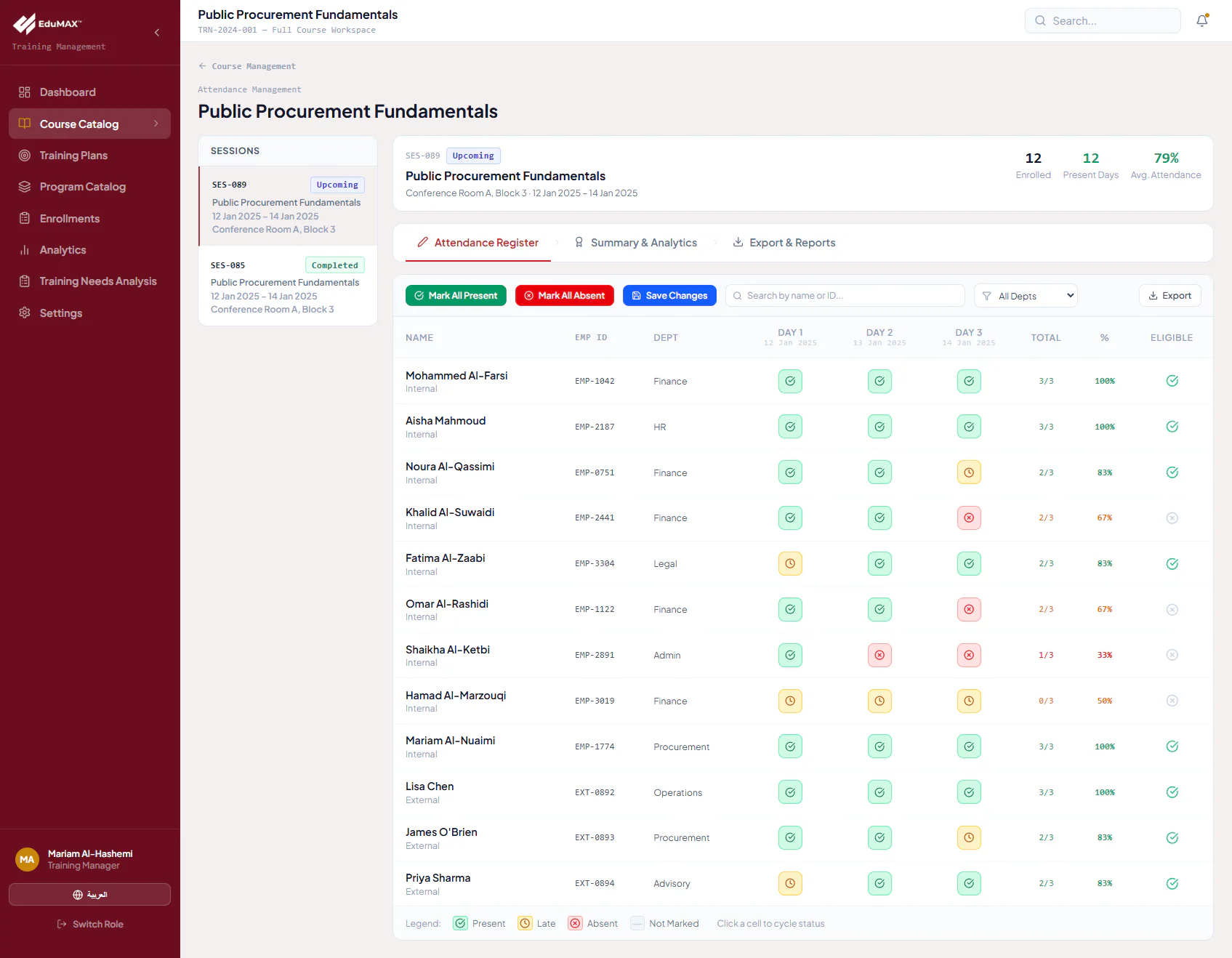
Track each participant on each training day, connect kiosk/mobile check-in with the register, and follow certification eligibility.
Manage internally delivered or outsourced courses, compare competing vendor proposals, and retain the evaluation behind the award.
Fifteen standard reports cover the learning record and the operational decisions around it, with date-scoped metrics, charts and detailed tables.
Collect departmental training requests and skill gaps, capture impact and justification, and route each approved need to an existing course or future training plan. Ministry-wide campaigns create a structured collection cycle rather than an open-ended email queue.
Shared data does not mean identical access. Define workspace visibility and approval responsibilities around your training unit, leadership, departments and participants.
Manage catalogs, sessions, enrolments, vendors and analytics from the administrative workspace.
Review annual plans, approve or reject submissions, and follow training performance at an organizational level.
Raise justified training needs and participate in the approval path for employee enrolment.
Follow assigned sessions, work with attendees, enter assessments and share course materials.
Browse courses, request enrolment, follow learning progress and access completed-course certificates.
Discover public programmes through the Arabic RTL portal and manage course registrations.
Permissions, departmental views and approval authority are configurable during implementation. External access and AI guidance depend on the selected edition and scope.
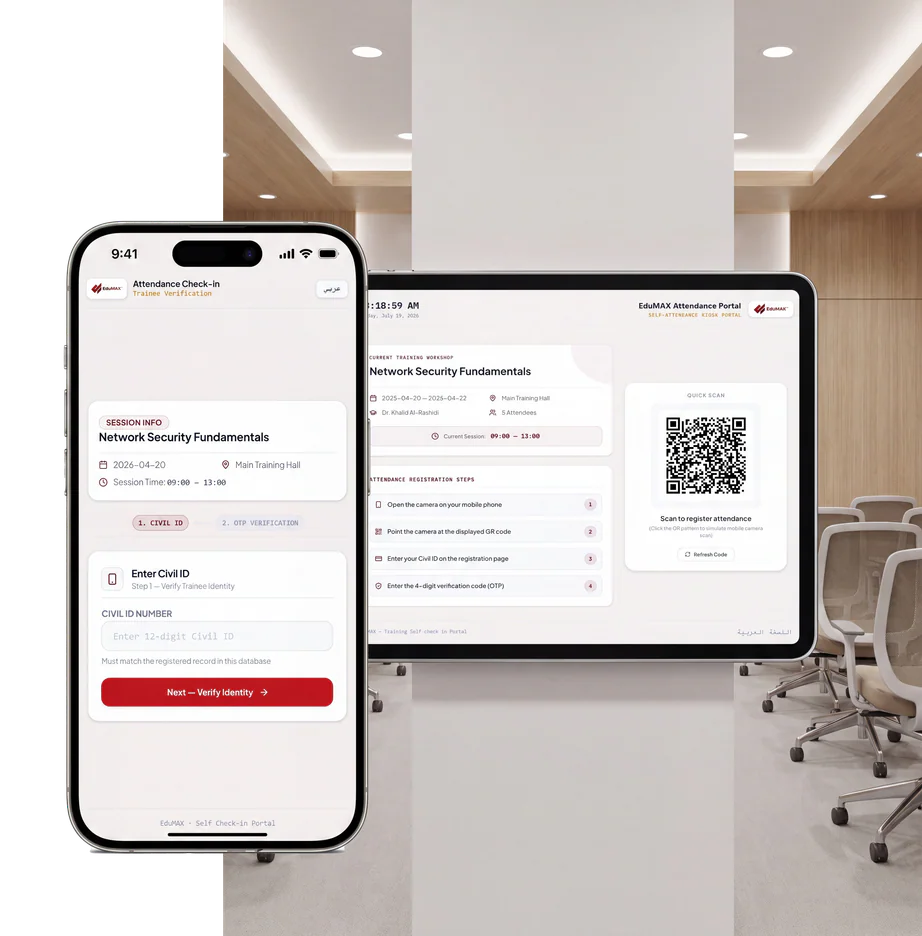
Connect on-site check-in to day-by-day attendance, instructor assessments and the rules used to determine certification eligibility.
A session kiosk displays a refreshing QR code. Participants continue on their phone with identity and OTP verification, while staff retain the attendance register for review and administration.
The register distinguishes present, late, absent and not marked. Eligible and non-eligible lists support certificate administration; assessment pass thresholds and other accreditation conditions are considered separately.
Identity-provider integration, OTP delivery, QR refresh policy and exception handling are confirmed during scoping. Verification supports stronger evidence; it is not a guarantee that misuse is impossible.
Use AI to help analyze proposal content, draft evaluation notes and guide learners. Review outputs against the course requirements and the organization’s policies before acting.
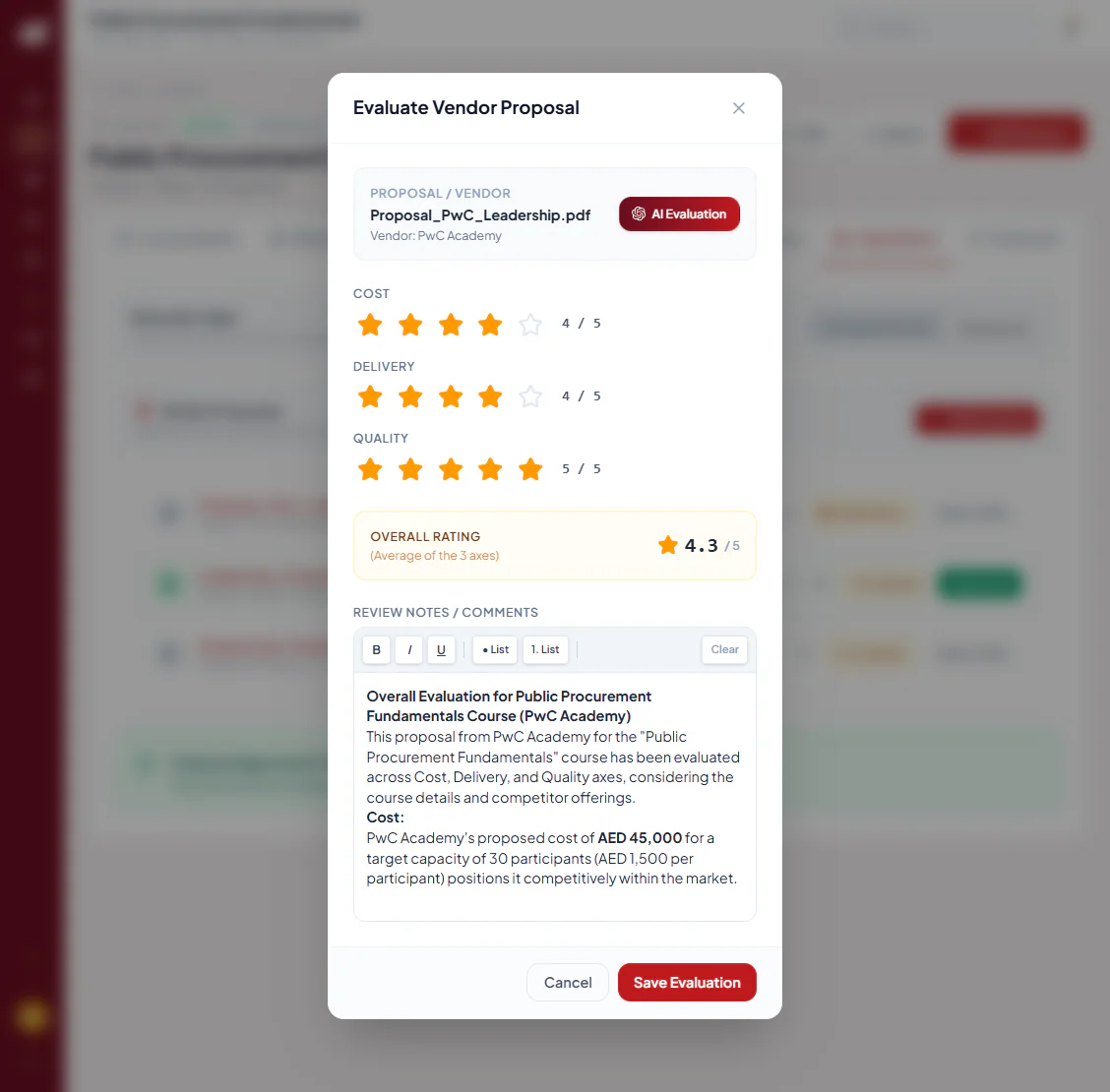
The proposal-review workspace uses three rating axes and an averaged overall score. AI-assisted evaluation can draft a written review using course requirements and competing proposals, including cost-per-participant analysis.
Reviewers can amend the rich-text notes before saving. Vendor selection and the award rationale remain organizational decisions, not automatic AI outcomes.
The EduMAX AI Advisor supports course discovery and development conversations using relevant role and training context.
Bring employee needs and departmental gaps into planning and forecasting discussions.
Keep written assessment notes with the proposal, rather than leaving the rationale in separate correspondence.
Support English and Arabic review/reporting outputs where configured for the engagement.
AI services, grounding, language quality, access, licensing and human-review controls are scoped before deployment. No accuracy, bias-elimination or time-saving percentage is promised.
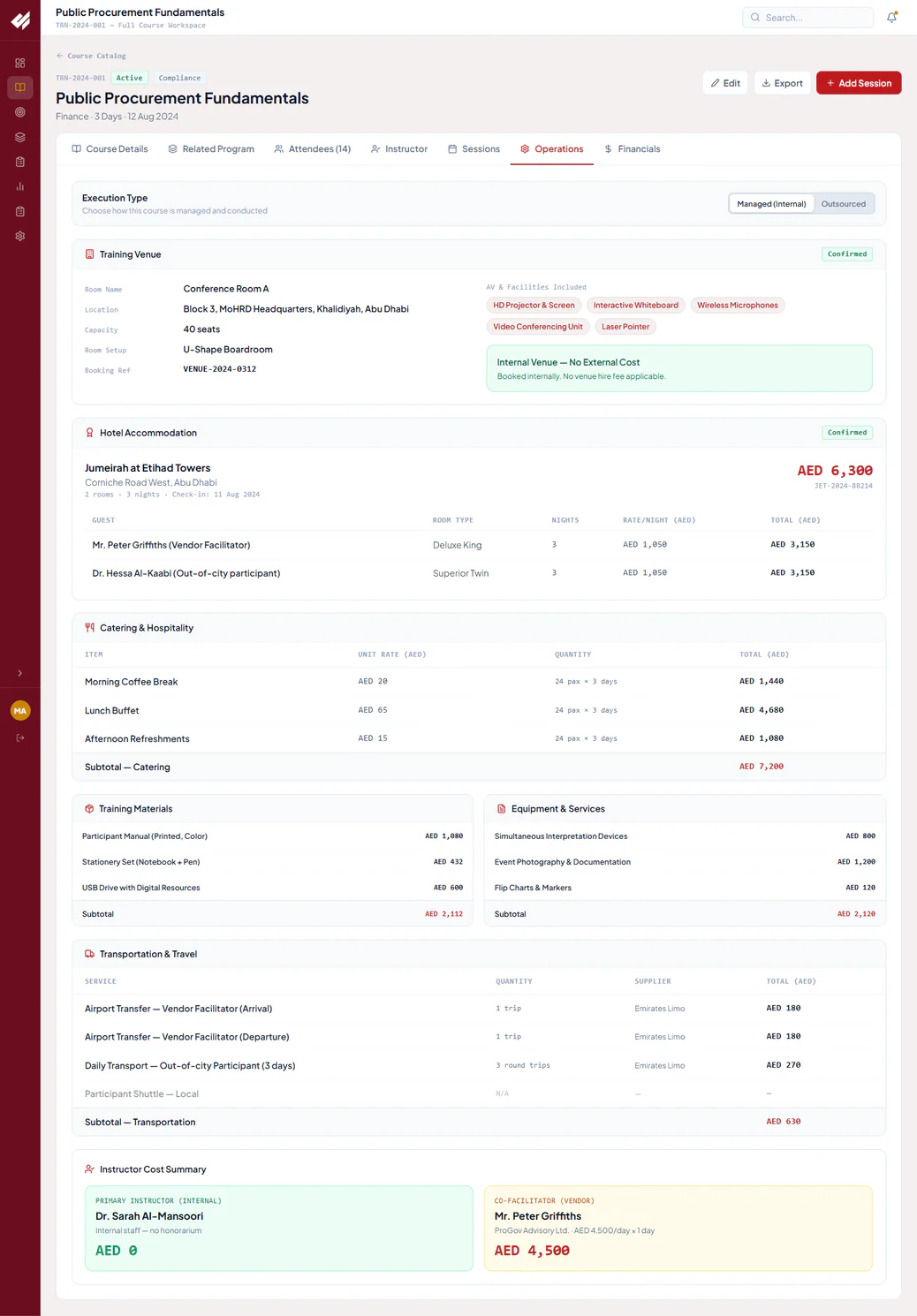
Keep operational detail and financial context with the course. Itemized rates, quantities and subtotals make the total delivery cost more visible than a single estimated budget line.
Room, capacity, layout, booking reference and included AV amenities. Internal venues can record zero external hire cost.
Guest, room type, nights, nightly rate and confirmation details.
Coffee breaks, lunches and refreshments by headcount and training day.
Printed manuals, stationery and digital resources linked to delivery needs.
Interpretation, documentation, photography and classroom consumables.
Airport transfers, participant travel, suppliers and trip quantities.
Internal staff and vendor facilitators, including applicable daily fees.
The financial workspace connects planned budgets, delivery costs, actual expenditure and payment milestones where configured. The standard configuration uses AED; currency, finance integration and payment workflows are confirmed for the entity.
Select a report, define the date range, review headline metrics and underlying data, and print the result for operational reviews and committee packs.
Explore 19 product screens across planning, vendors, delivery, attendance, portals and reporting. Open any image for its full-size view and workflow description.
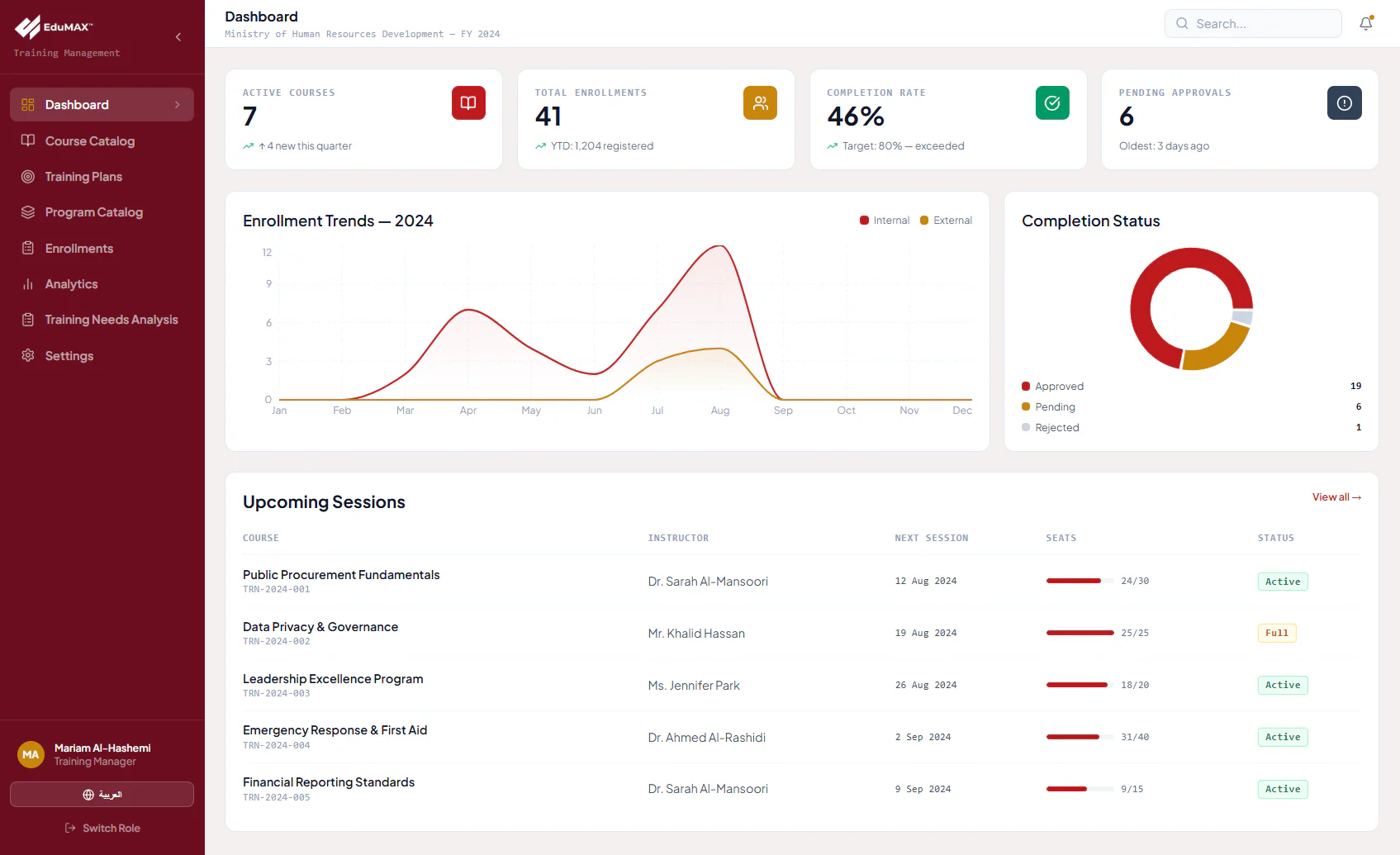
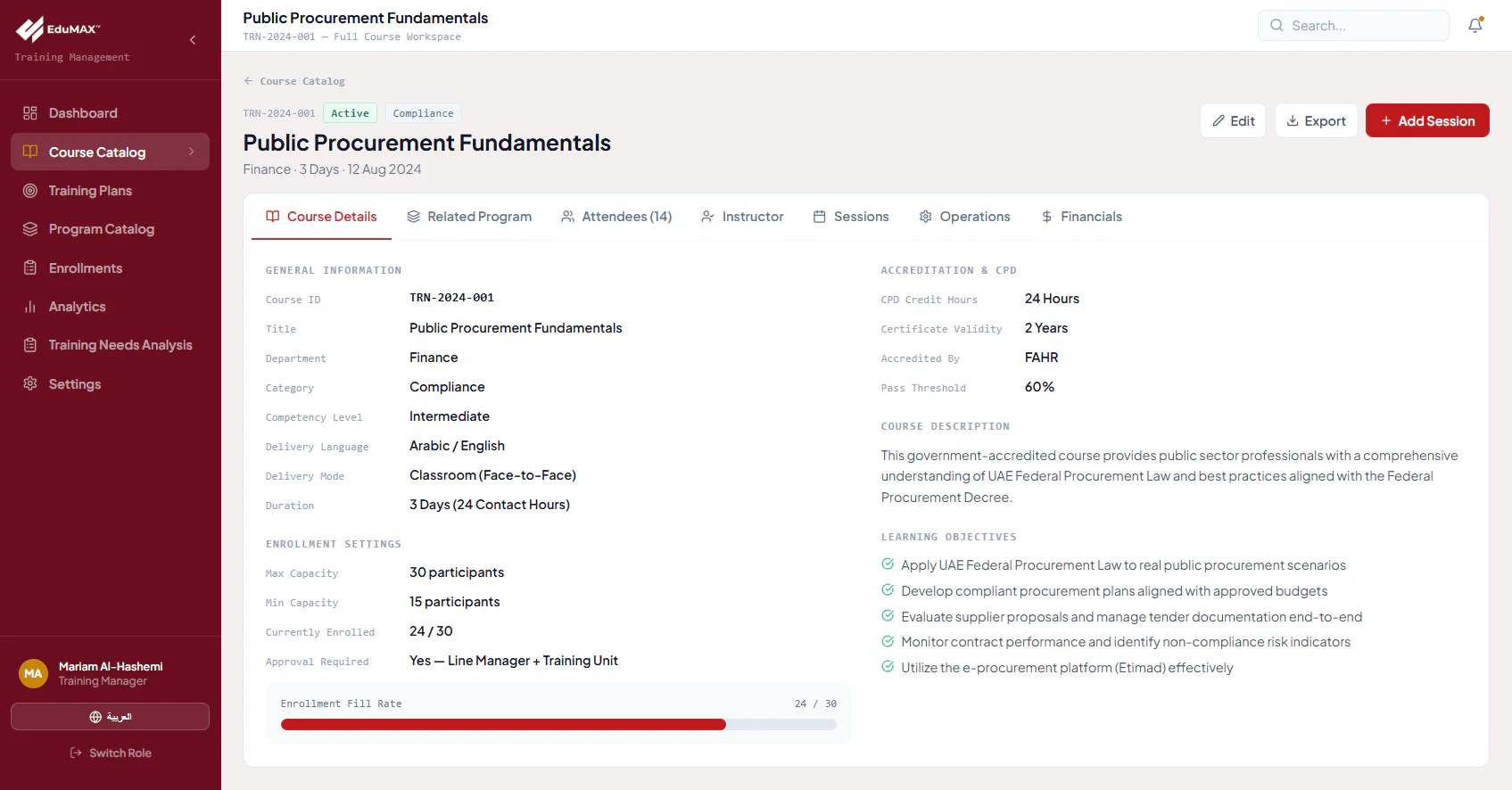
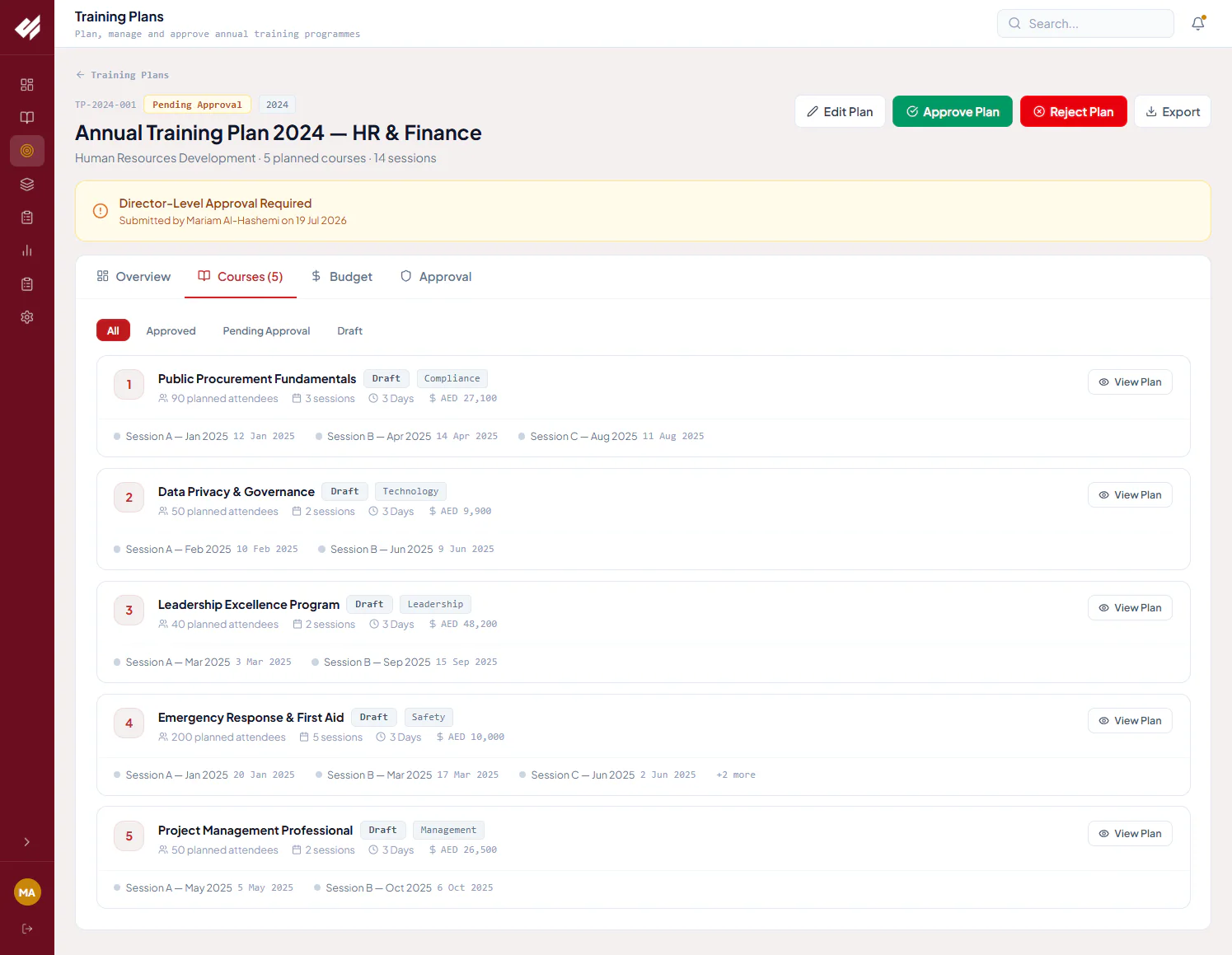
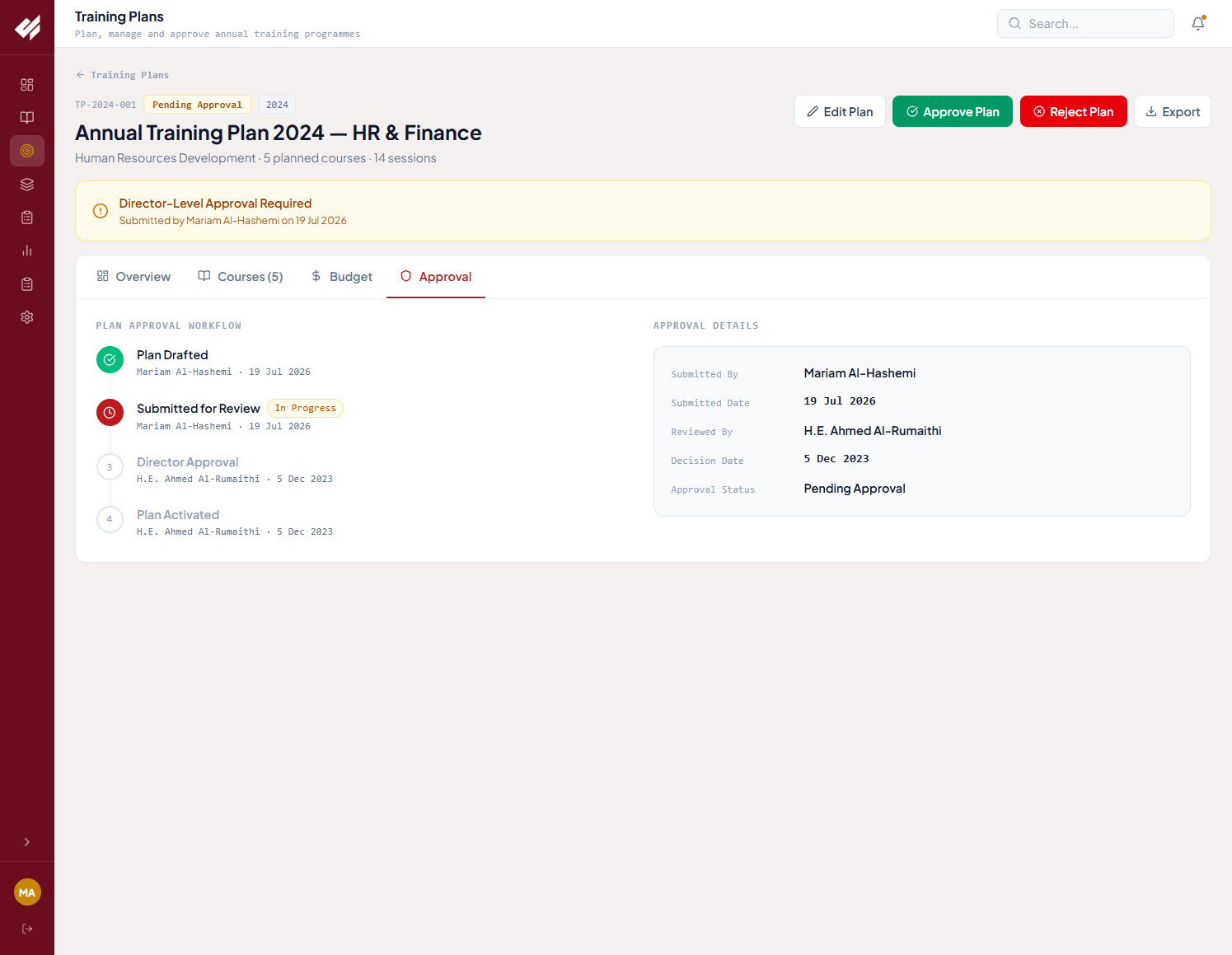
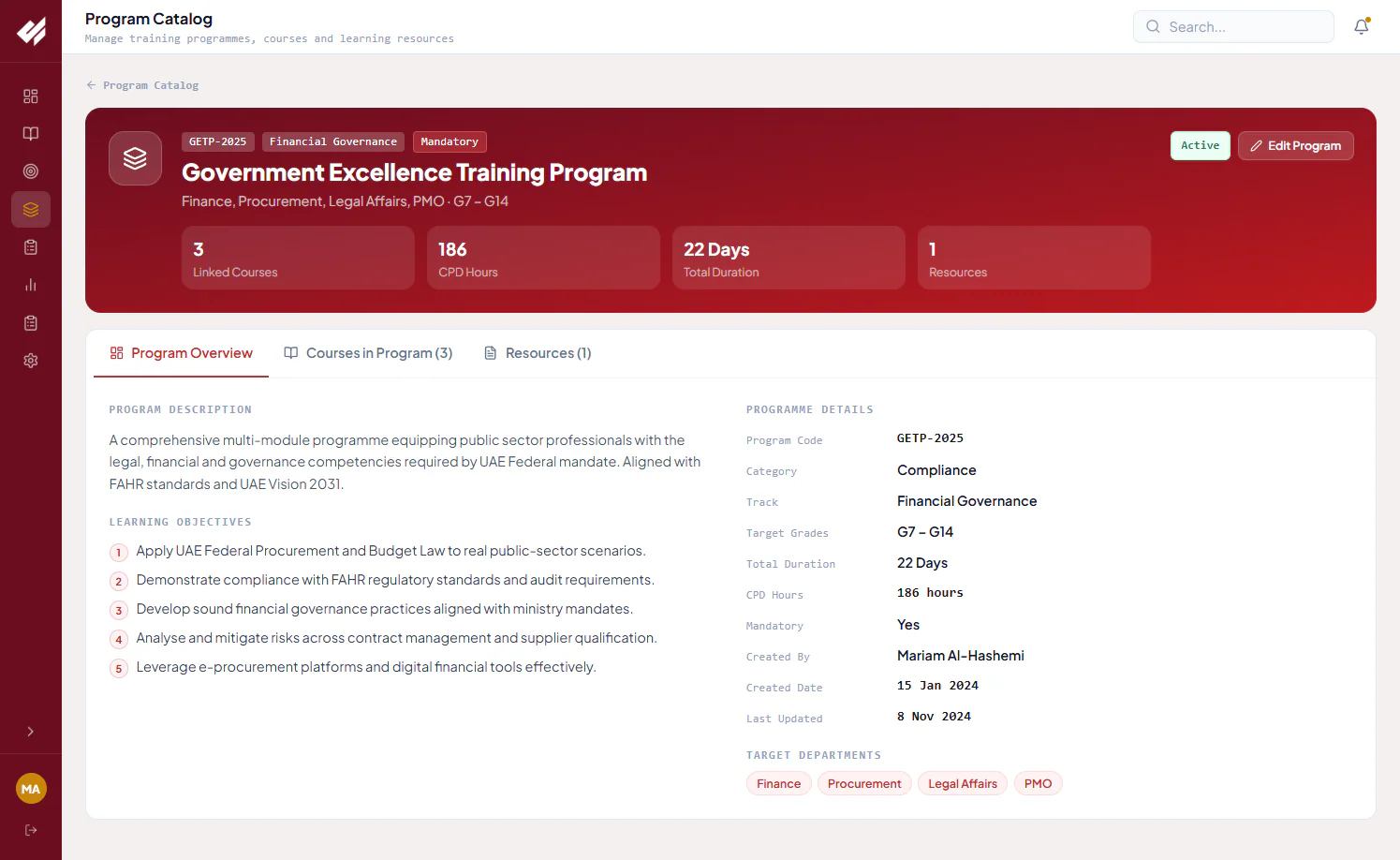
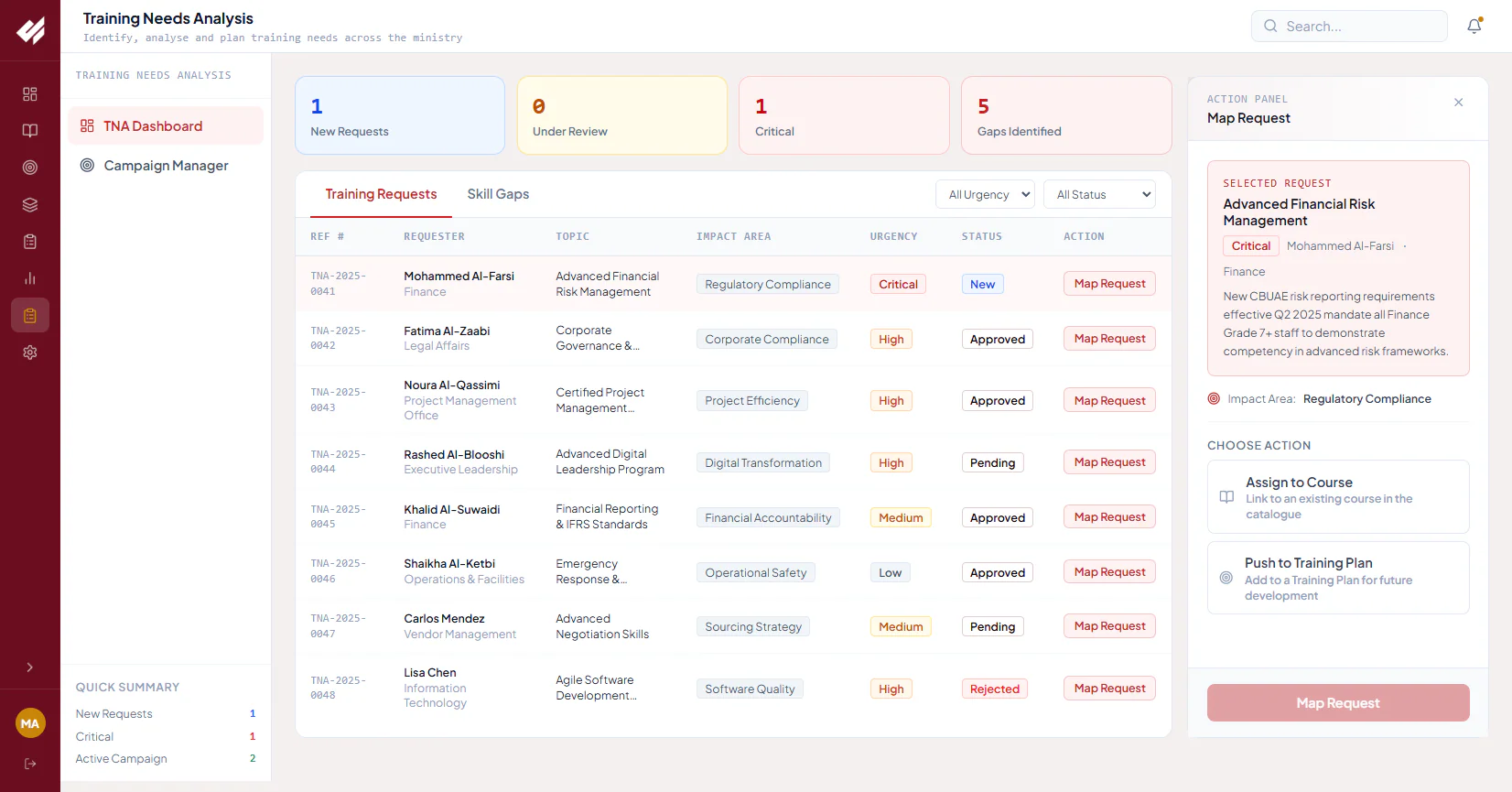
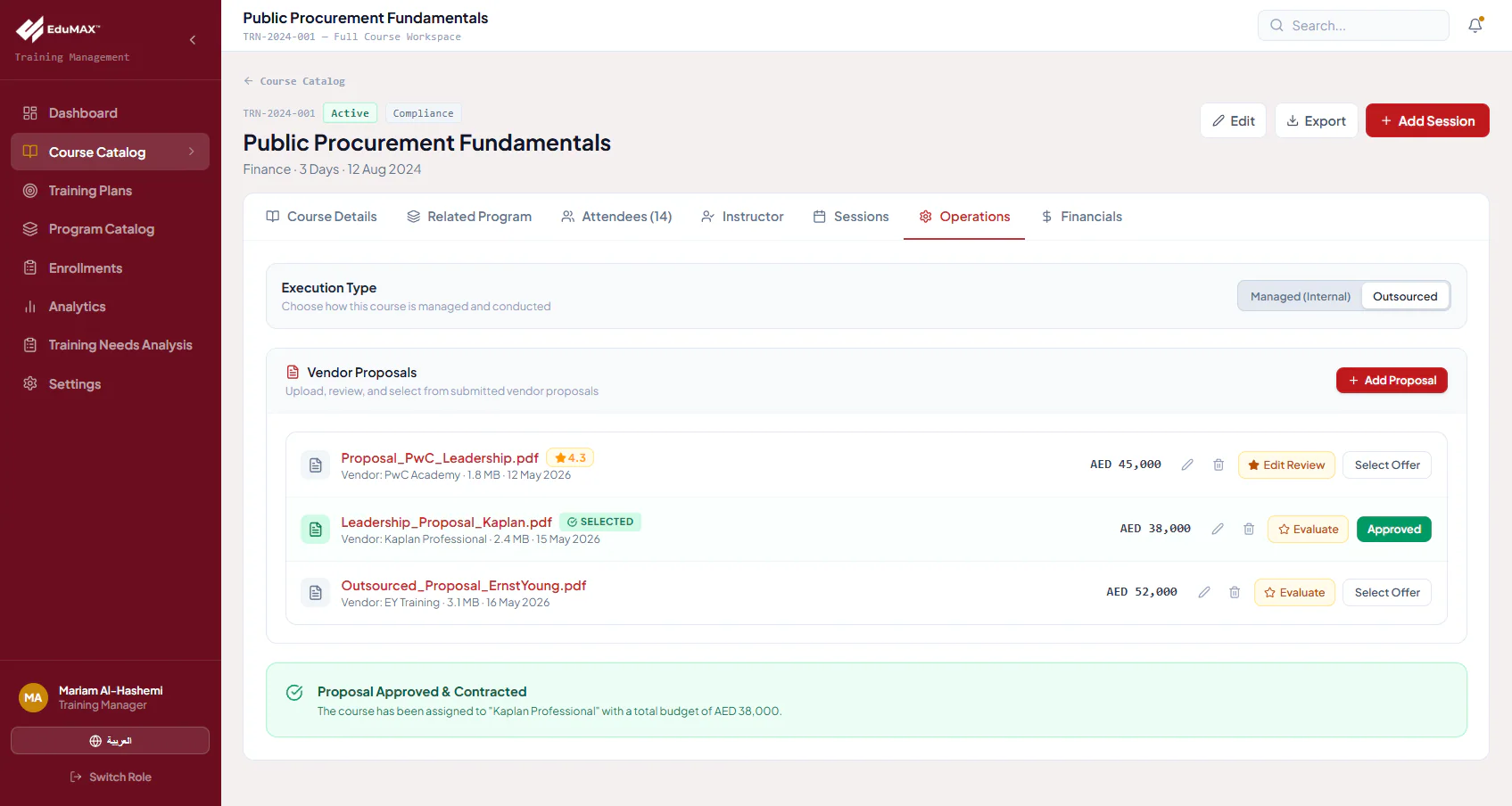
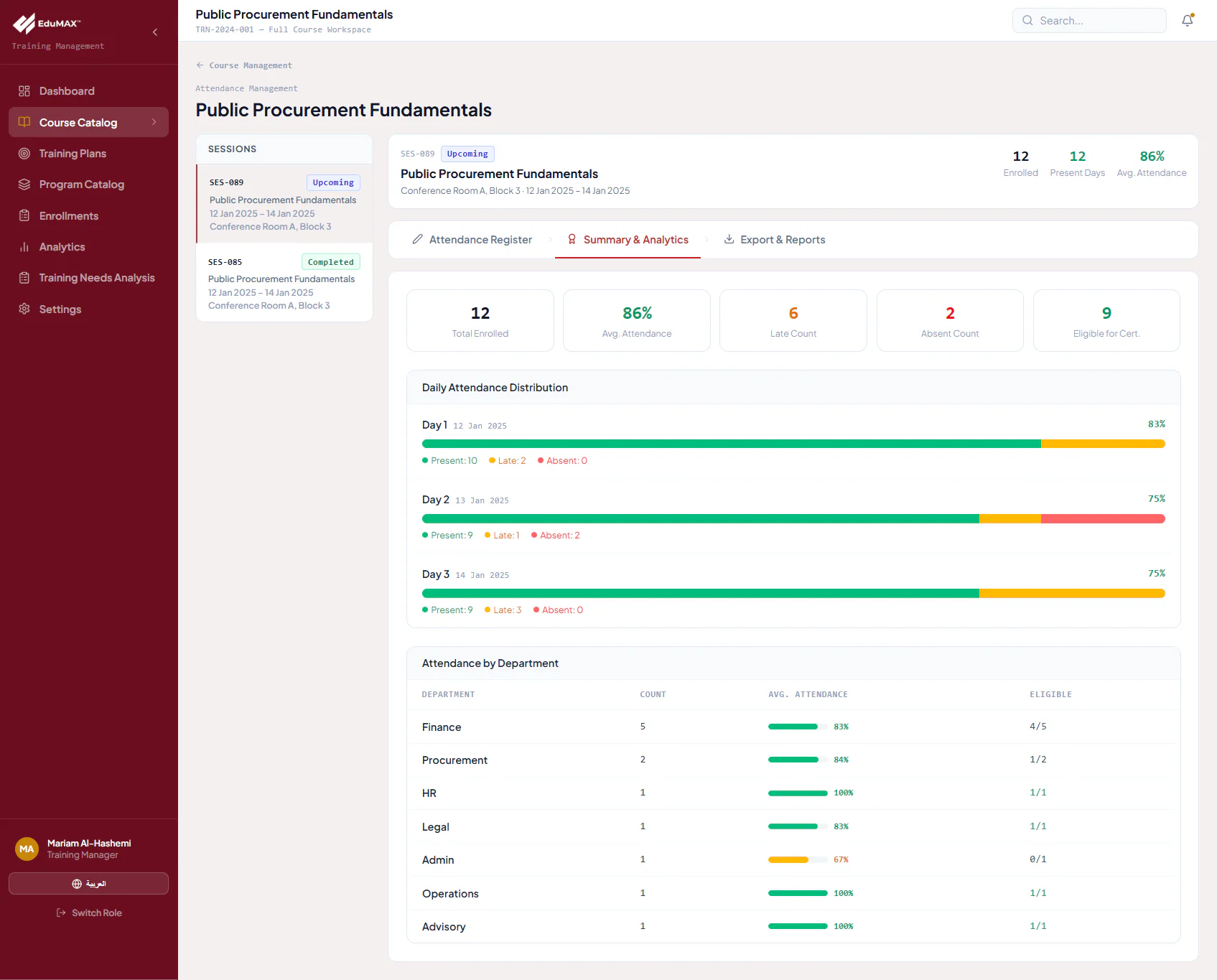
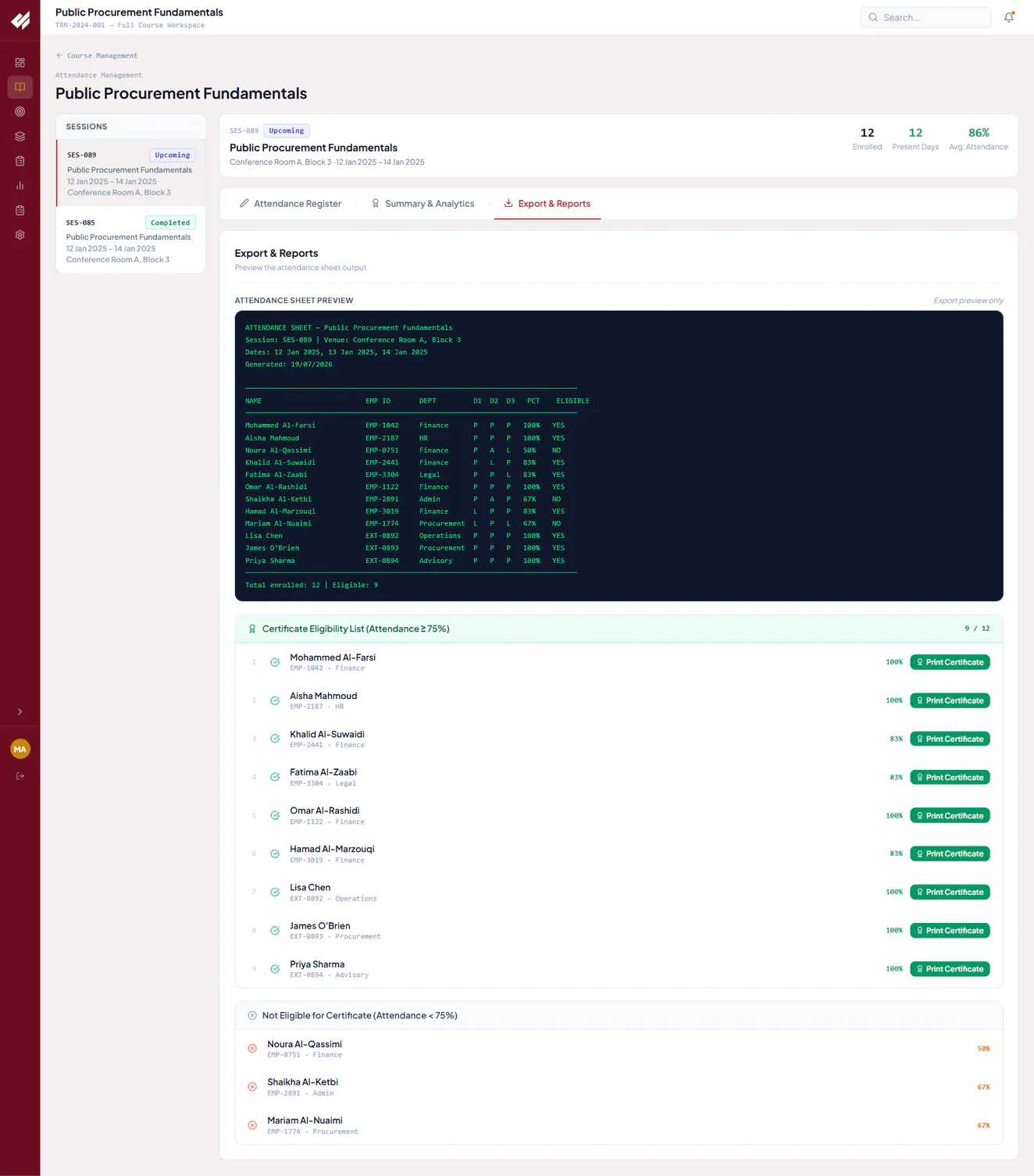
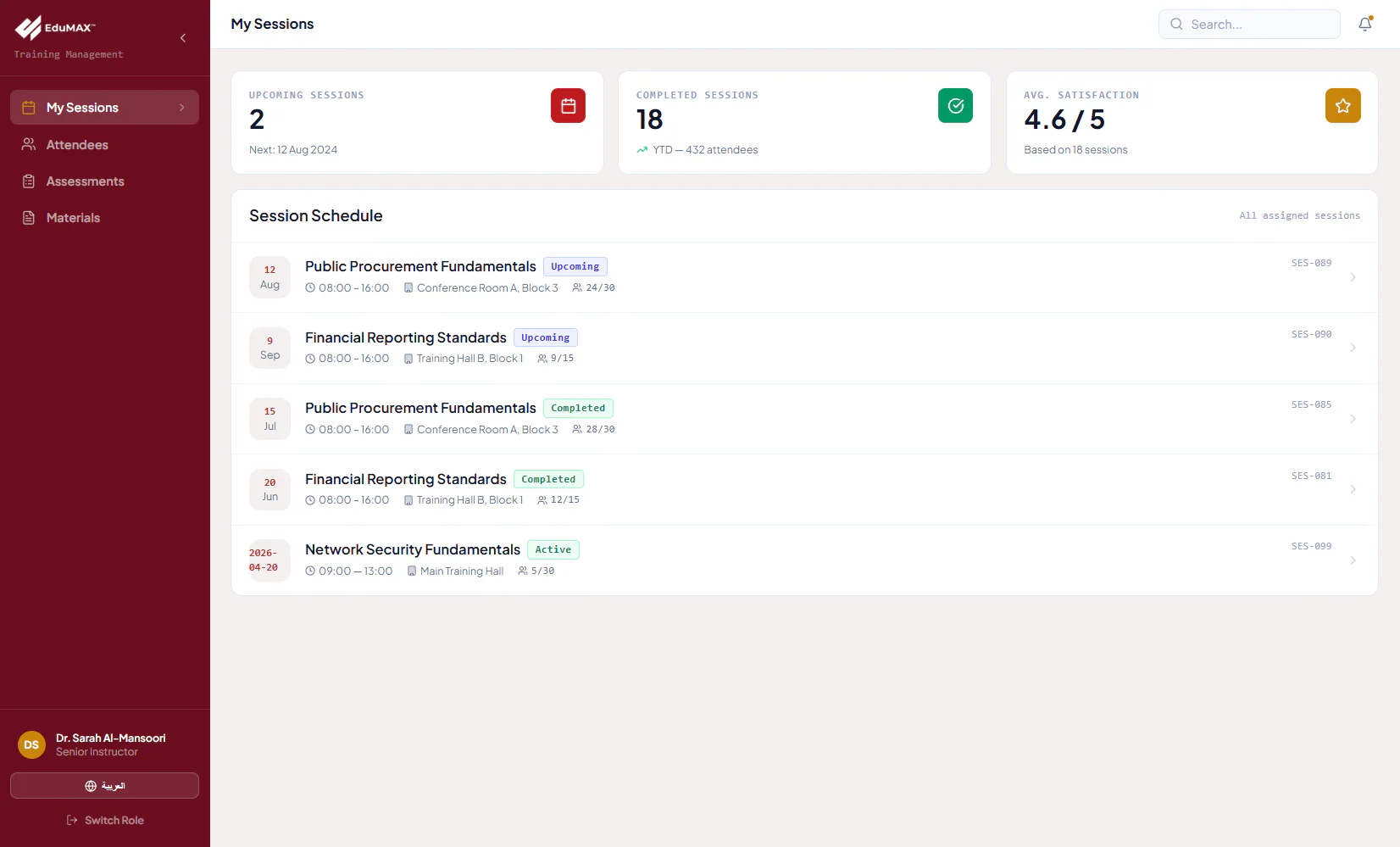
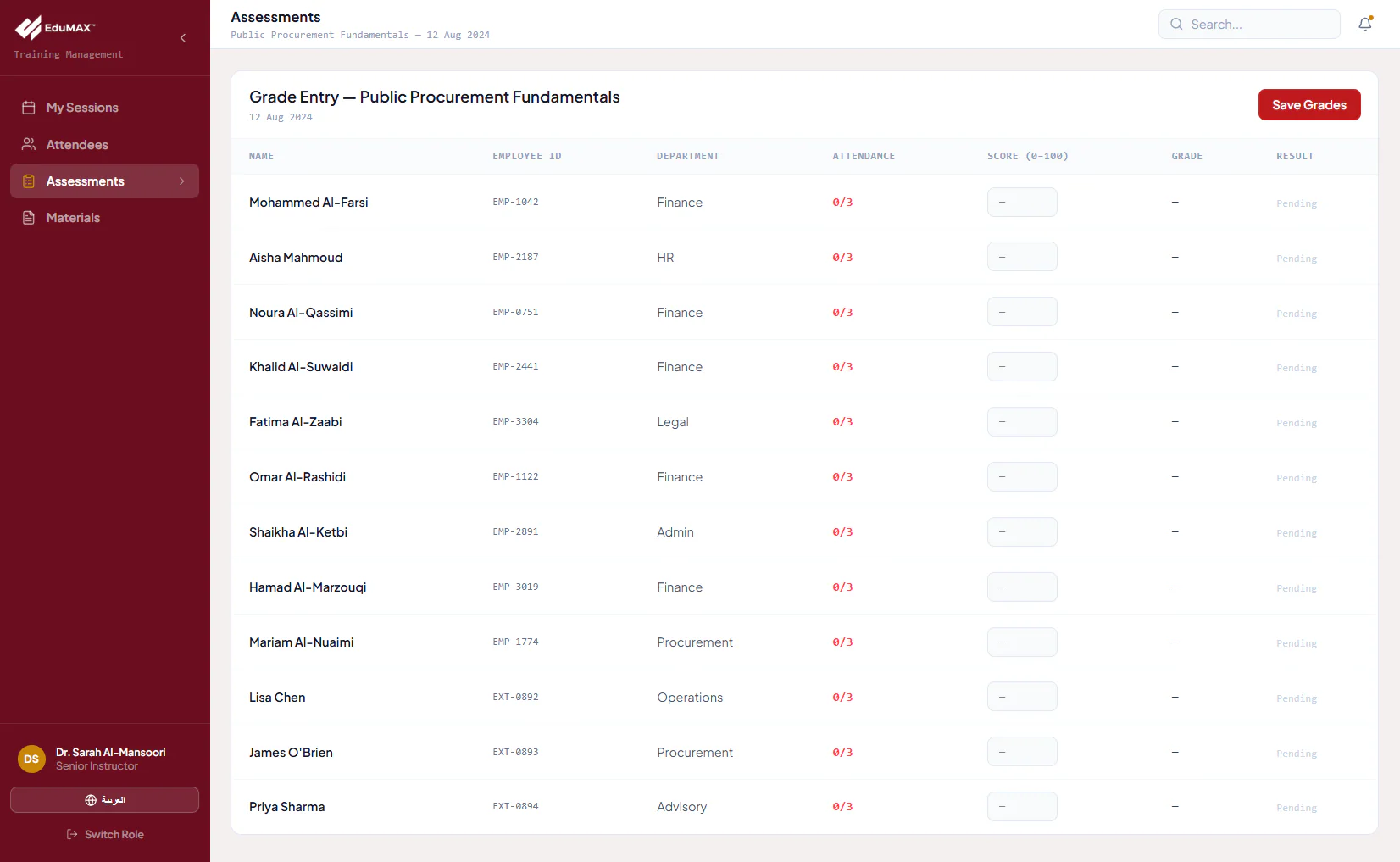
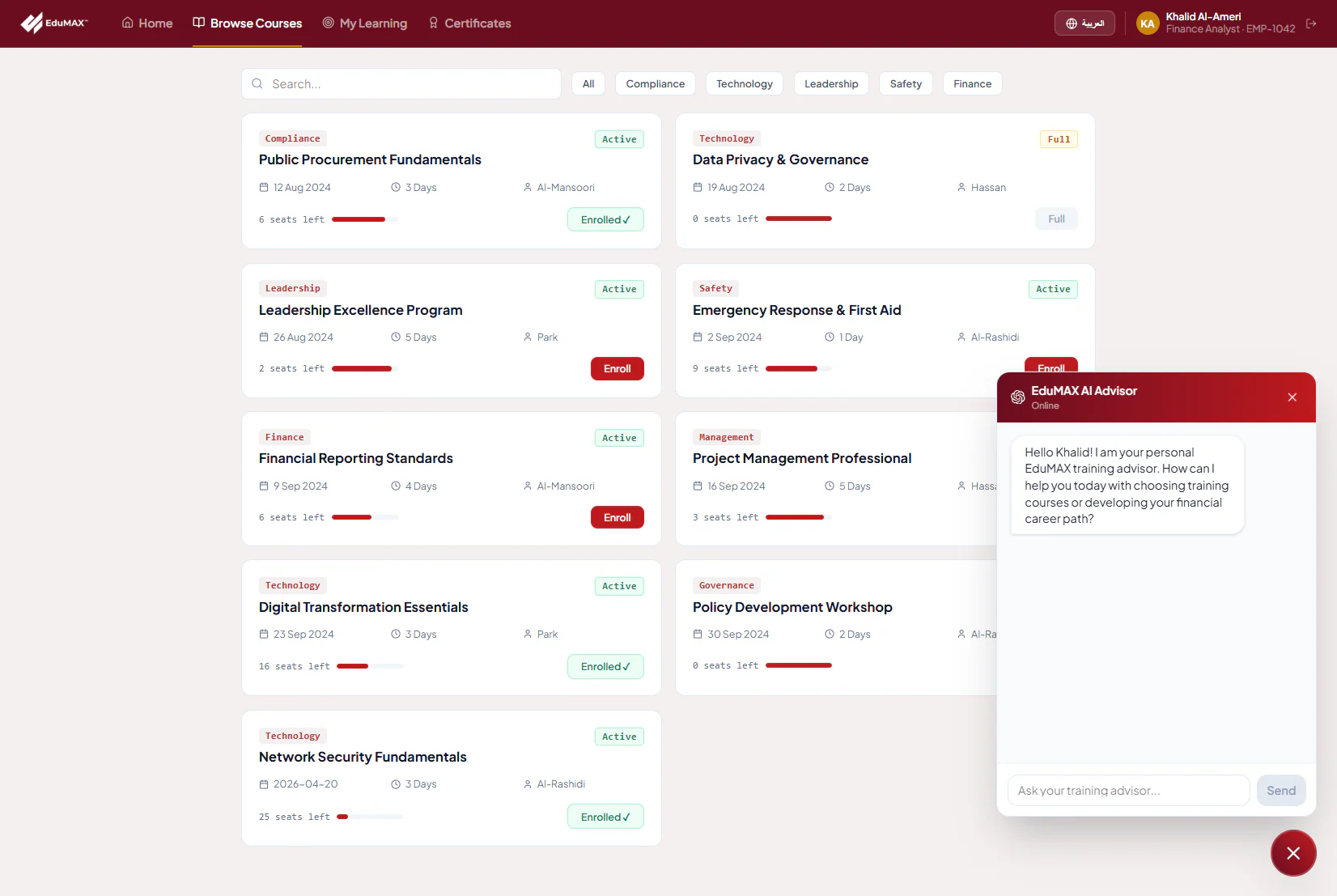
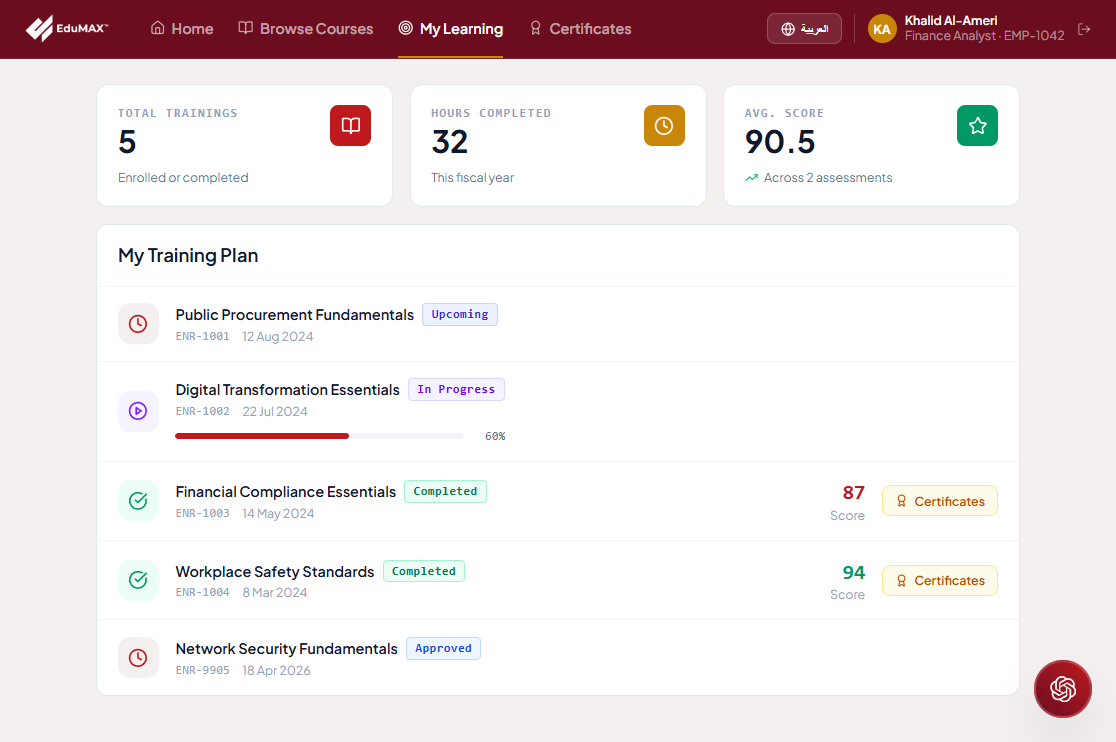
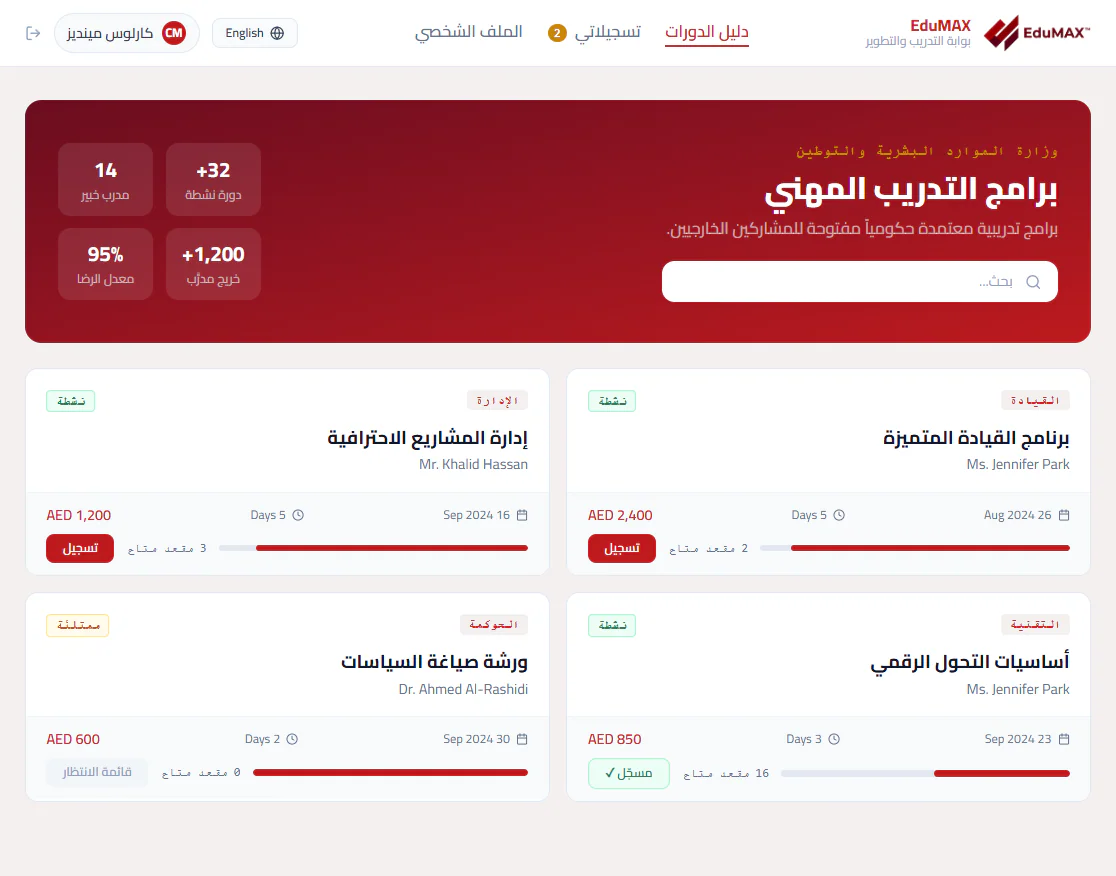
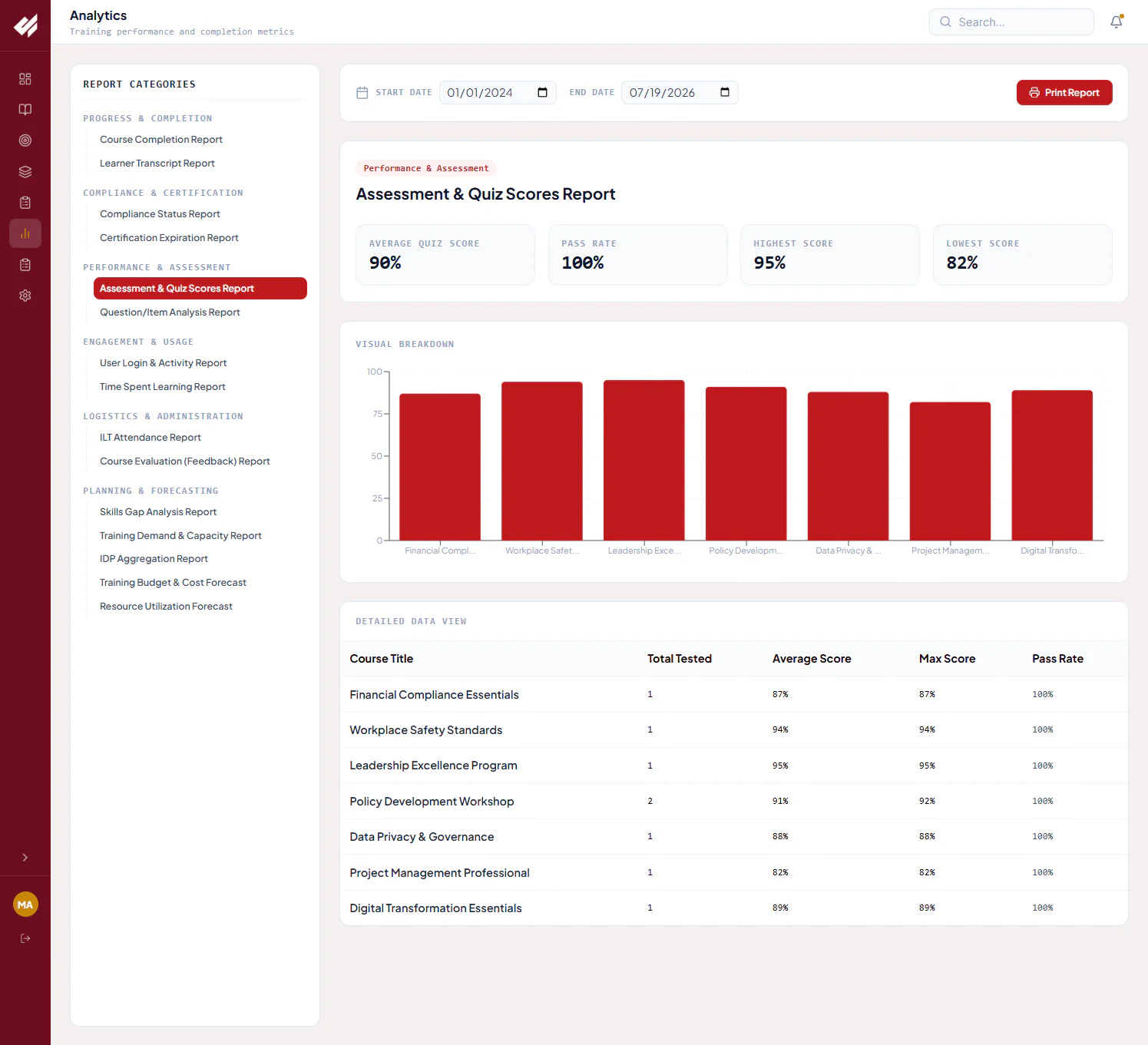
These are example product screens, not live applications. Figures, names and dates are illustrative; fields, permissions and available features vary by edition and approved configuration.
EduMAX is a browser-based solution for desktop, tablet kiosks and mobile self-check-in. Define the deployment, identity, integrations and governance model around the entity’s infrastructure and policies.
Administrative, instructor, employee and external workspaces with Arabic RTL and English interfaces.
Catalogs, needs, approvals, enrolments, delivery costs, attendance evidence and reporting.
Identity, HR, finance, procurement, notifications, document storage and AI services.
EduMAX runs on Microsoft Azure and Power Platform with an ASP.NET application layer, supported by identity, API management, storage, monitoring and AI services. Select the components that meet the approved delivery model.
Private cloud, entity-hosted and on-premise delivery models are available. Cloud-dependent features require an approved design. No particular cloud region, certification, license reuse or cost saving is guaranteed.
Integration endpoints and permissions depend on the organization’s systems; third-party connections are not automatically included.
Support ministries and public institutions managing internal workforce training, mandatory compliance programmes and open enrolment for external audiences.
Use department targeting, grade bands, mandatory programme flags and documented multi-level approvals.
Record CPD hours, the accrediting body, certificate validity and assessment thresholds. FAHR-aligned examples illustrate a configuration, not product-wide accreditation.
EduMAX is a Dynamic Government platform module. Scope links to budgeting, supplier and procurement processes where they serve the entity.
Explore Dynamic Government| Access & devices | Browser-based; desktop, tablet kiosk and mobile self-check-in. No desktop application installation is required. |
|---|---|
| Languages | Arabic with right-to-left layout and English, switchable within the supported experience. |
| Authentication | SSO / federated staff identity and OTP for configured verification flows. |
| Approval & access controls | Role-scoped workspaces and named, dated approval steps; authority is configured during implementation. |
| Residency & retention | Confirmed against the entity’s data-location, record-retention and information-security requirements. |
| Exports | Printable reports, attendance sheets and certificates, with course/plan exports according to scope. |
| Implementation configuration | Roles, approval chains, categories, accreditation rules, integration surfaces and deployment parameters. |
Choose the edition around your audience, planning responsibilities and delivery scope. Licensing is per entity with named-user or population bands; pricing and support tiers are quoted on request.
For teams standardizing catalogs, enrolment and attendance.
Everything in Core, with annual planning and full delivery-cost control.
Everything in Enterprise, extended for institution-wide participation.
Edition contents are current as of 2026. Final availability, licensing, third-party services and implementation scope are confirmed in the proposal.
Start with the workforce-development goal, then define the audience, governance, delivery model and integrations that support it.
EduMAX brings the operational training lifecycle together: needs, plans, approvals, vendors, delivery logistics, enrolments, attendance, assessments, certificates and reporting. It includes learning resources and learner workspaces; any connection to an existing LMS or specialist content-delivery platform is scoped separately.
Yes. EduMAX supports mixed course rosters while retaining participant type, organization, approval and payment context. Employees have self-service learning views; the external portal supports open enrolment in Arabic RTL.
No. AI-assisted notes and learner recommendations help people assess options. Reviewers verify the proposal analysis and record vendor selection; training and career decisions remain with the organization and the learner.
The standard configuration uses attendance of 75% or above for attendance-based eligibility and records present, late, absent and not-marked states. Assessment thresholds, CPD/accreditation requirements and exceptional cases are configured separately. A check-in alone is not a blanket certification entitlement.
Yes. These are implementation-scoping topics. The standard configuration uses AED, multi-level approvals, CPD fields and a 12-digit Civil ID / OTP flow; currency, roles, approval chains, accreditation rules and identity/integration surfaces are all configurable.
EduMAX supports government private cloud, entity-hosted or on-premise delivery models. Confirm the supported feature set, AI connectivity, security controls, data residency and retention against the organization’s policy before choosing a design.
No. This page presents product screens with English workflow descriptions and full-size viewing. A guided demonstration can be arranged to review the edition, configuration and workflows relevant to your organization.
Let’s map your audiences, approvals, delivery channels and reporting needs, and find the right EduMAX scope.
Request an EduMAX walkthrough Explore the portfolio