A simpler route to help
Give people one place to request services, follow progress and find answers in a centralized knowledge base.

 INTELLIGENT SERVICE & ASSET MANAGEMENT
Connect IT service management, asset lifecycles, inventory and procurement on Microsoft Dynamics 365. Give employees a clearer route to help, and give service teams the context to act.
Service, logistics and IT financials. Connected by design.
A support request rarely stands alone. It involves a person, a device, a configuration, a stock decision or a supplier. xDesk brings those records together for internal employees and external customers alike.
Give people one place to request services, follow progress and find answers in a centralized knowledge base.
Connect incidents to assets and user profiles, with assignment, approvals and service-level monitoring across departments.
Keep inventory movement, acquisition, depreciation, IT costs and procurement context in the same operating picture.
Service management across industries. xDesk supports organizations that need to coordinate help, equipment and operational accountability. It can serve as a focused platform or be scoped within a wider Dynamic Government program.
Follow an illustrative equipment request. The route depends on the service, available stock and approval policy, not every request requires purchasing or the same steps.
An employee chooses a service and provides the information needed to act.
The request reaches the responsible role or team; required approvals and SLA targets guide the work.
Allocate available stock, arrange an exchange or connect a purchase request to inventory intake.
Retain asset and service context, close the task and review operational trends.
Inventory and exchange workflows connect stock movement to service delivery, while asset records retain the equipment’s assignment and lifecycle context.
Link inventory intake to a purchase request and retain vendor and pricing context through delivery. Procurement remains part of the same platform story.
xDesk combines service operations, logistics and financial context on a shared Microsoft Dynamics 365 foundation. Start with the operational need and configure the connections that support it.
Build a structured service catalog and move requests through defined teams, approvals and service targets instead of disconnected handoffs.
Manage hardware, software and accessories through their lifecycle. Keep the asset record, user context and configuration information connected to support work.
Coordinate multiple stores and locations with stock levels and movement transactions connected to the wider asset and service operation.
Retain a traceable path from the initial requirement to vendor delivery. Connect purchasing decisions to the inventory and equipment they create.
Role-based portals give employees, managers and support teams distinct views of the same service operation. Administrators maintain the catalog and configuration that shape those experiences.
Submit a request, follow its status, review assigned assets and find knowledge articles without losing the service context.
Review and approve requests, understand the service requirement and oversee team activity from the manager workspace.
Receive, process, update and close tasks with linked assets, user profiles, knowledge and SLA targets available to the team.
Administration that shapes the service. xDesk provides a unified admin panel and Service Catalog Studio for forms, process stages, SLA settings and assignment rules. Permissions and organizational authority are configured during implementation.
The dedicated xDesk mobile app supports on-site teams, storekeepers and warehouse staff, keeping field execution connected to the core platform.
Illustrative capability view, not a mobile app screenshot.
Manage stock, execute transfers, handle delivery and exchange requests, and run live physical counts. Synchronization keeps mobile activity connected to the platform’s inventory records.
Device support, connectivity, offline behavior and synchronization rules are confirmed against the selected deployment and operational scope.
Bring service and inventory data into reporting, dashboards and analysis. Follow workload, stock distribution and malfunction trends before deciding what needs attention.
Power BI and Excel integration support reports and interactive charts. Inventory dashboards connect transaction volumes, historical trends and stock distribution to underlying asset records.
xDesk includes an OpenAI helper and automated workflows. Advanced analytics add 3D geospatial views and what-if scenarios for exploring trends and possible outcomes.
Reporting models, data quality, refresh schedules, AI connectivity and advanced visualizations depend on the approved configuration. Sample dashboard figures are illustrative, not measured customer outcomes.
Explore 10 rendered views from the xDesk interface. Open any image for a larger view and a clear description of the work it supports.
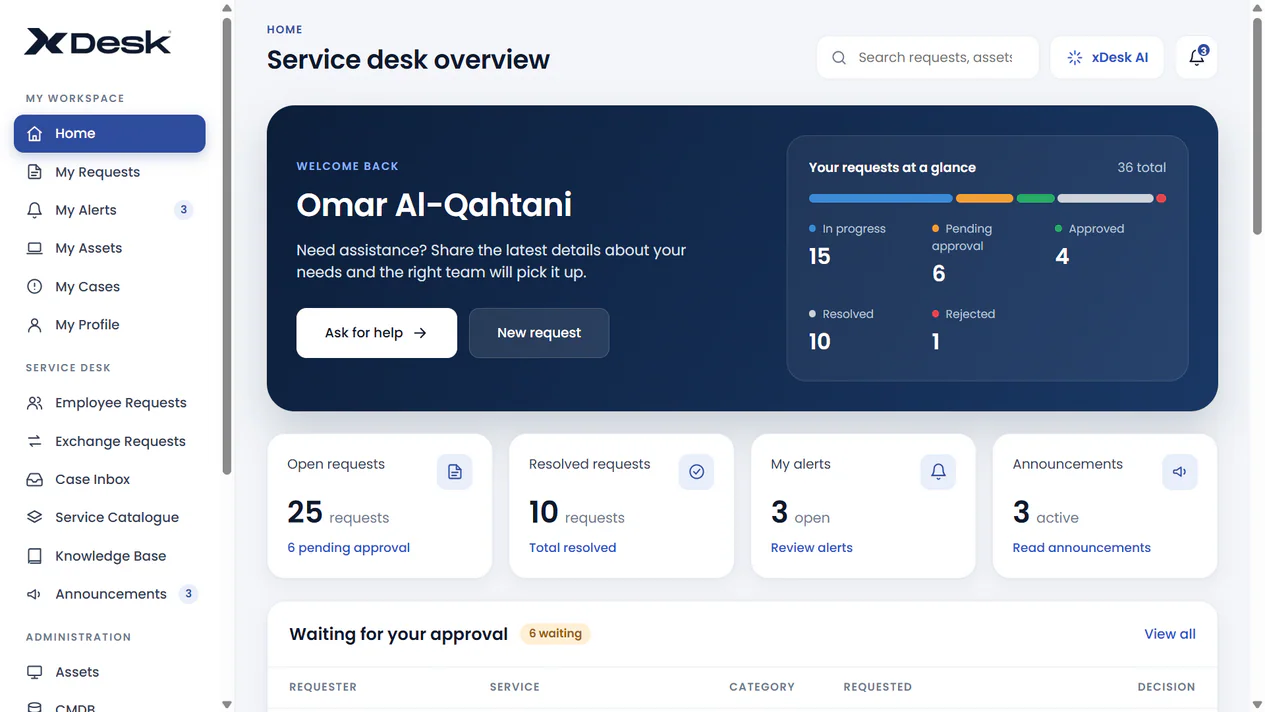
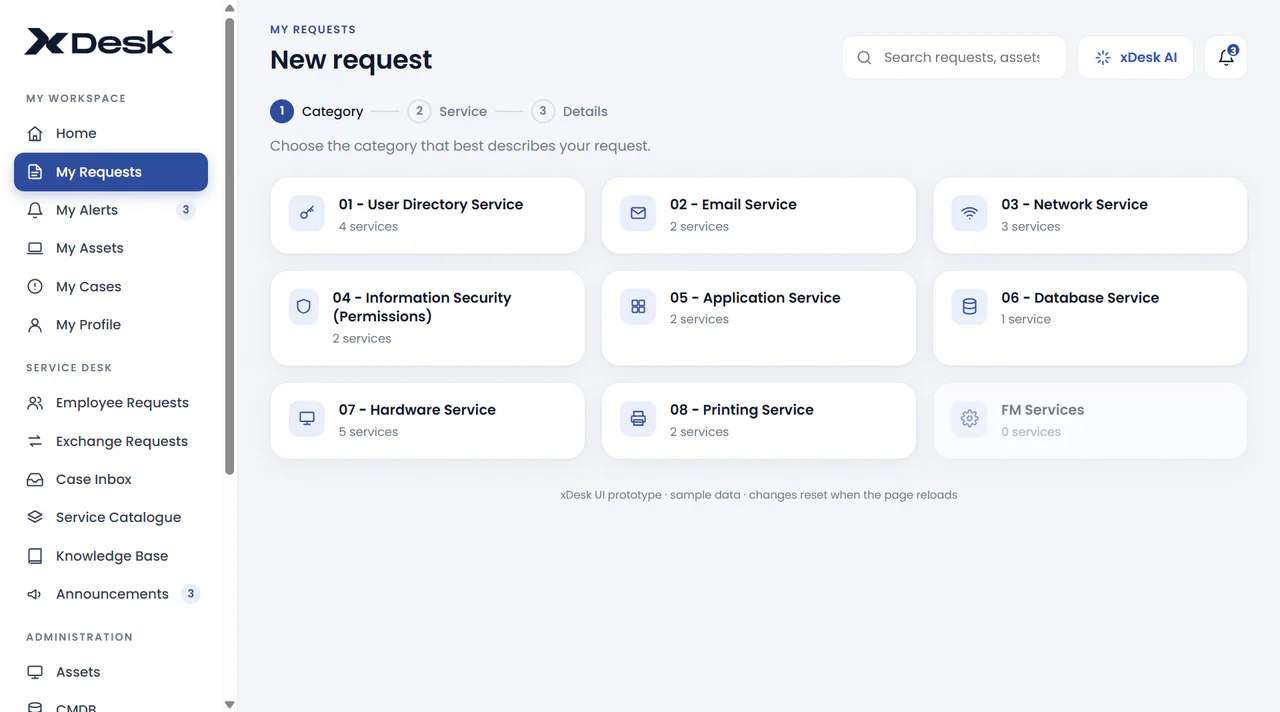
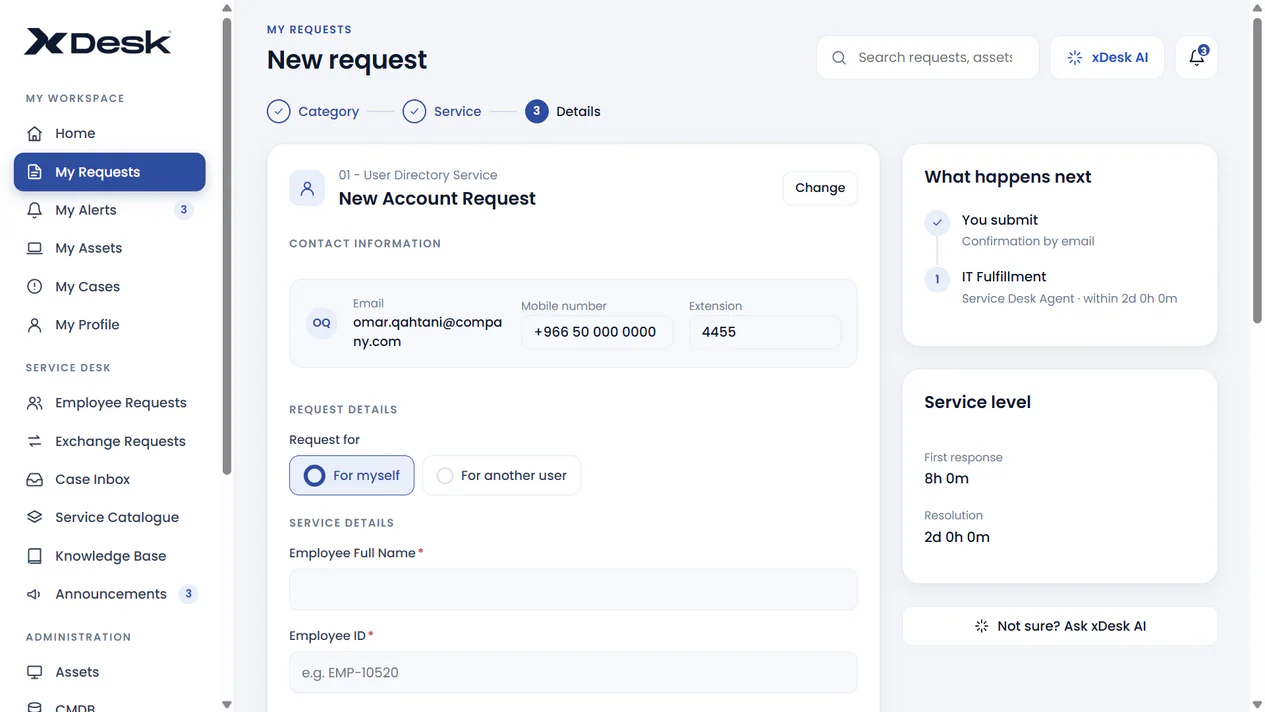
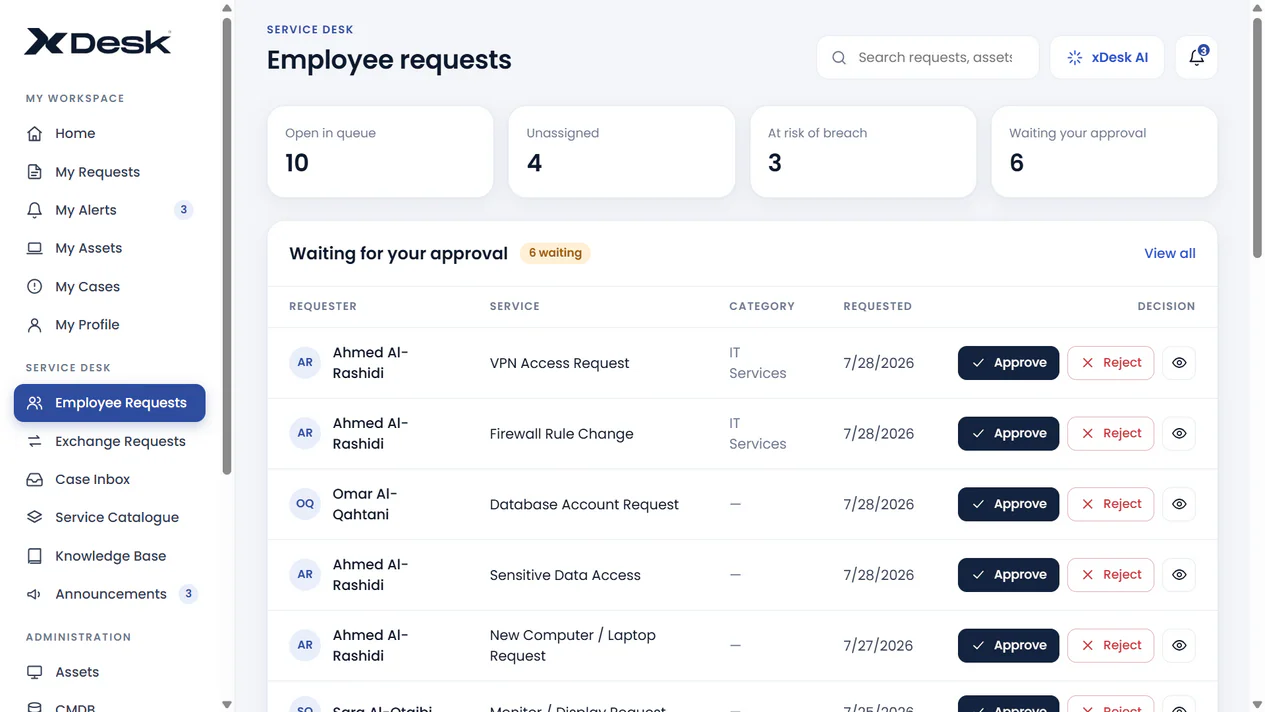
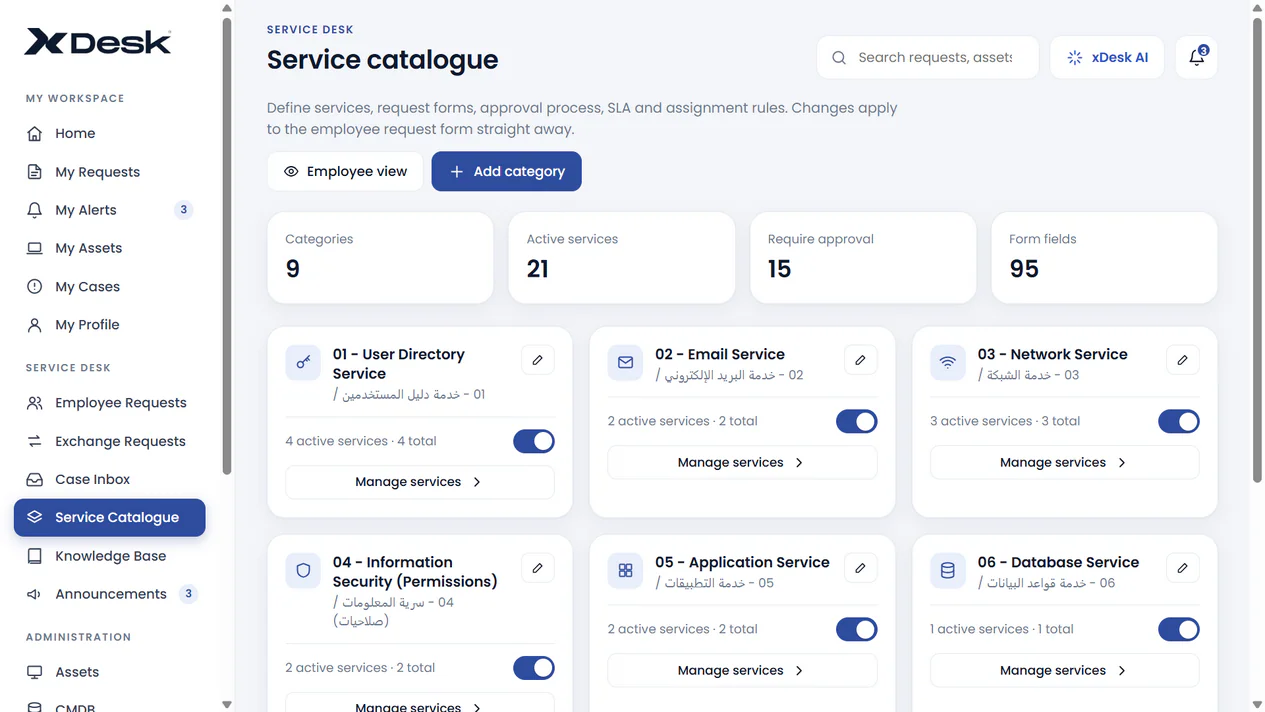
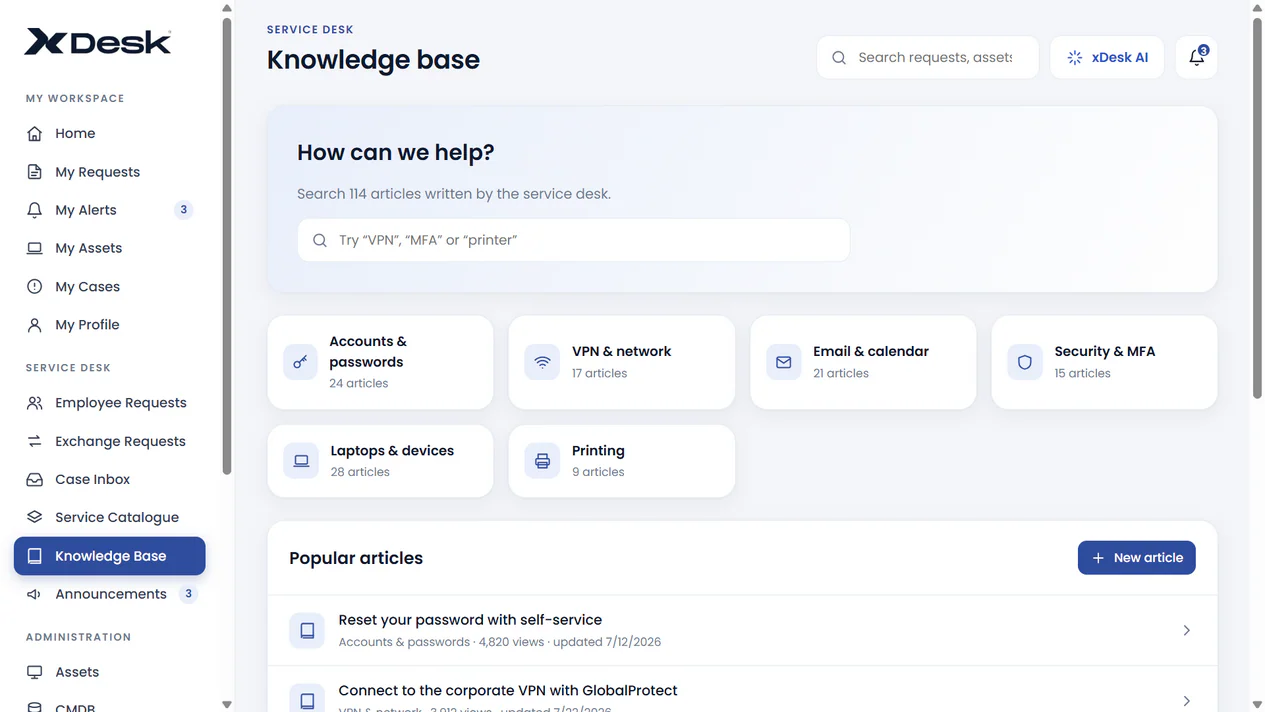
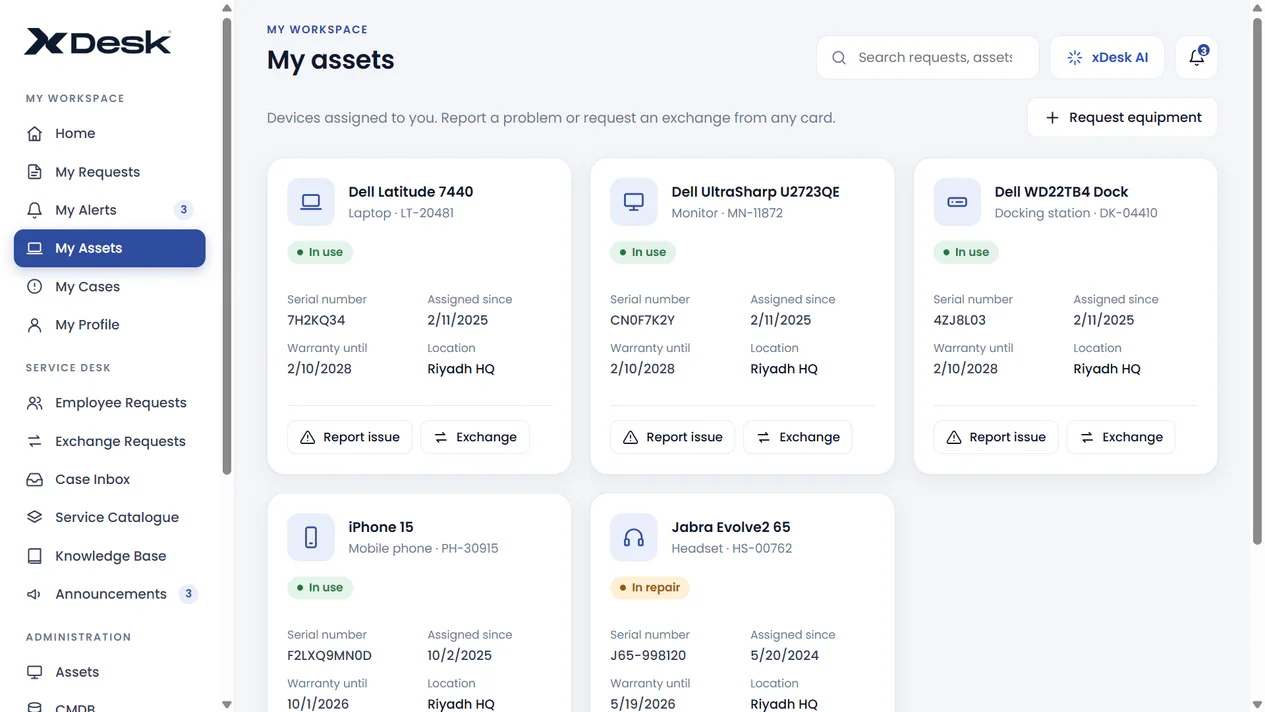
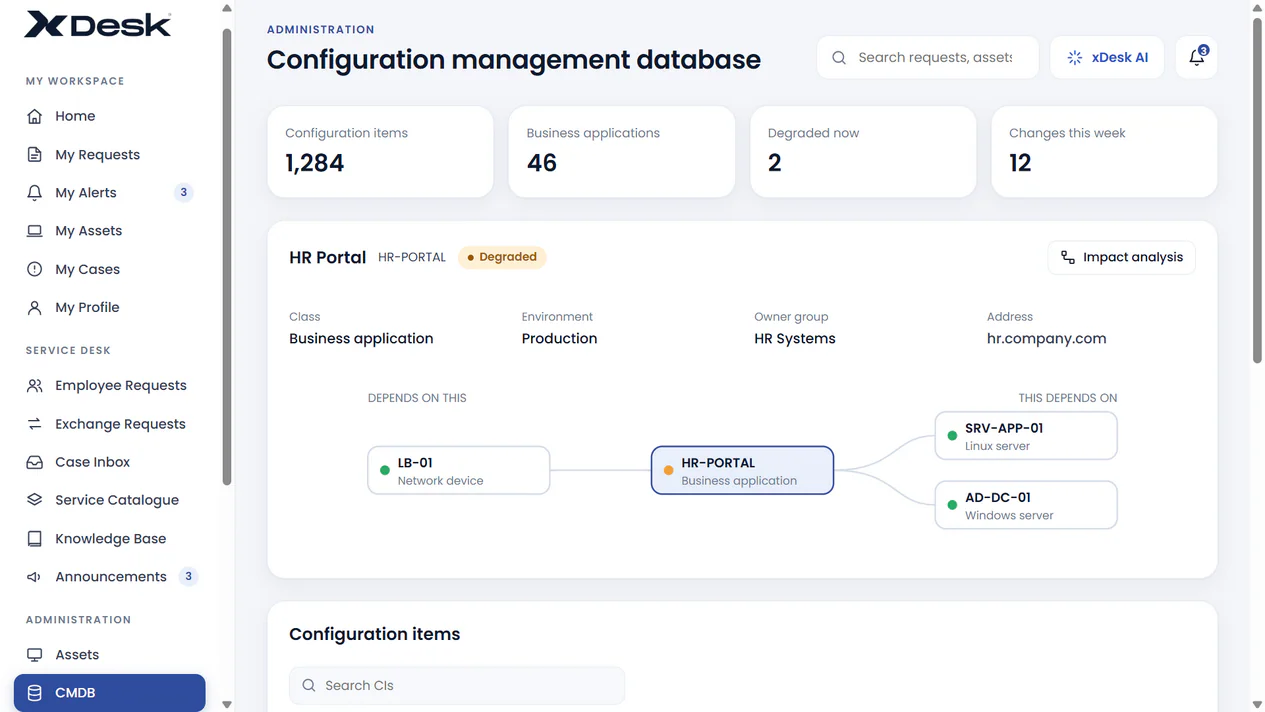
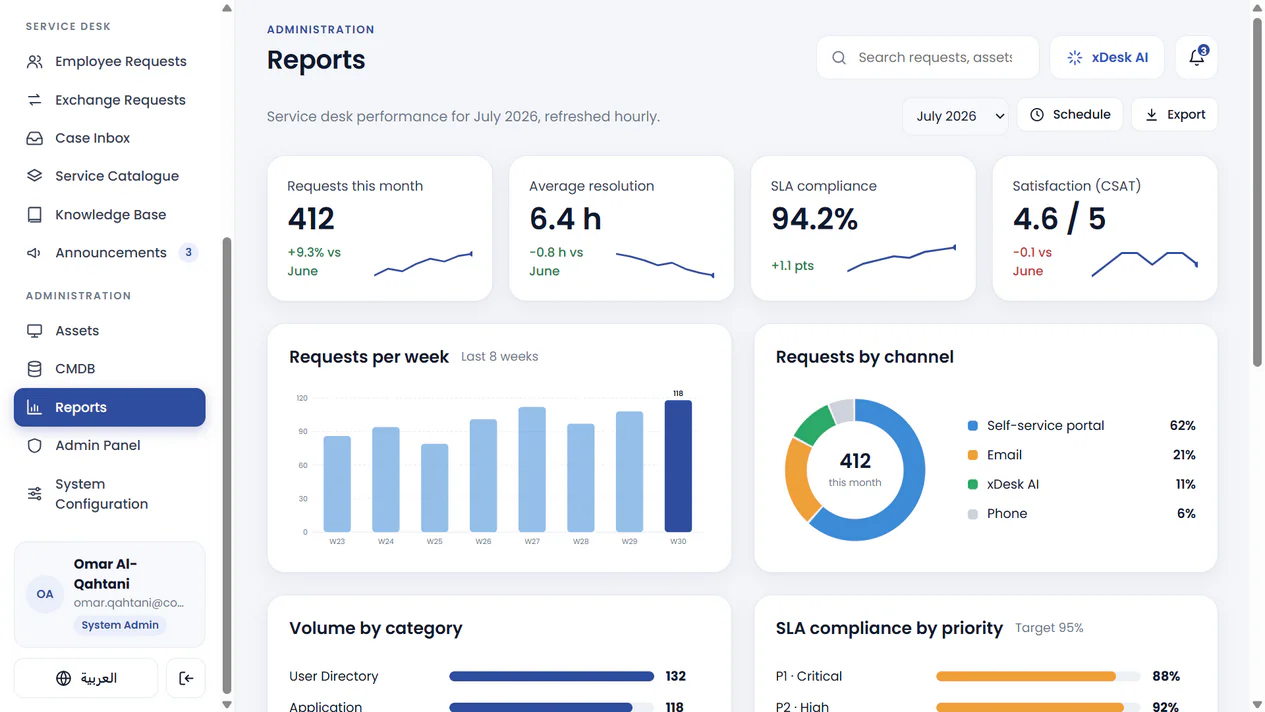
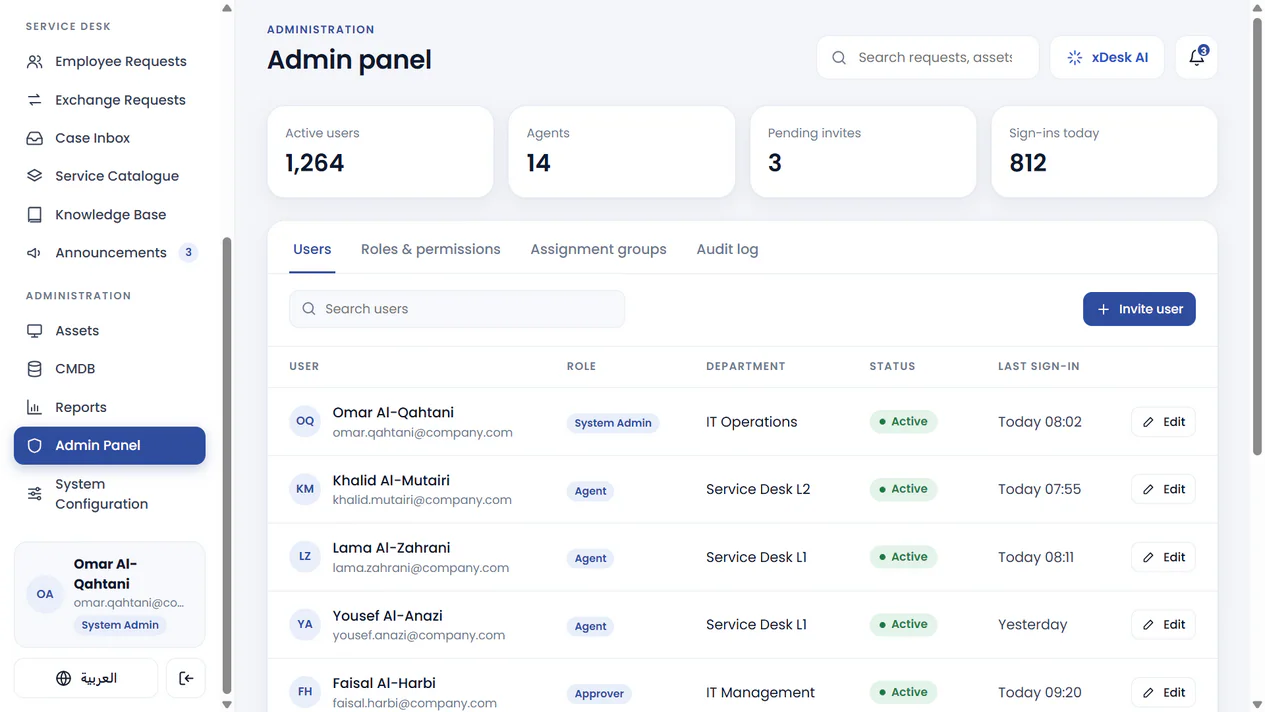
These are illustrative product screenshots, not live applications. Names, dates and figures are sample data. Available fields, permissions and workflows depend on the approved xDesk configuration.
xDesk is built on Microsoft Dynamics 365 and connects its service, asset, inventory and procurement capabilities with the Microsoft tools and platform services used across the organization.
Self-service and manager portals, a support console and mobile app connect to the ITSM, asset, inventory, IT financials and procurement core. Reporting, automation and AI assistance extend that operation.
Existing Microsoft investments can shape the delivery design. Licensing, identity, integration endpoints and third-party service access are confirmed during scoping.
xDesk follows ITIL v4 practices and aligns with ISO 9001 and ISO 42001, with Azure-related ISO 27001/27017/27018 standards at the platform level. Applicable certifications, their scope and supporting evidence must be confirmed; platform compliance does not automatically certify an organization or every xDesk deployment. Cloud-dependent functions require a compatible design.
A walkthrough can focus on your services, approval responsibilities, equipment lifecycle, stores and Microsoft environment.
No. The platform connects IT service management with asset and inventory management, IT financials, procurement, reporting and mobile field operations. Service cases can carry user and asset context rather than remaining isolated tickets.
Yes. xDesk provides employee self-service, manager approval and support-team portals. Roles, visibility and approval authority are configured for the organization.
Inventory intake can link to purchase requests, with vendor details and pricing context retained across the route to delivery. The final purchasing workflow and integrations are defined during implementation.
Yes. xDesk supports multiple locations, stock movement with quantity adjustments, QR/barcode automation and a dedicated mobile app for transfers, delivery/exchange requests and physical counts.
AI is an assistive layer, not a replacement for accountable decisions. The organization defines access, connected services and the review rules. Managers and service teams retain approval and operational responsibility.
No. The gallery contains rendered views of the xDesk interface, with illustrative names, dates and figures. Request a guided walkthrough to review the actual configuration and deployment relevant to your organization.
xDesk offers cloud, private-cloud and on-premises deployment options. Confirm feature availability, licenses, integration needs, data residency, security requirements and the scope of any certification evidence for the chosen design.
Let’s map your requests, people, assets, stores and purchasing handoffs, and define the right xDesk scope.
Request an xDesk walkthrough Explore the portfolio