DYNAMIC GOVERNMENT / GOVERNMENT PROCUREMENT

From public need
to accountable delivery.

Connect annual planning, budget approvals, competitive tendering and contract follow-up in one coordinated procurement journey. Each module helps teams carry the right information forward to the next handoff.

  1. Plan the requirementDepartment needs → budget proposal
  2. Review & fundAppropriations → aligned plans
  3. Tender & awardOffers → evaluation → contract
  4. Deliver & follow upContract terms → invoices → payment

A connected workflow for requesting departments, budget teams, suppliers, procurement specialists and authorized committees. Approval roles and review steps are configured to the relevant government entity.

PROCESS OVERVIEW

Four phases. One connected thread of context.

Start with an organization’s requirements and planned funding. Review and authorize the budget, manage the supplier tender and committee decision, then carry the contract into delivery and financial follow-up.

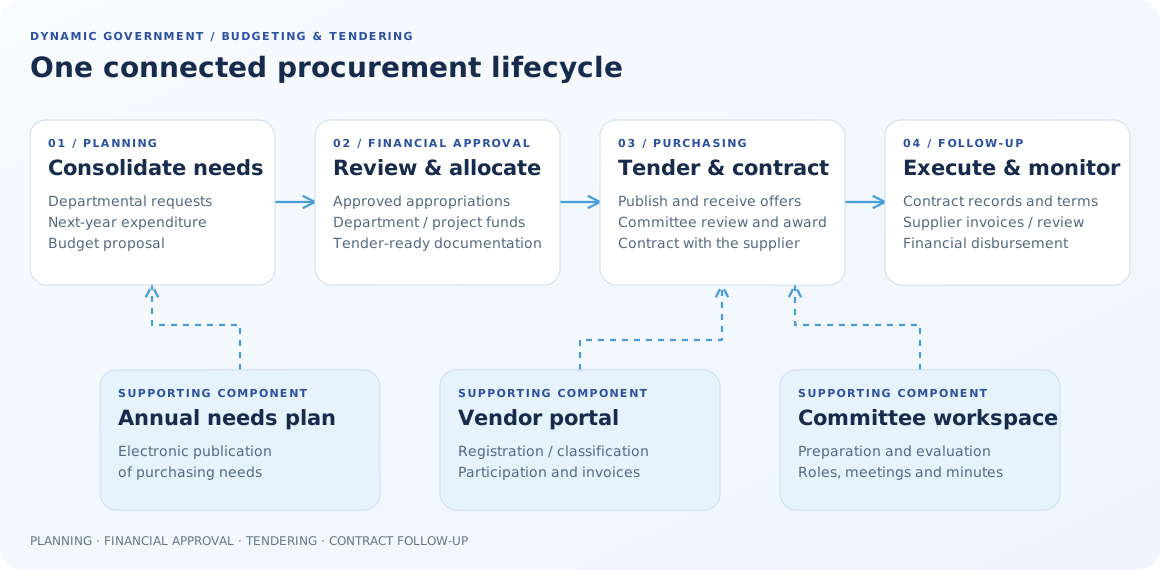
Four main phases from planning through financial approval, tendering and contracting to follow-up. Annual needs plans, vendors and committees are supporting components.
One connected procurement lifecycleFour phases connect planned needs to authorized funding, competitive tendering and contract follow-up. Annual planning, supplier services and committee workflows support the journey.

Publish the needs plan

Make planned purchasing requirements visible through a public portal, in line with the entity’s publication rules.

Explore the annual plan →

Bring suppliers into the journey

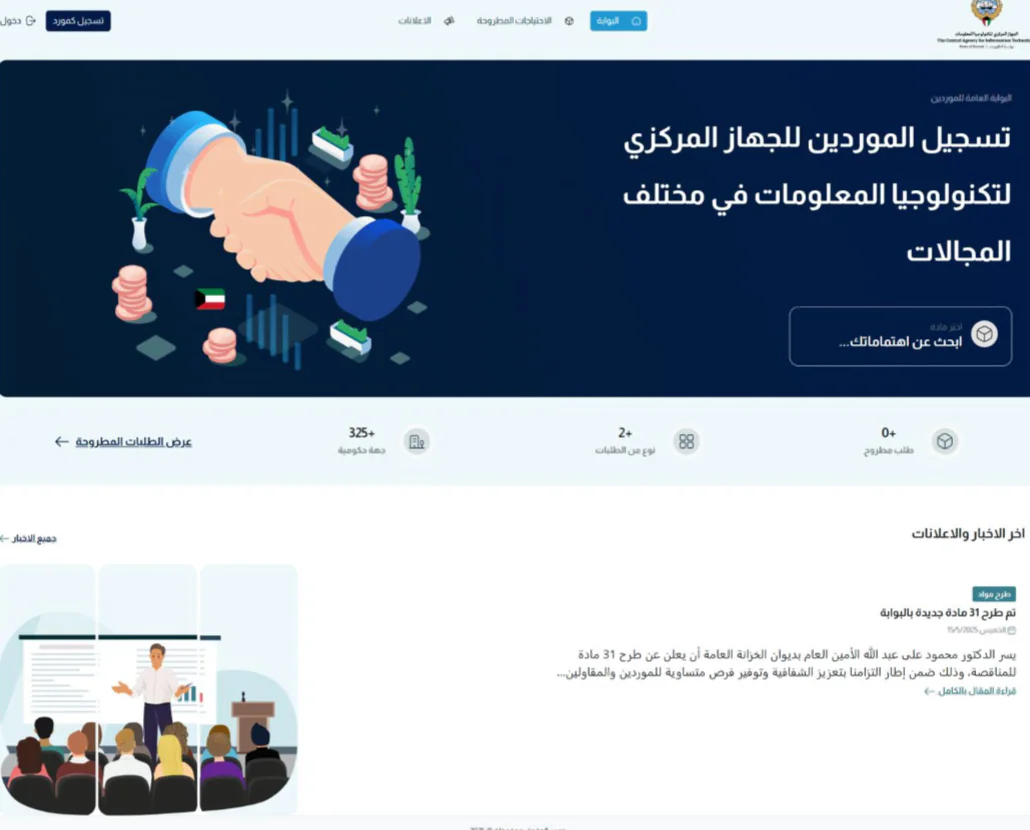
Connect vendor registration, classification, tender participation and supplier follow-up through an electronic channel.

Explore supplier services →

Coordinate committee work

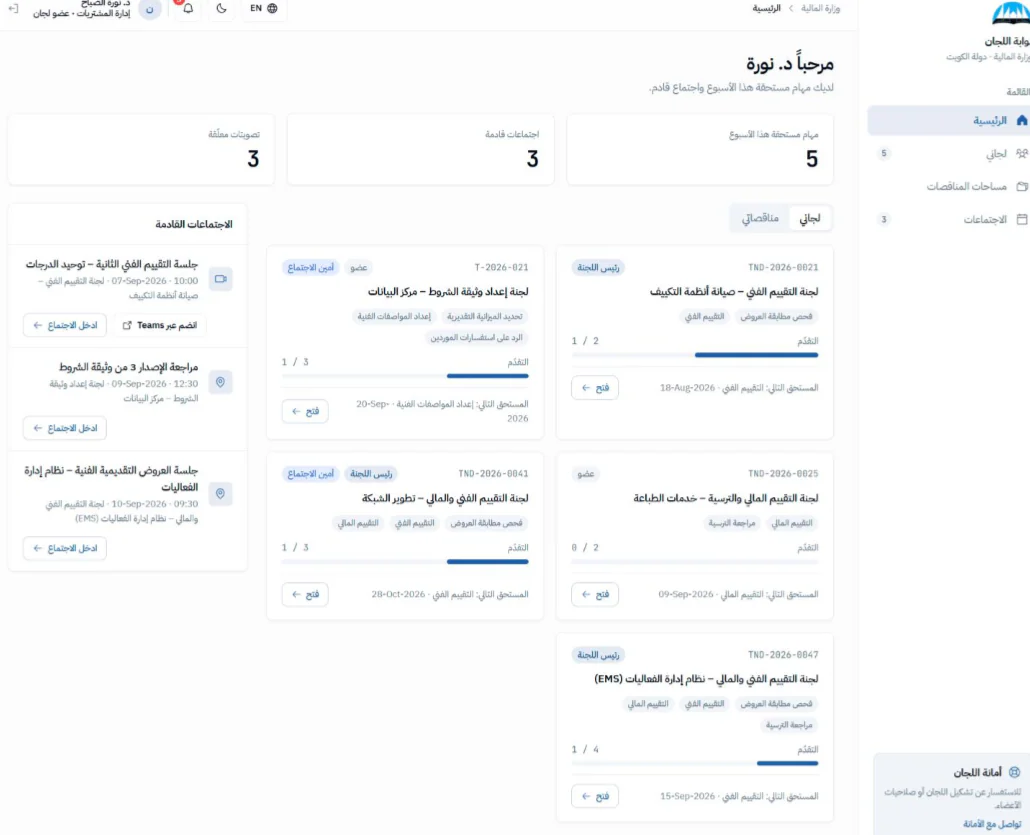
Support preparation and evaluation teams with a shared place for responsibilities, activities, meetings and review records.

Explore committee workflows →

This page describes solution capabilities; it does not replace procurement regulations, delegated authorities or the approved procedures of a government entity.

THE HANDOFFS, IN DETAIL

Understand what moves forward, and who moves it.

Each phase brings together a business task, the relevant participants and an information handoff. Teams can see how their work supports the next decision.

PLANNING

Turn departmental needs into a coordinated budget.

Bring annual purchasing requirements into a consolidated view. Organize needs by budget item, section and department so the right teams can review them with the necessary context.

  1. Capture the requirement at its source.Departments enter anticipated purchasing needs for the coming fiscal year, connect them to budget items and add relevant supporting information.
  2. Review requests before consolidation.Sections and departments review submissions against the preparation timetable before the budget team combines them into a coordinated plan.
  3. Prepare the budget proposal.The budget function consolidates reviewed needs and prepares the reports and forms required to submit a proposed budget for financial review.
REVIEW & FINANCIAL APPROVAL

Align planned purchasing with approved funding.

Approved appropriations inform budget lines, departmental and project allocations, and revisions to the needs plan before tender preparation proceeds.
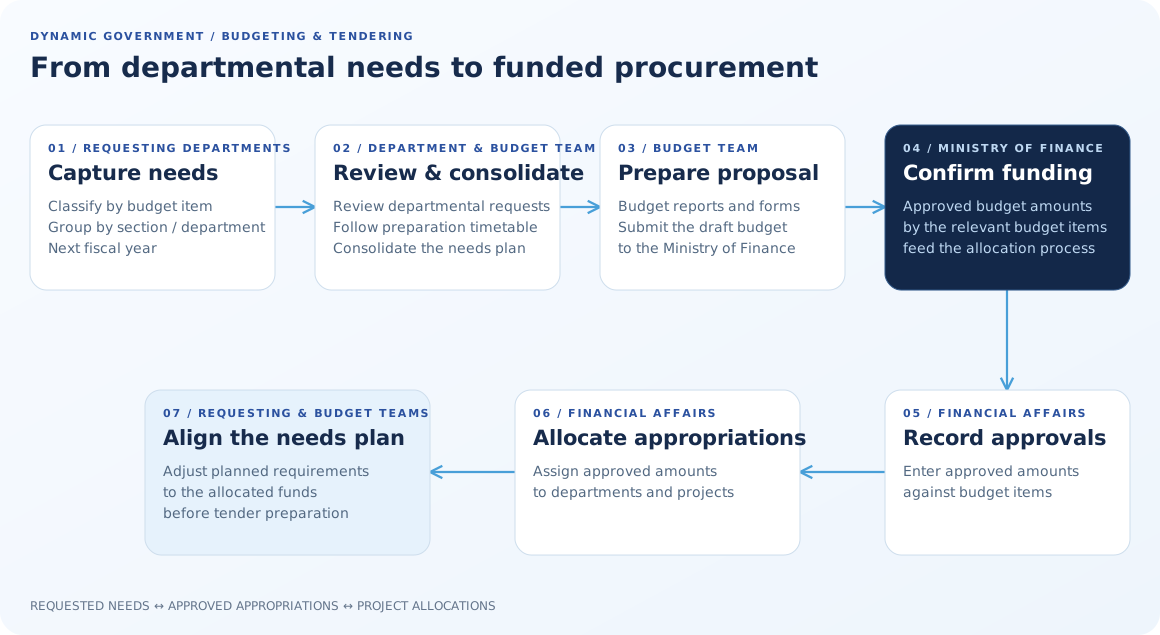
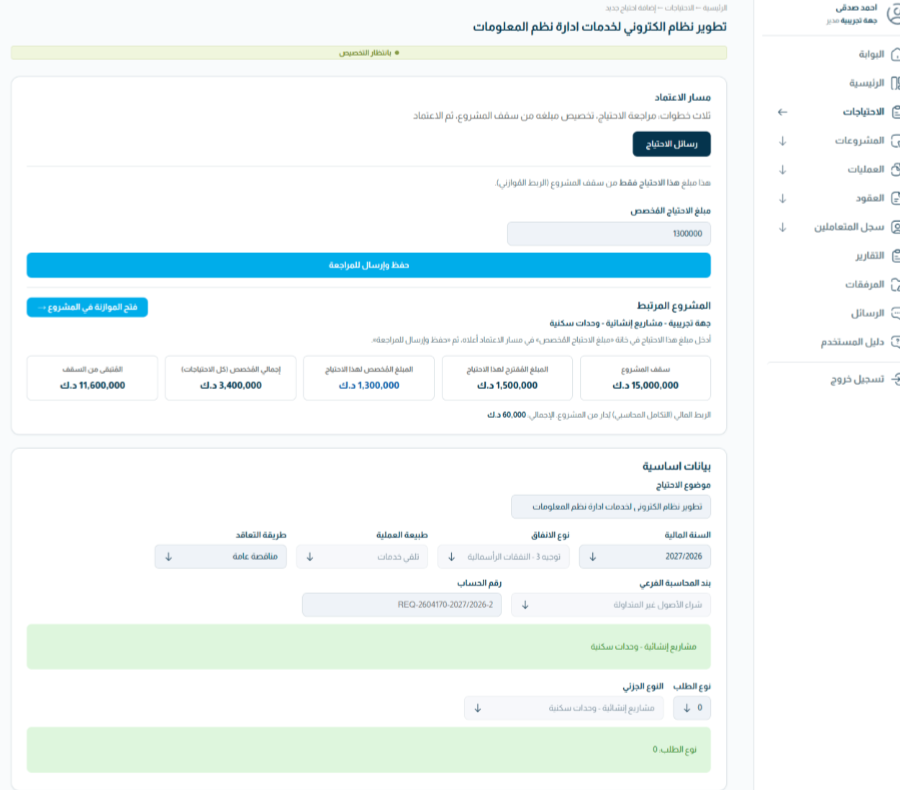
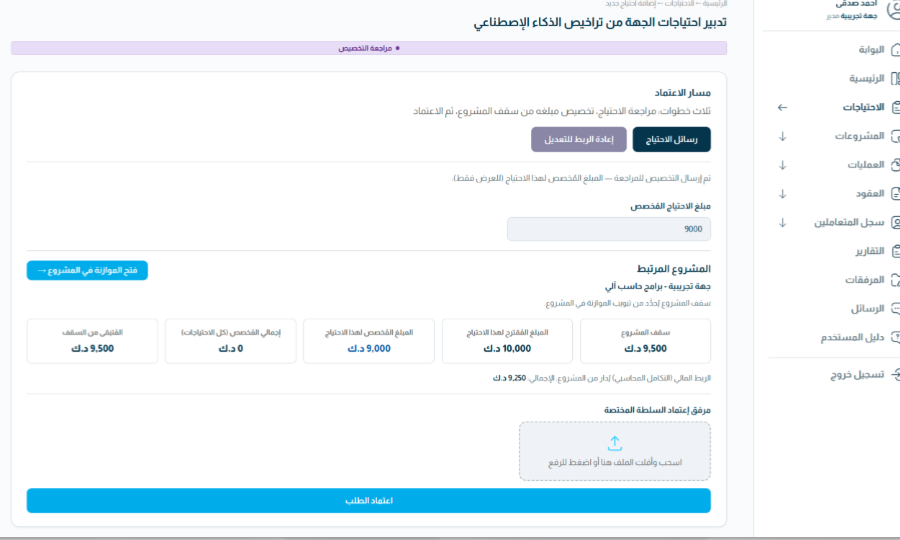
  1. Record authorized amounts against budget items.Enter the amounts approved through the applicable financial process so the budget workspace distinguishes requested funds from authorized funding.
  2. Allocate funds to departments and projects.Assign approved amounts to relevant budgets while retaining their relationship to budget items and requests.
  3. Align the needs plan to the allocation.Adjust planned requirements to reflect the funding allocated, then complete the documentation required for tendering.
Departments submit needs, budget teams review and prepare the Ministry of Finance proposal, then approved amounts are recorded and allocated. The needs plan is adjusted to align with funding.
From departmental needs to funded procurementBudget teams consolidate departmental requirements, record approved amounts and align the needs plan with allocated funding.
PURCHASING & CONTRACTING

Connect the requirement to a reviewed supplier award.

Move from a funded requirement to a published opportunity, electronic supplier offers and committee-led assessment. The system connects the records; authorized people remain responsible for evaluation and award.
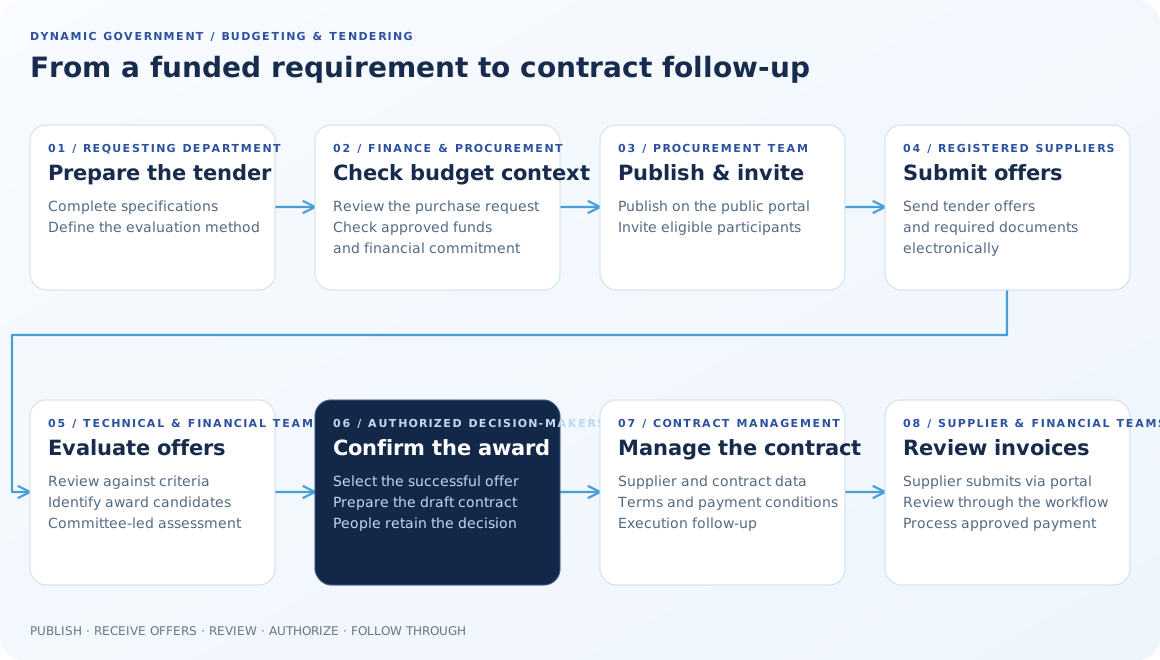
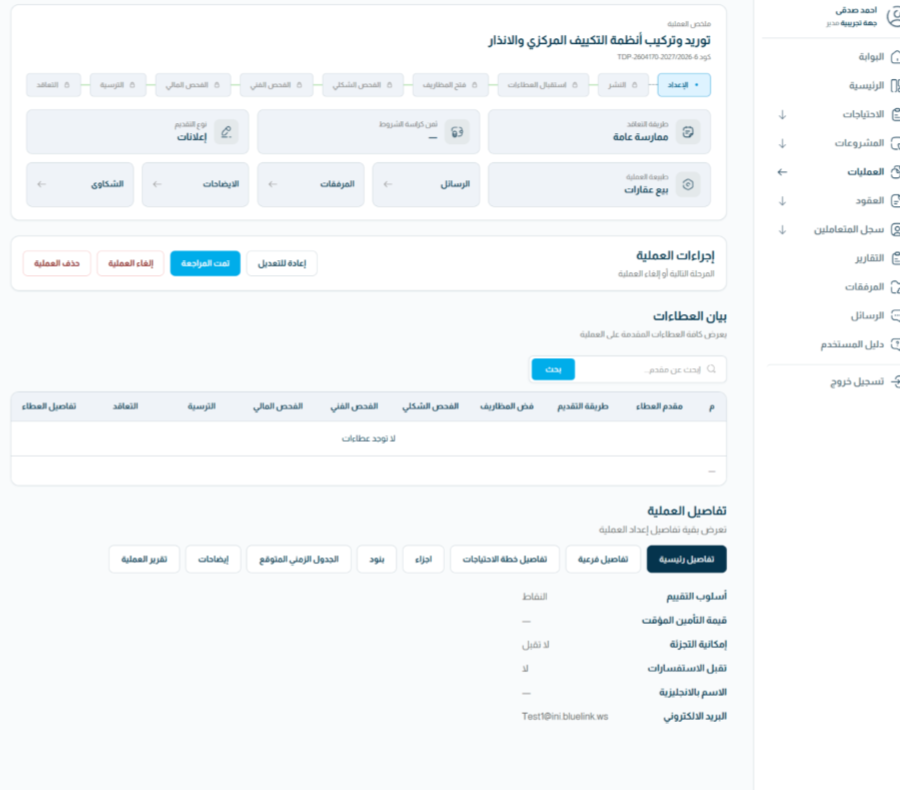
  1. Prepare the specifications and evaluation approach.The requesting department completes technical specifications and the evaluation method. The purchase request is reviewed against its budget context and any required financial commitment.
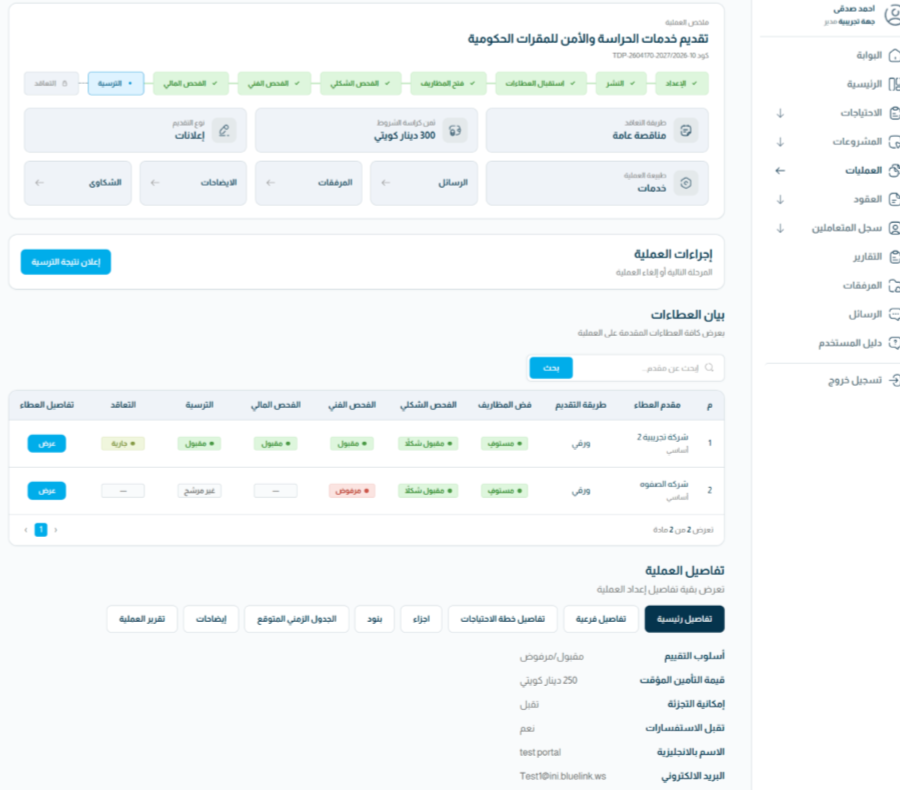
  2. Publish the opportunity and invite participants.The procurement team publishes the opportunity on the electronic portal and invites the eligible participants for that tender.
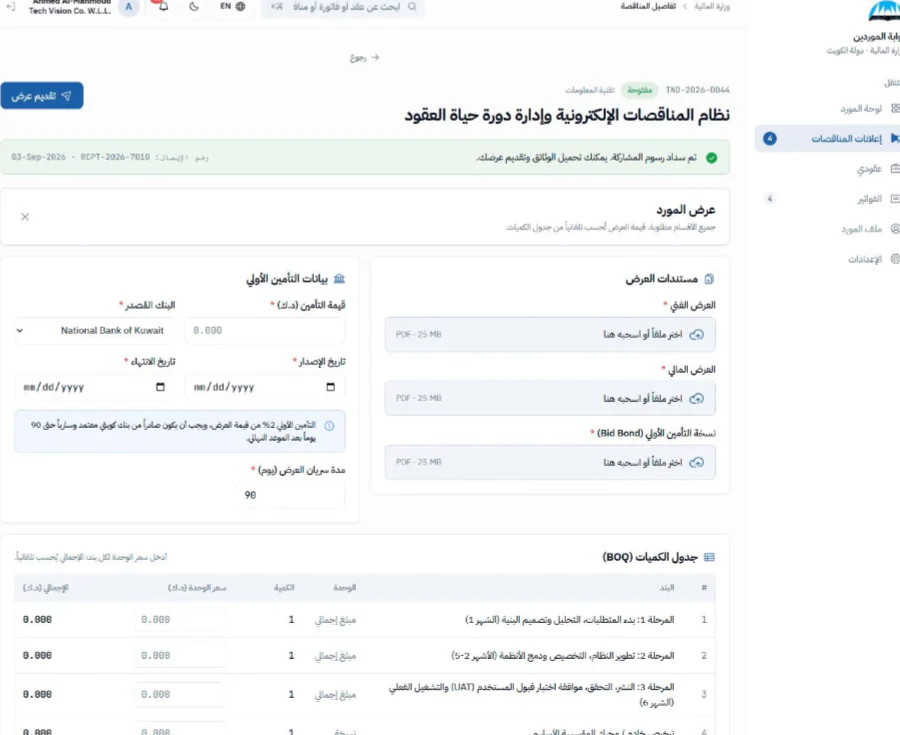
  3. Receive supplier offers electronically.Registered suppliers submit their bids, supporting documents and required tender information through the portal.
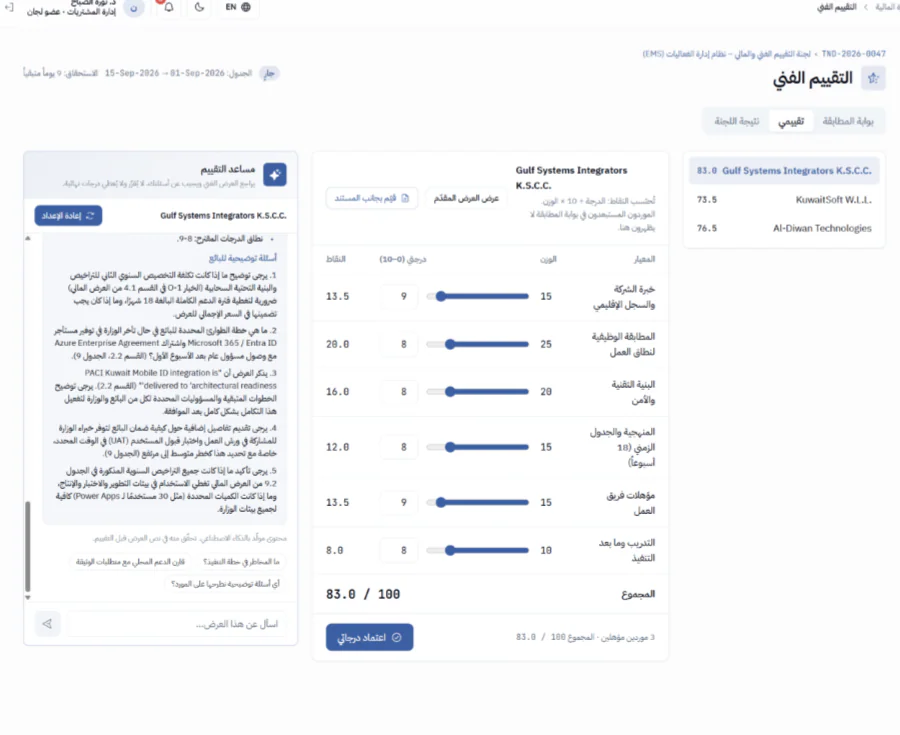
  4. Coordinate technical and financial assessment.Technical and financial teams review offers against the tender criteria and identify candidates for authorized consideration. Committee workspaces support activities, meetings and review records.
  5. Record the award and prepare the contract.Authorized decision-makers confirm the successful offer. The award record carries supplier, contractual and payment information into contract preparation.
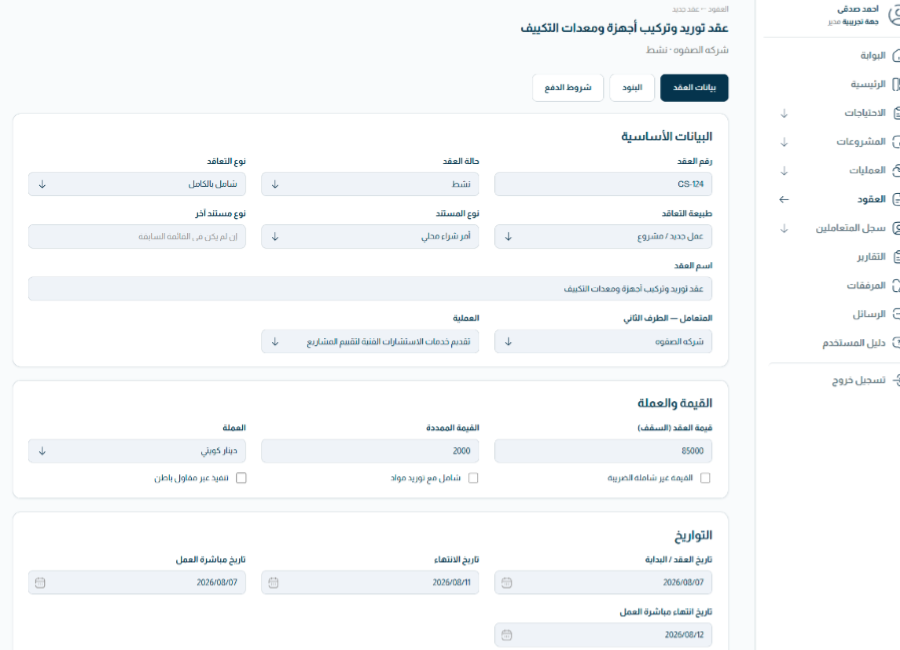
Tender specifications and budget review precede publication, supplier offers, technical and financial committee assessment, authorized award, contract management and supplier invoice follow-up.
From a funded requirement to contract follow-upConnect specification, publication, supplier offers, committee review, authorized award and post-award management.
CONTRACT & FINANCIAL FOLLOW-UP

Carry the commitment through execution and payment.

The procurement journey continues after an award. Contract records provide delivery and payment context, while supplier invoices move through the applicable review and financial workflow.

  1. Maintain the contract and supplier record.Keep essential supplier information, contractual terms, delivery dates and payment conditions together for follow-up.
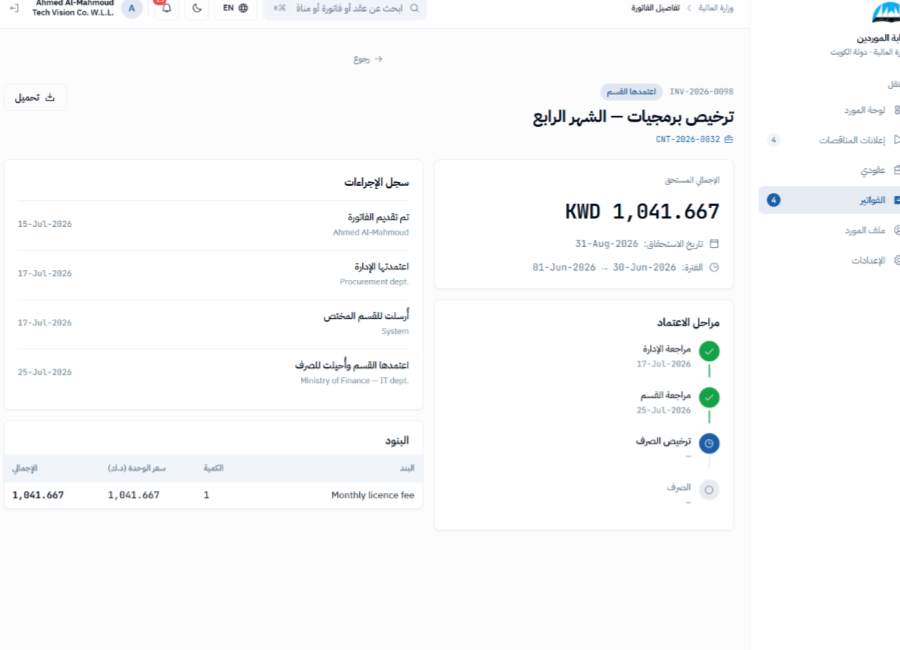
  2. Receive invoices through the supplier portal.Suppliers submit invoices electronically so relevant teams can review them alongside the associated contract.
  3. Review and process financial disbursement.Invoices follow the configured steps for review and payment while teams monitor contract execution and appropriations.
SUPPORTING SOLUTION MODULES

The work around the workflow, brought into it.

Supporting capabilities extend the four phases without adding mandatory steps: a public needs plan, a supplier portal, committee coordination and assistive AI.

Annual procurement needs plan

Publish upcoming purchasing needs through the public portal, making the plan available in the required electronic form.

  • New-fiscal-year purchasing visibility
  • Central publication channel
  • Alignment with entity requirements

Vendor registration & classification

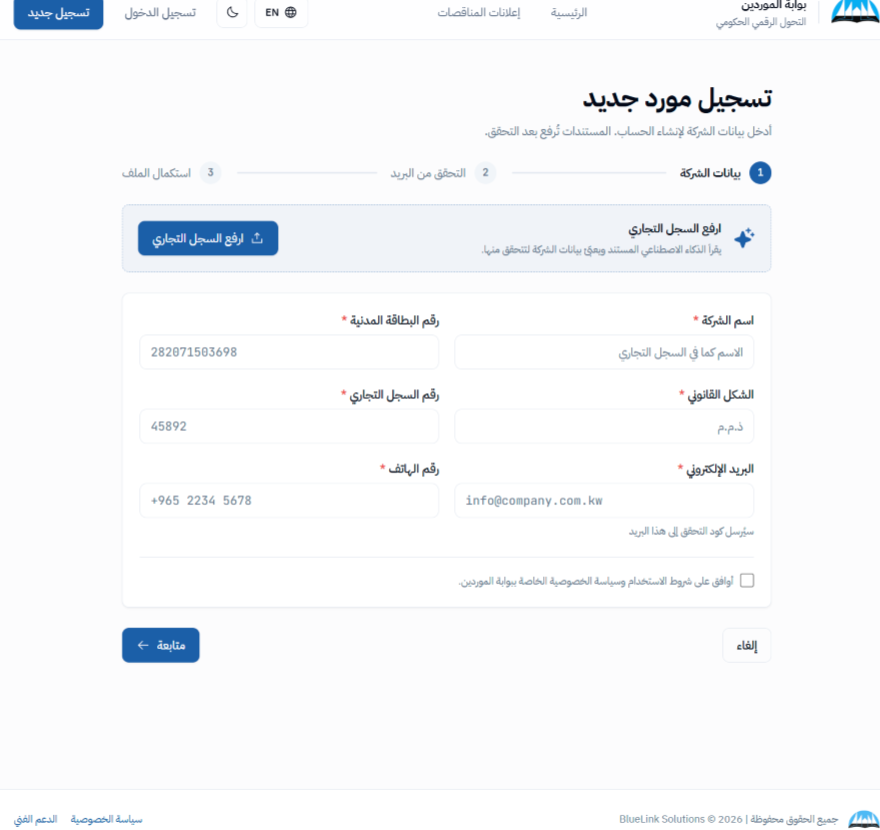
Bring account creation, company information and supporting documents into an electronic supplier journey. Following the relevant review, registered suppliers can participate in opportunities.

  • Account and document submission
  • Classification and review
  • Opportunity and invoice interactions

Committee management portal

Coordinate committee responsibilities alongside tendering and supplier activity, with a shared workspace for assessment tasks and meeting records.

  • Committee roles and member assignments
  • Tender and evaluation workspaces
  • Activities, meetings and minutes
ASSISTIVE AI

AI can organize information. People verify and decide.

HUMAN-IN-THE-LOOP

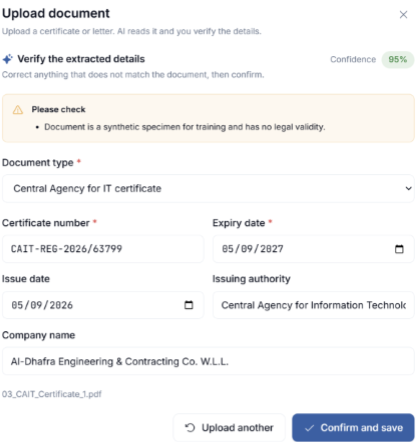
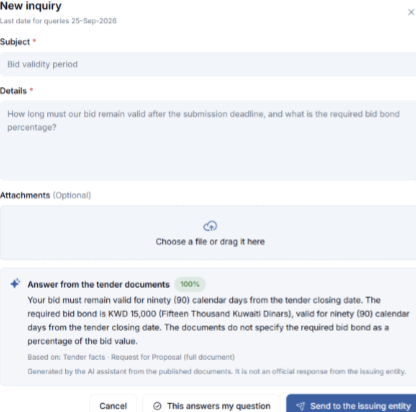
Document assistance can extract information from commercial-register documents and certificates for review. Tender-document assistance can help staff locate relevant details and draft a response. Committee support can organize strengths, gaps and criterion-level observations for technical review.

User confirmation before savingConfidence and warningsNo final AI scores or supplier rankingsNo automated approval or award decision

The solution is designed around fixed-rule decisive calculations, server-side processing and audit logging. Process data is not used for model training. Confirm the controls and data-governance scope during solution design for each entity.

CONNECTED APPLICATION ARCHITECTURE

Different workspaces. A connected application foundation.

Internal budgeting and tendering, committee operations and public vendor services connect through an API and process-automation layer. Underneath sit the business modules, records, supporting documents and assistive services.
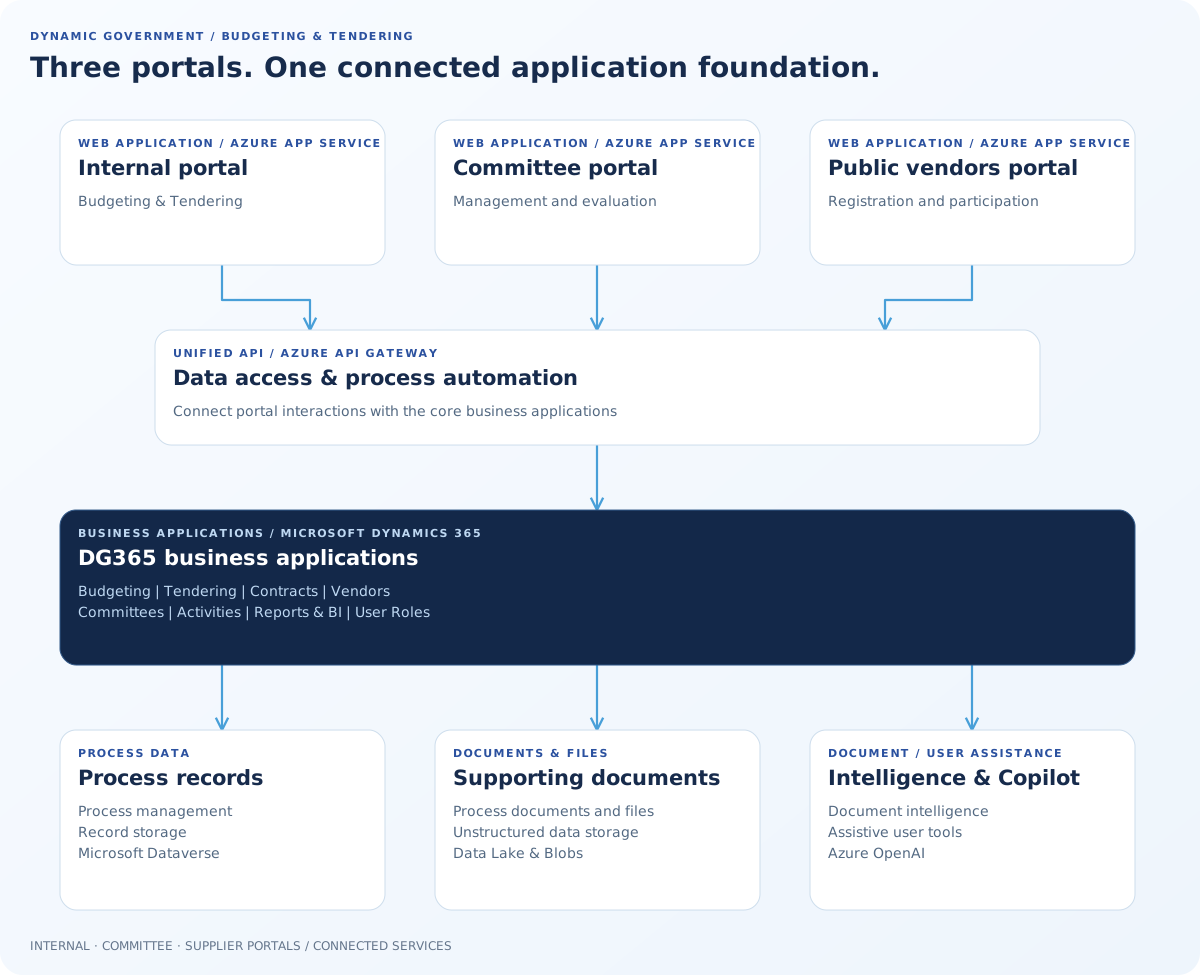
The internal, committee and vendor portals link through an API and automation layer to eight DG365 modules, supported by process records, documents and assistive AI services.
Three portals and the DG365 application foundationInternal teams, committees and suppliers work through connected portals and core business modules.

Business applications

The application foundation combines Microsoft Dynamics 365, Power Apps, Power Automate, Power BI and SharePoint. Business modules span budgeting, tendering, contracts, vendors, committees, activities, reports, analytics and roles.

Azure platform components

Supporting services include App Service, Data Lake Gen2, Functions, an integration hub, Notification Hubs, Synapse Analytics and Azure OpenAI. Specific components depend on the implementation.

Explore an external-portal isolation option

External committee and vendor portals may use a separate Azure SQL transactional store, with controlled exchange through an API and security boundary. This option limits direct public-portal access to core applications. The final topology, connectivity and security requirements are project-specific.
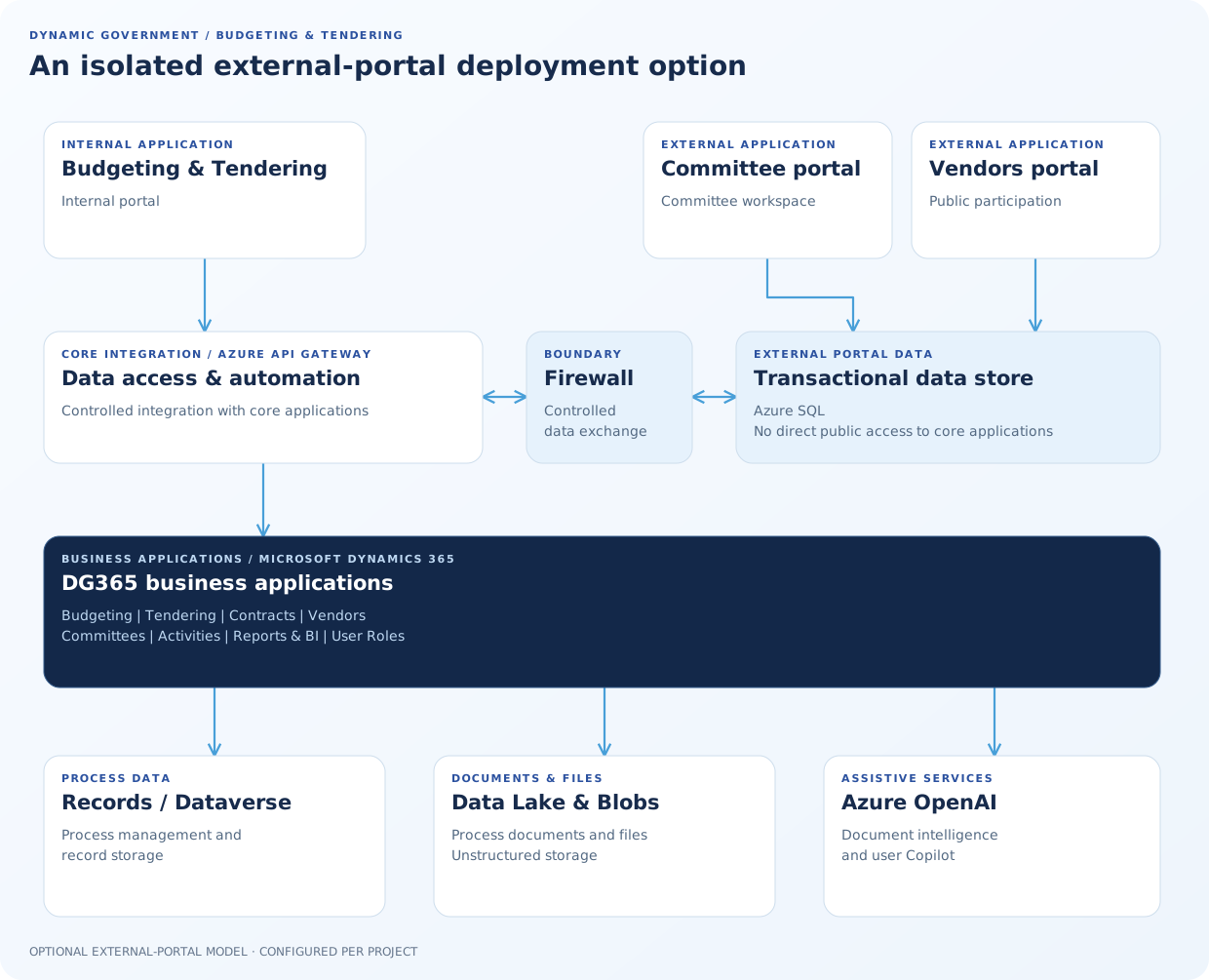
External committee and vendor portals use an Azure SQL transactional store, exchanged through a controlled firewall boundary with the main API/core. Internal portal and core application/data layers remain connected.
An isolated external-portal deployment optionAn optional external-data design controls exchange between portal services and core applications; topology is confirmed per deployment.

The architecture is illustrative. Services, hosting, identity, data boundaries and operational controls are confirmed for each project.

EXPERIENCE THE SOLUTION MODULES

Explore the modules behind each phase.

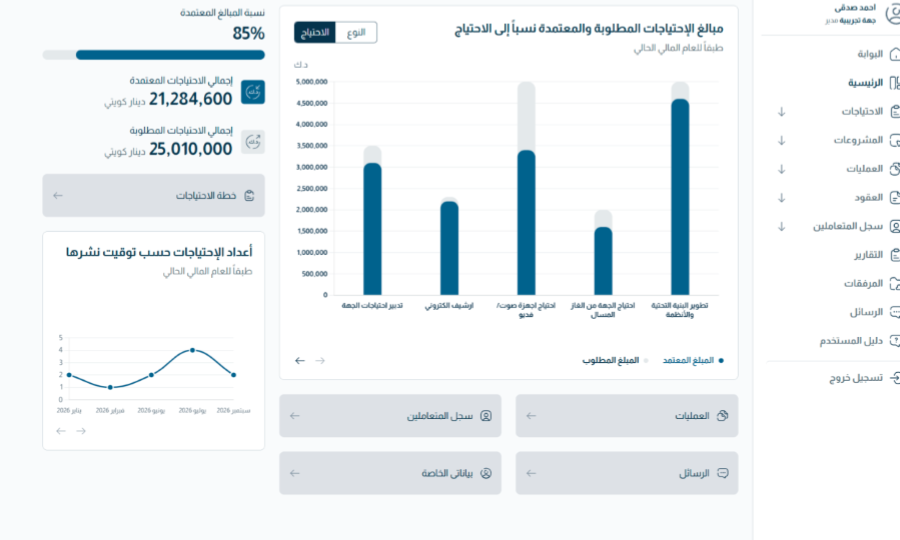
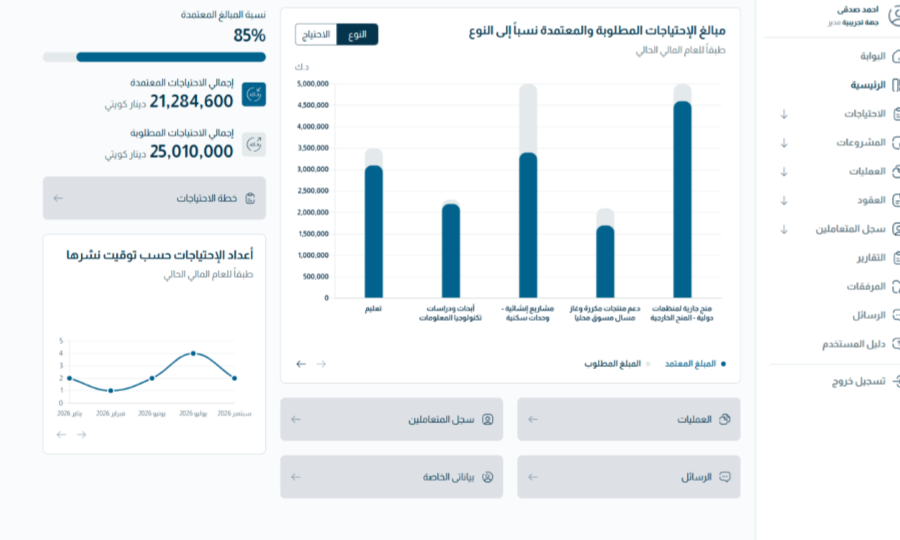
See how the budgeting, tendering, supplier, committee and contract workflows fit together. Each view includes an English explanation of the module’s role.
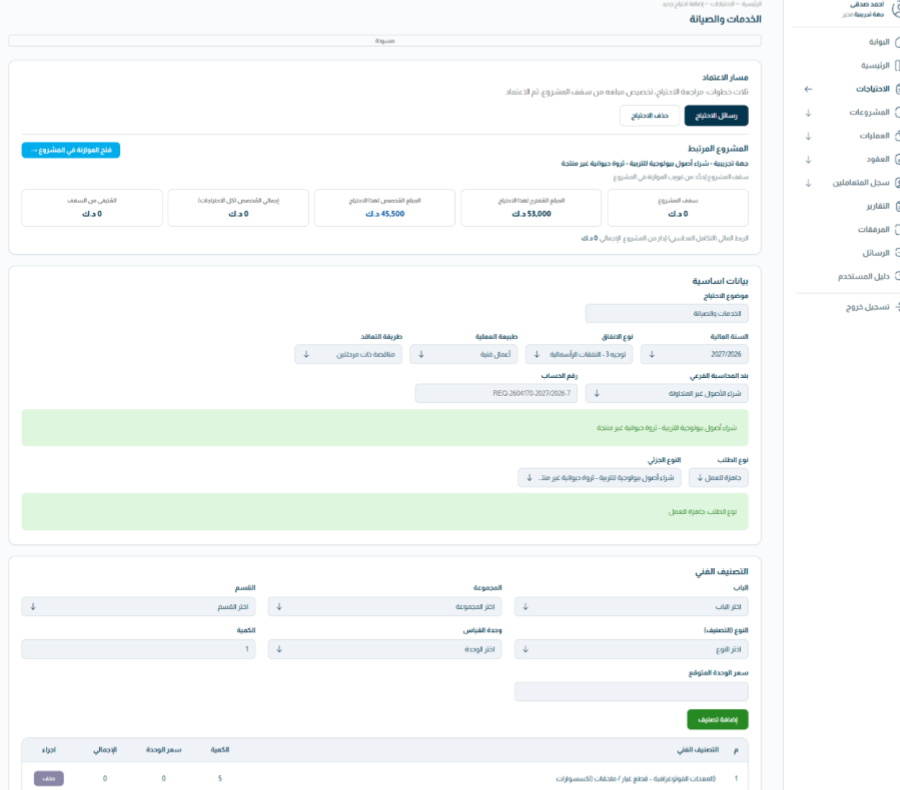
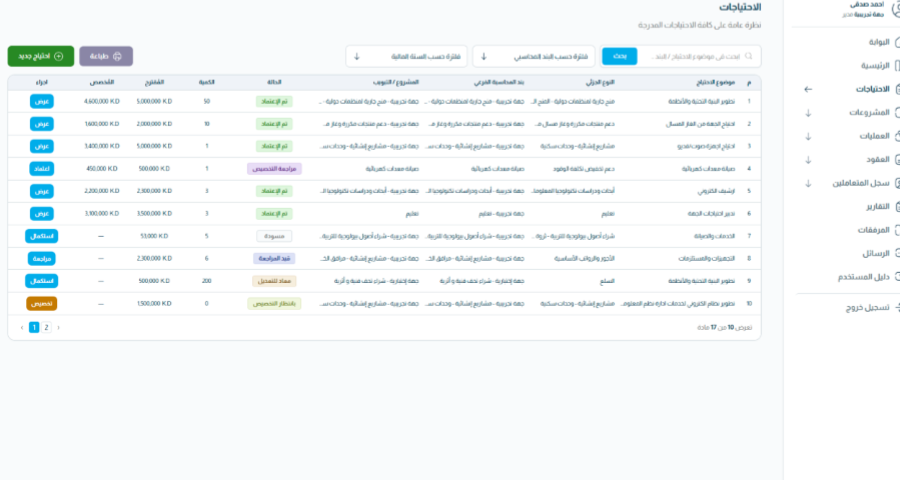
Fields and approval rules are configured to each government entity; the examples illustrate how the modules support the overall journey.

MAP THE RIGHT PROCUREMENT JOURNEY

Connect the modules around your entity’s process.

Discuss the roles, approval handoffs, supplier channels and information requirements that shape your budgeting and procurement cycle.

SOLUTION MODULE EXPERIENCE

Explore a solution module